Chapter 6
Ventilator Communications
REF 1029568 Rev B BiPAP Focus Ventilator Service Manual © Respironics, Inc. 6-19
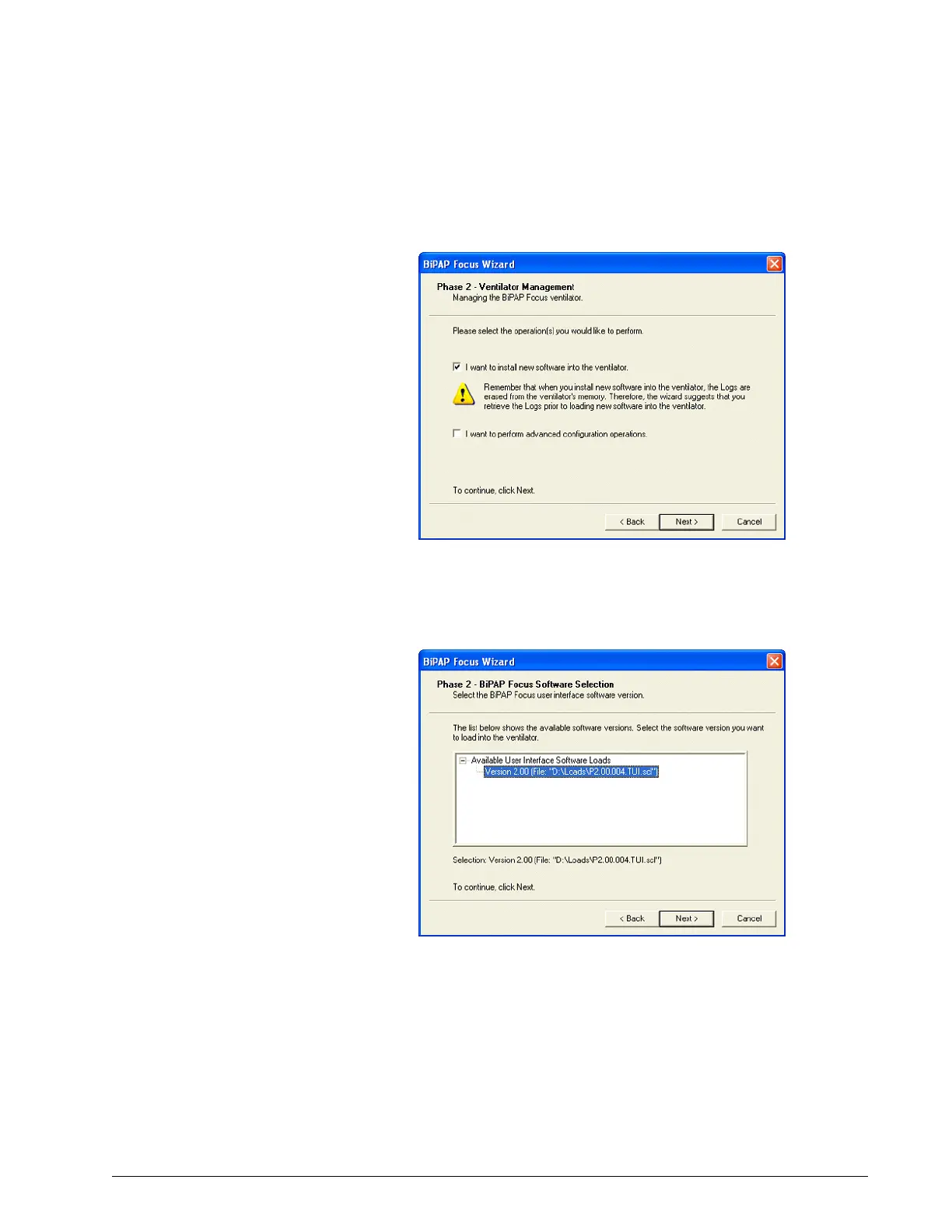
12. At the prompt that asks what operation to perform, select I want to
install new software into the ventilator and click Next (Figure 6-34).
Figure 6-34: Selecting to Install new software
13. At available software window, select (in this example) Version 2.00
(File: D:\Loads\P2.00.004. TUI.scl) then click Next (Figure 6-35).
Figure 6-35: Available Software Window


 To Next Page