Chapter 6
6-24 BiPAP Focus Ventilator Service Manual © Respironics, Inc. REF 1029568 Rev B
Ventilator Communications
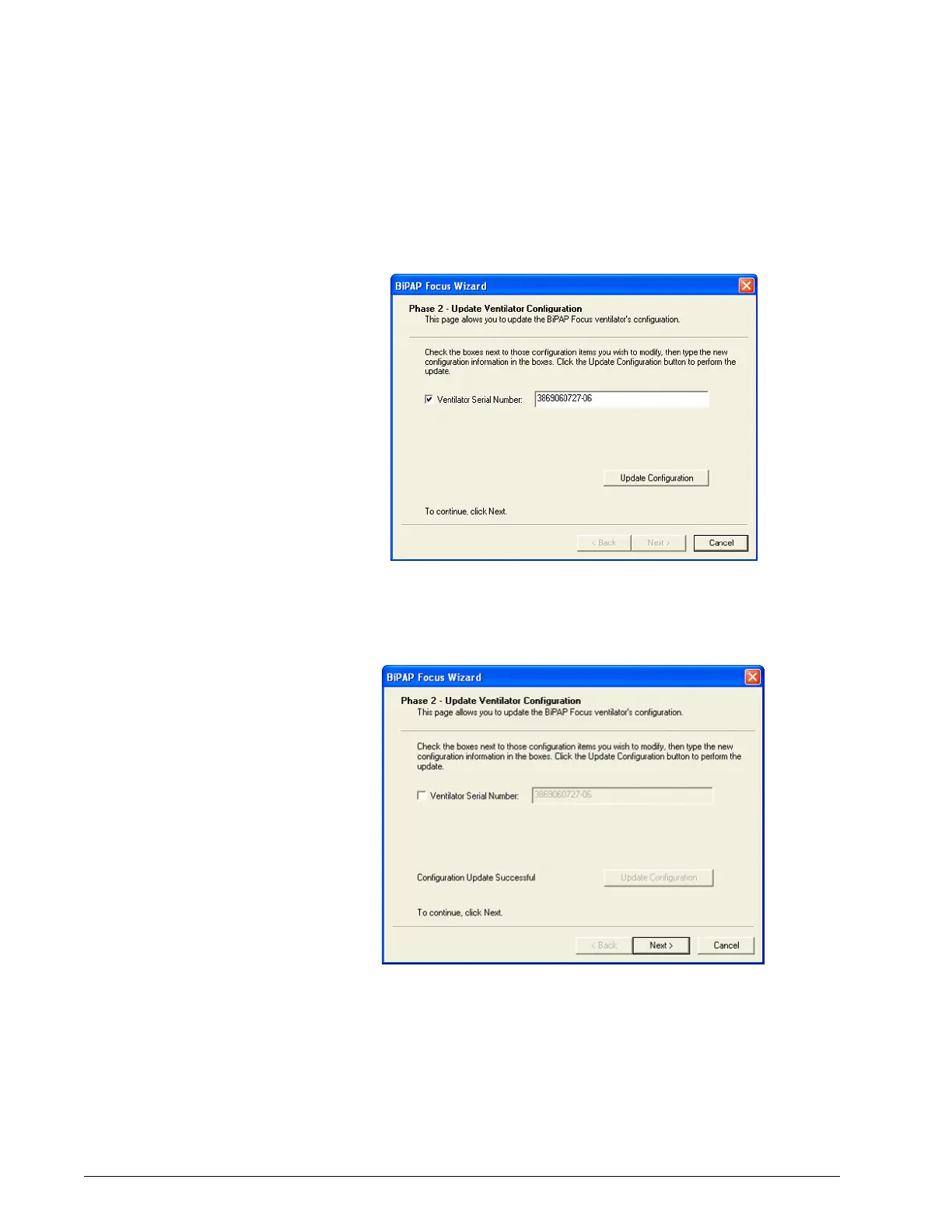
7. Click Ventilator Serial Number, enter the serial number exactly as it
appears on the bottom of the ventilator, then click the Update
Configuration button (Figure 6-43).
Figure 6-43: Entering the Serial Number
8. When the configuration is successfully updated, click Next
(Figure 6-44).
Figure 6-44: Configuration Update Successful


 To Next Page