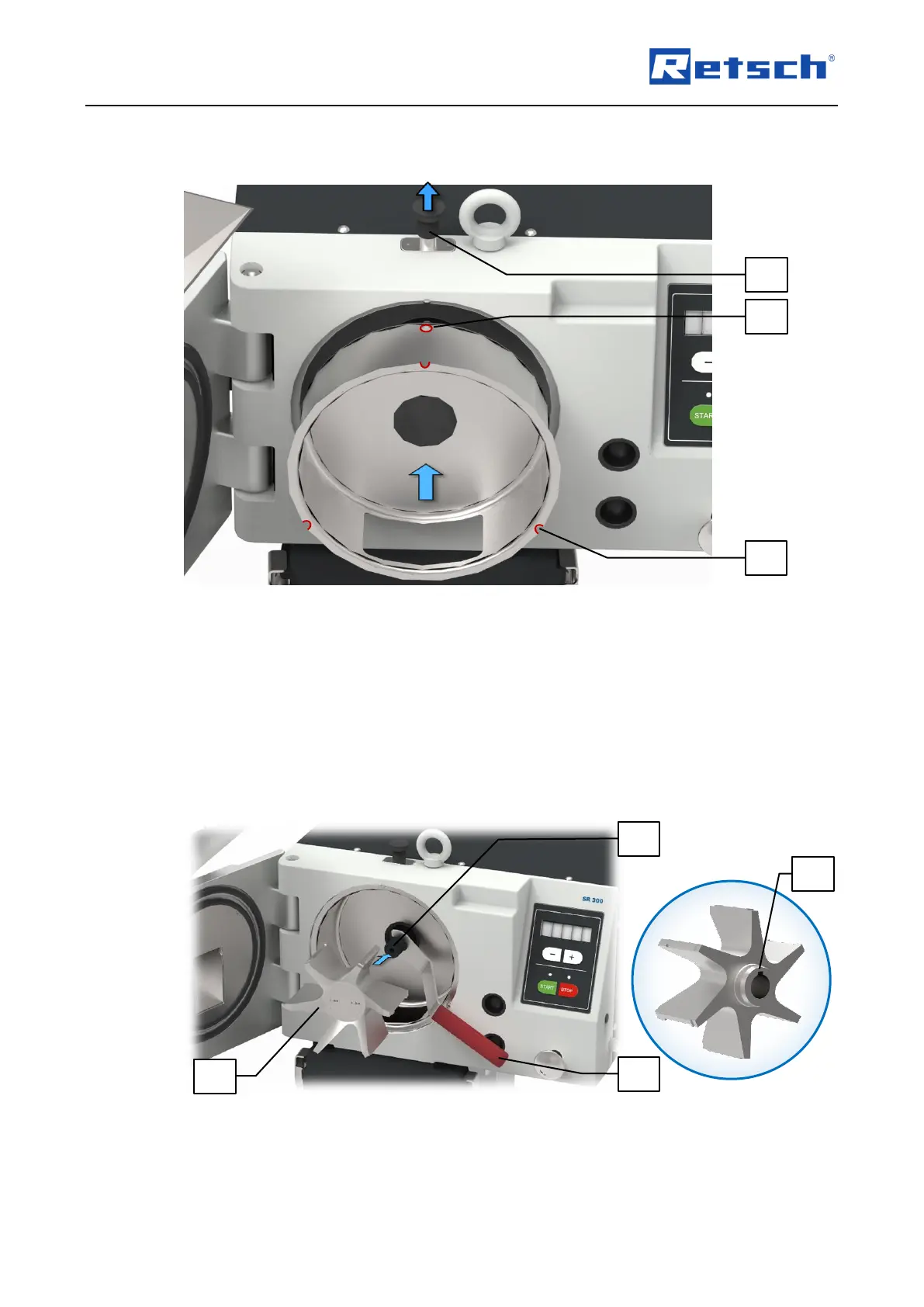
Pull up and hold the locking pin (E).
Align the grinding chamber cartridge so that the opening (MK1) for the locking pin is at the
top, and the three recesses (MK2) are aligned with the corresponding cylinder pins.
Slide the grinding chamber cartridge into the grinding chamber.
Release the locking pin (E) to lock it into the opening (MK1) of the grinding chamber
cartridge.
6.7.2 Inserting the Rotor
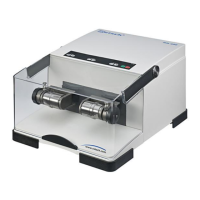
Use the supplied holding key (HS) to hold the motor shaft (MW) in place.
Grasp the rotor (RO) so that the rear hub (RO1) is aligned properly with the feather key (PF)
on the motor shaft (MW).



 To Next Page