Firmware Update
See Functional Description of firmware → "Firmware Replacement".
If the firmware of the MMC differs from the internal firmware, the
device is operated with the MMC firmware.
Firmware ≥ MPB05: If the firmware update has failed, the drive tries to load
the firmware from the MMC after previous switching off and on.
MMC
After you have unscrewed the cover, you can remove the MMC (MultiMedia‐
Card) from the MMC slot X7. The MMC contains firmware and parameters
which allow easily programming the drive during commissioning.
Make a backup copy of the content of the MMC (saving parame‐
ters) before changing firmware or parameters.
Risk of damage by MMC incorrectly plugged
in!
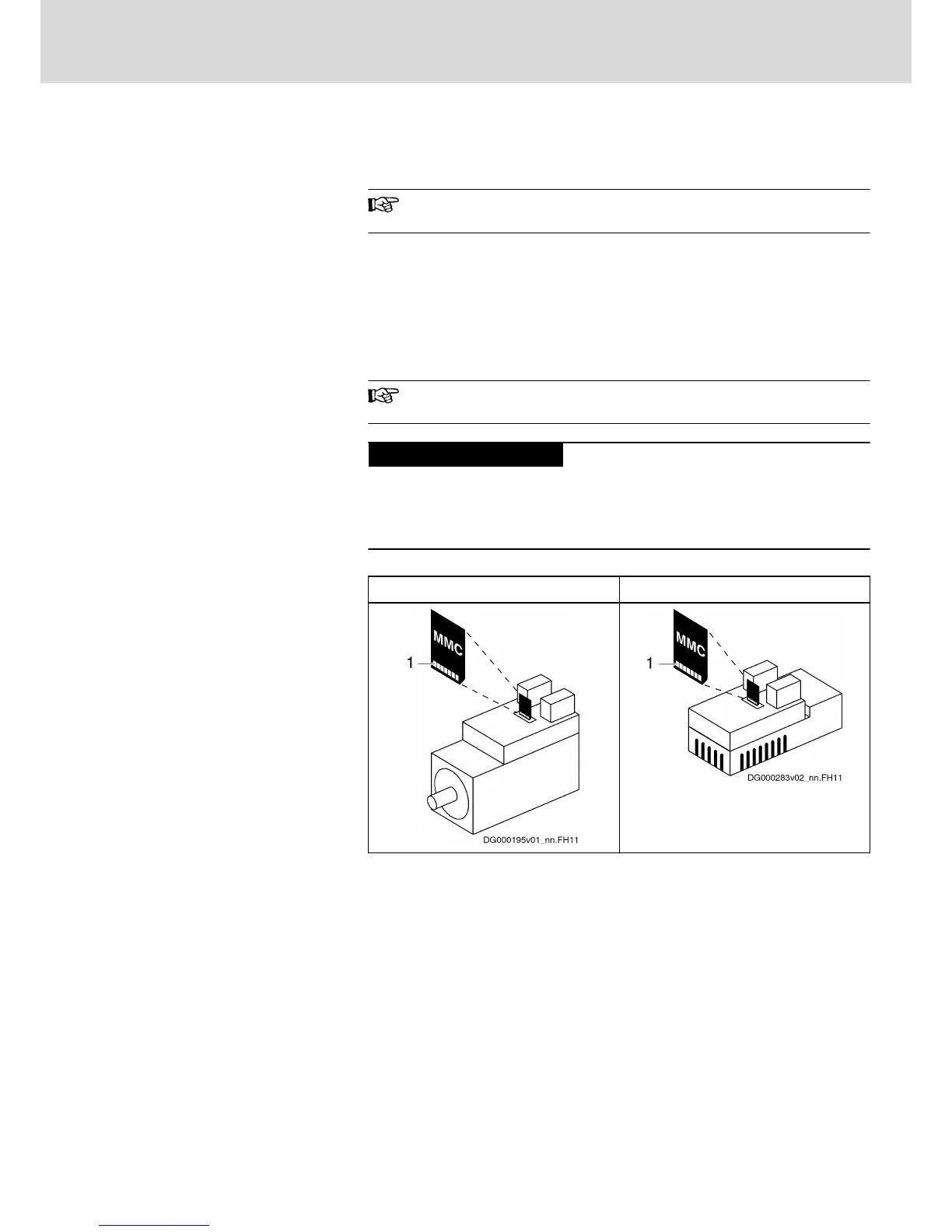
When you plug in the MMC, the contacts must point at the heat sink! Other‐
wise, the MMC or the device might be damaged when you screw the MMC
cover.
KSM KMS
1 Contacts of MMC
Fig.5-13: Plugging in the MMC
Use the software "Rexroth IndraWorks D" to configure the data transfer from
the MMC after control voltage has been switched on.
5.3.5 Maintenance
Maintenance of the Motor Component
General Information
The motors operate in a maintenance-free way within the given operating
conditions and service life. However, operation under unfavorable conditions
can lead to limitations in availability.
DOK-INDRV*-KMS01******-IT01-EN-P
Rexroth IndraDrive Mi Distributed Drive Controller KMS01
Bosch Rexroth AG 43/67
Instructions for Use



 To Next Page