21
GA--A 181
6.4 Controlling the devices using the RIWO--NET menu
6.4.1 Controlling the devices via the different input media
Via Touch--Screen Monitor:
-- The function is selected and executed by gently touching the desired
menu function (button) directly on the Touch--Screen Monitor.
Via voice control:
-- The same instructions/commands must be used as displayed on the
Touch--Screen Monitor.
-- If an instruction/command consists of a “Function” and an “Action”,
both terms must be pronounced one after the other without pausing.
Example: “SUCTION RATE” -- “MINUS” or “SUCTION RATE” -- “PLUS”
-- Before and after each instruction/command, a s hort pause of
approx. 0.5 seconds is required.
Via remote control unit:
-- The arrow buttons serve to s elect the corresponding device in the main
menu and the corresponding function in the submenu.
-- The yellow buttons serve to execute the corresponding action.
-- The blue buttons serves to return to the main menu.
From the main menu, the RIWO NET SYSTEM can be exited,
in which case the computer is shut down automatically.
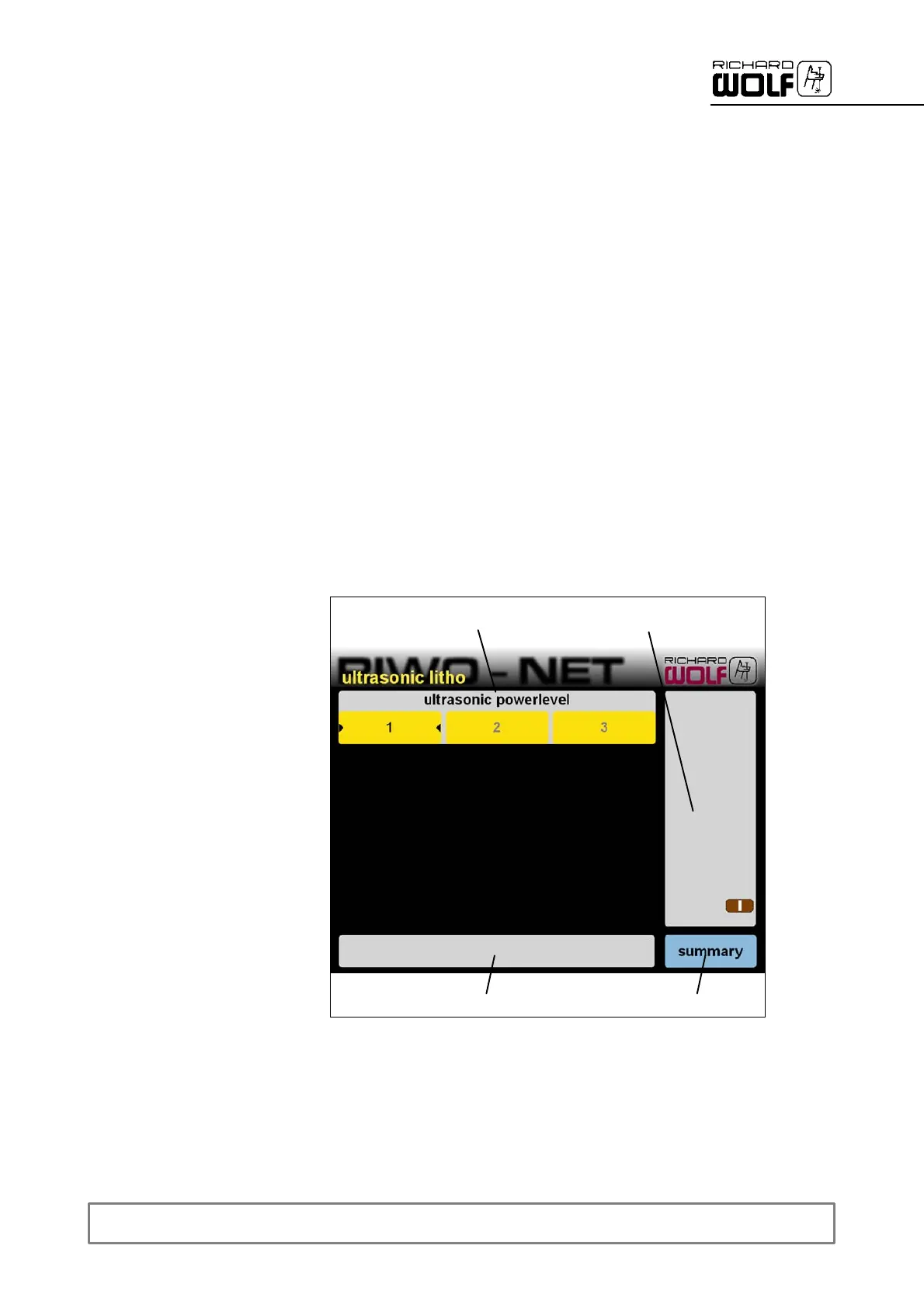
6.4.2 Illustration of menu
1
2
3
4
Legend
1 Control menu 3 System messages
2 Status display 4 Back to main menu


 To Next Page