EasyManua.ls Logo

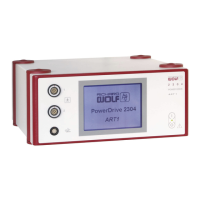
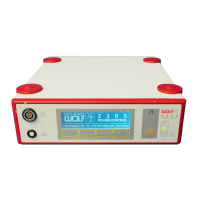
Richard Wolf 2303 - User Manual

Richard Wolf 2303
55 pages
Print Icon
To Next Page IconTo Next Page
Loading...
GA-A 202 / en / 2012-04 V6.0 / PDG 11-5360
POWER CONTROL
2303
POWER STICK M4 8564.121
POWER STICK M3 8563.111/.311
Instruction Manual
2303
POWER CONTROL

Table of Contents

Questions and Answers

Summary

General Information and Safety

Symbols Used in the Manual

Explanation of symbols used in the manual and on the device.

Intended Use of the Device

Defines the primary applications and purpose of the POWER CONTROL and POWER STICK devices.

Indications and Field of Use

Lists specific medical procedures and areas where the product is indicated for use.

Contraindications for Use

Outlines conditions or situations where the product should not be used.

General Notes and Instructions for Safe Use

Provides essential safety guidelines, warnings, and general operating instructions.

Product Combinations and Compatibility

Details compatible products and components for system use.

Potential Equalization in System Setup

Explains the function and importance of potential equalization cables.

Requirements for Combined Components

Specifies technical requirements for combined medical devices and environments.

Electromagnetic Compatibility (EMC) Guidelines

Provides guidelines and declarations regarding electromagnetic interference.

Combination Diagrams for POWER STICK Models

Diagram illustrating system configurations with different POWER STICK models.

Legend for Combination Diagrams

Key for the combination diagram, explaining component labels.

Device Illustrations and Component Identification

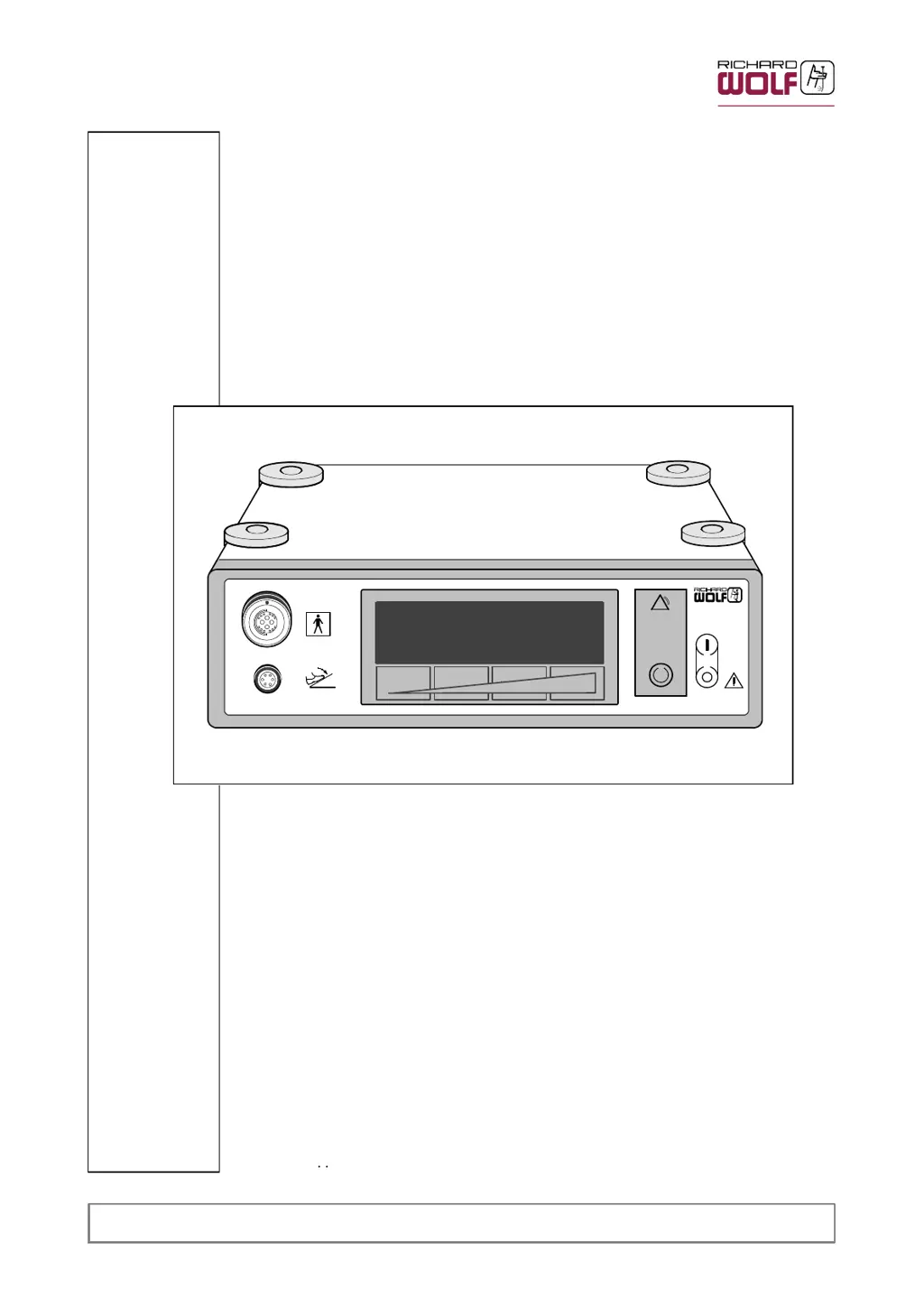
POWER CONTROL Front Panel Overview

Visual representation of the front panel of the POWER CONTROL unit.

Legend for POWER CONTROL Front Panel

Key to identify components on the POWER CONTROL front panel.

POWER CONTROL LCD Display Details

Detailed view of the POWER CONTROL's Liquid Crystal Display.

Legend for POWER CONTROL LCD Display

Key to understand the indicators and symbols on the LCD display.

POWER CONTROL Rear Panel Connections

Visual representation of the rear panel connections and ports.

Legend for POWER CONTROL Rear Panel

Key to identify components on the POWER CONTROL rear panel.

Footswitch Illustration and Controls

Diagram of the footswitch used for device control.

Legend for Footswitch Controls

Key to identify the pedals and controls on the footswitch.

POWER STICK M3 (8563.111;.311) Illustration

Illustration of the POWER STICK M3 device and its parts.

Legend for POWER STICK M3 Components

Key to identify components of the POWER STICK M3.

POWER STICK M4 (8564.121) Illustration

Illustration of the POWER STICK M4 device and its parts.

Legend for POWER STICK M4 Components

Key to identify components of the POWER STICK M4.

Device Setup and Preparation

Preparing the POWER CONTROL Unit

Step-by-step guide for preparing the POWER CONTROL unit for operation.

Preparing the POWER STICK M4

Instructions for connecting and preparing the POWER STICK M4.

Preparing the POWER STICK M3

Instructions for connecting and preparing the POWER STICK M3.

Attaching the Irrigation Adapter for M3

Procedure for attaching the irrigation adapter to the M3 model.

Pre-Operation Checks and Verification

Visual Inspection Checklist

Procedures for visually inspecting the device and accessories before use.

Device Functionality Checks

Steps to verify the correct operation of the device and its components.

Footswitch Functionality Control

Procedure to check the functionality of the footswitch controls.

Function Check for POWER STICK M4

Steps to perform a function check on the POWER STICK M4.

Function Check for POWER STICK M3

Steps to perform a function check on the POWER STICK M3.

Device Operation and Control

Operating Principle Explained

Explanation of how the POWER CONTROL and POWER STICKS operate together.

Control Elements and Operating Modes

Description of the device's controls, modes, and user interface elements.

General Operating Guidelines

Key guidelines and important notes for operating the device safely and effectively.

Operation via Sensor Surface

Instructions for operating the device using its touch-sensitive sensor surface.

Language Selection Procedure

Procedure for selecting the user interface language.

Setting Parameters with Footswitch

Guide to setting speed ranges and other parameters using the footswitch.

Setting Parameters Without Footswitch

Guide to setting parameters directly on the POWER CONTROL unit.

Changing Factory Default Settings

Instructions for modifying preset factory parameters and settings.

POWER STICK M3 Operation Details

Details on operating and controlling the POWER STICK M3.

POWER STICK M4 Operation Details

Details on operating and controlling the POWER STICK M4.

Device Operation Procedures

Comprehensive guide on the practical operation of the device during procedures.

Speed Adjustment for Blades and Abraders

Information on adjusting the rotational speed for different blades and tasks.

Morcellation in Urology: Instructions

Specific guidance and precautions for morcellation procedures in urology.

Device Alarm Conditions and Meanings

Explanation of alarm conditions and their meanings.

Emergency Shutdown Procedure

Procedure for initiating an emergency shutdown of the POWER STICK.

RIWO NET SYSTEM Operation

Integrating with RIWO NET SYSTEM

Information on integrating the POWER CONTROL into the RIWO NET SYSTEM.

Operating within the RIWO NET SYSTEM

Overview of operating the device within the RIWO NET SYSTEM environment.

Setting the ID Rotary Coding Switch

Instructions for setting the rotary coding switch for system identification.

Connecting to the RIWO NET SYSTEM

Diagram and steps for connecting the device to the RIWO NET SYSTEM.

Controlling Devices via RIWO-NET Menu

Methods for controlling connected devices via the RIWO-NET system menu.

Control Input Media for RIWO-NET

Describes control via touch-screen, voice, and remote control.

RIWO-NET System Menu Illustration

Visual guide showing the structure of the RIWO-NET system menu.

RIWO-NET Main Menu Structure

Description of the main menu listing connected devices.

RIWO-NET Speed Range Selection Function

Function for selecting speed ranges within the RIWO-NET menu.

RIWO-NET Speed Adjustment Function

Function for adjusting speed within the selected range in the RIWO-NET menu.

RIWO-NET Oscillation Function

Function for setting the oscillation rate in the RIWO-NET menu.

RIWO-NET Positioning Function

Function for positioning the blade in the RIWO-NET menu.

RIWO-NET System Messages and Errors

Information on system status, warnings, and error messages within the RIWO-NET system.

Reprocessing and Maintenance Procedures

General Device Reprocessing

General procedures for cleaning and disinfecting the main POWER CONTROL unit.

Device Maintenance Overview

Overview of maintenance requirements and procedures for the device.

Recommended Maintenance Intervals

Specifies the recommended schedule for device servicing and safety checks.

Reprocessing POWER STICK M4 (8564.121)

Detailed instructions for reprocessing the POWER STICK M4.

Manual Reprocessing of POWER STICK M4

Step-by-step guide for manual cleaning and disinfection of the M4.

Machine Reprocessing of POWER STICK M4

Procedures for reprocessing the M4 using automated equipment.

Assembly After Reprocessing M4

Instructions for reassembling the POWER STICK M4 after cleaning.

Function Check After M4 Reprocessing

Performing a function check after reprocessing the M4.

Sterilization Methods for POWER STICK M4

Methods for sterilizing the POWER STICK M4.

Reprocessing POWER STICK M3 (8563.111;.311)

Detailed instructions for reprocessing the POWER STICK M3.

Manual Reprocessing of POWER STICK M3

Step-by-step guide for manual cleaning and disinfection of the M3.

Machine Reprocessing of POWER STICK M3

Procedures for reprocessing the M3 using automated equipment.

Assembly After Reprocessing M3

Instructions for reassembling the POWER STICK M3 after cleaning.

Function Check After M3 Reprocessing

Performing a function check after reprocessing the M3.

Sterilization Methods for POWER STICK M3

Methods for sterilizing the POWER STICK M3.

Reprocessing the Re-usable Irrigation Adapter

Procedures for cleaning and reprocessing the reusable irrigation adapter.

Manual Reprocessing of Irrigation Adapter

Manual cleaning and disinfection steps for the irrigation adapter.

Machine Reprocessing of Irrigation Adapter

Machine reprocessing for the irrigation adapter.

Visual Check of Irrigation Adapter

Visual inspection of the irrigation adapter after cleaning.

Sterilization of Irrigation Adapter

Sterilization methods for the irrigation adapter.

Reprocessing Re-usable Blades, Abraders, Morcellators

Instructions for reprocessing reusable blades, abraders, and morcellators.

Manual Reprocessing of Blades;Abraders

Manual cleaning and disinfection for blades, abraders, and morcellators.

Machine Reprocessing of Blades;Abraders

Machine reprocessing for blades, abraders, and morcellators.

Checks After Reprocessing Blades;Abraders

Checks to perform after reprocessing blades, abraders, and morcellators.

Sterilization of Blades;Abraders

Sterilization methods for blades, abraders, and morcellators.

Technical Description and Troubleshooting

Troubleshooting Guide

Guidance for diagnosing and resolving faults and errors with the device.

Troubleshooting POWER CONTROL

Troubleshooting specific faults for the POWER CONTROL unit.

Troubleshooting POWER STICK Units

Troubleshooting specific faults for the POWER STICK units.

Technical Data: POWER CONTROL

Specifications and technical details of the POWER CONTROL unit.

POWER CONTROL Interfaces

Details of the connectors and communication interfaces on the POWER CONTROL.

Technical Data: POWER STICK

Specifications and technical details of the POWER STICK M3 and M4.

Technical Data: Footswitch

Technical specifications for the device's footswitch.

Operating, Storage, and Transport Conditions

Guidelines for optimal operating, storage, and transport conditions.

Spare Parts and Accessories List

List of available spare parts and accessories for the system.

POWER CONTROL Spare Parts

Spare parts and accessories specifically for the POWER CONTROL.

POWER STICK M4 Spare Parts

Spare parts and accessories for the POWER STICK M4.

POWER STICK M3 Spare Parts

Spare parts and accessories for the POWER STICK M3.

Reusable Rotary Blades and Abraders

Catalog of reusable cutting and abrasion accessories.

Disposable Rotary Blades and Abraders

Catalog of disposable cutting and abrasion accessories.

Spinal Surgery Blades;Abraders for M4

Specific reusable accessories for spinal surgery applications.

Reusable Rotary Morcellators for Urology

Reusable morcellator accessories for urological procedures.

Disposable Rotary Morcellators for Urology

Disposable morcellator accessories for urological procedures.

Replacing Parts on POWER STICK M4

Procedure for replacing parts on the POWER STICK M4.

Replacing M4 Connection Cable

Instructions for replacing the connection cable on the M4.

Replacing Parts on POWER STICK M3

Procedure for replacing parts on the POWER STICK M3.

Replacing M3 Twist-Lock O-Ring

Instructions for replacing the twist-lock O-ring on the M3.

Replacing M3 Suction;Irrigation O-Ring

Instructions for replacing the suction/irrigation plunger O-ring on the M3.

Replacing M3 Sealing Cap

Procedure for replacing the sealing cap for the M3 suction/irrigation system.

Replacing M3 Connection Cable

Instructions for replacing the connection cable on the M3.

Device Fuses and Replacement

Information on device fuses, their specifications, and replacement.

Product Disposal Information

Guidelines for the proper disposal of the device and its packaging.

Richard Wolf 2303 Specifications

General IconGeneral
BrandRichard Wolf
Model2303
CategoryMedical Equipment
LanguageEnglish

Related product manuals