22
GA--A 202
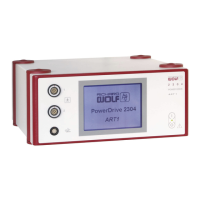
5.2.5 Setting the parameters at the POWER CONTROL, with no footswitch connected
To exit the submenu, press the “Back" button.
Preselecting the speed range:
Z Activate the setup menu by pressing the “Device settings" button.
Z Call up the “Speed range selection" submenu and select the required
speed range 1,2,3 or 4
' Touching the corresponding button and maintaining the touch allows
a check of the nominal speed of the speed ranges.
' If you remove your finger from the sensor surface, the control auto
matically returns to the “Main menu".
Speed adjustments:
Z Activate the setup menu by pressing “Device settings".
Z Select the “Adjust speed" function.
Z The speed is adjusted by means of a linear movement across the en
tire width of the sensor surface.
' If you remove your finger from the sensor surface, you automatically
return to the “Main menu".
Stop position adjustment of rotary blade:
Z Activate the setup menu by pressing “Device settings".
Z Select the “Single step" function.
Z The rotary blade is adjusted by means of a linear movement across the
entire width of the sensor surface (sensor field).
' When you remove the fingers from the sensor surface, you automat
ically return to the “Main menu".


 To Next Page