23
GA--A 202
5.2.6 Changing the factory settings
In the option menu, the preset parameters can be changed if required.
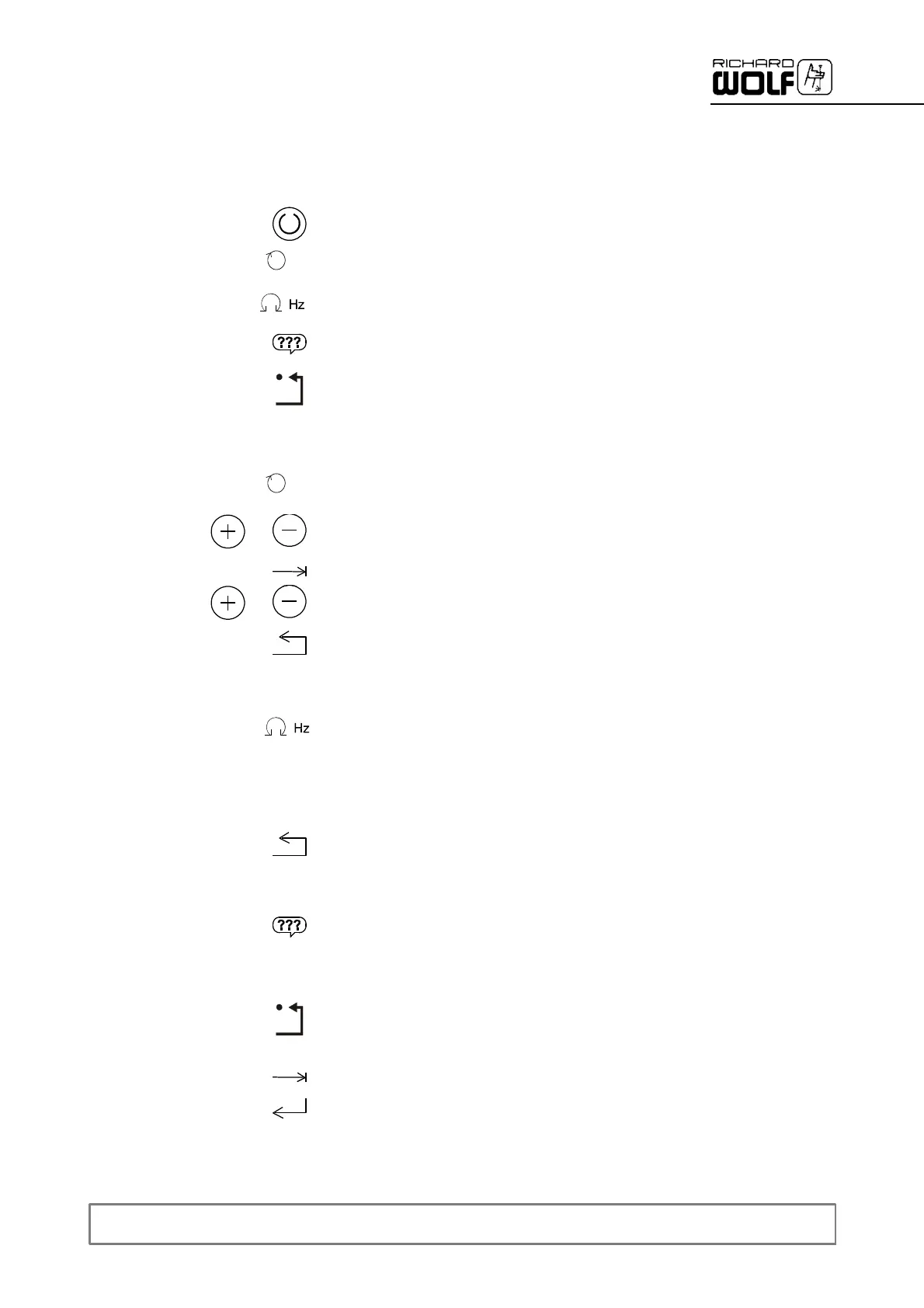
Z Tocalltheoptionmenu,pressthe“Ready"buttonfor3seconds.Inthe
option menu the following parameters can be changed:
' Define speed ranges.
' Define oscillation rate.
' Select language.
' Reset to factory setting.
“Speed range adjustment":
Z Select "Speed range adjustment".
Z Select the POWER STICK used.
Z Select the speed range to be adjusted.
' Increase or decrease value.
Z Exit menu.
“Oscillation rate adjustment":
Z Select "Adjust oscillation rate".
Z Select the desired value.
' When you remove your finger from the sensor surface, the device
automatically returns to the “Main menu".
Z Exit menu.
“Language" selection:
Z see section 5.2.3
Resetting the values to the factory setting:
Z Press the “Reset to factory setting" button.
' Any values which you may have adjusted or stored (e.g. speed) are
lost. Language selection, however, is not reset.
Z Use select button to select “Confirmation".
Z Confirm reset.
max
min
12
34
max
min
12
34
0.5Hz 1.0Hz


 To Next Page