18
GA--A 202
5Use
5.1 Operating principle
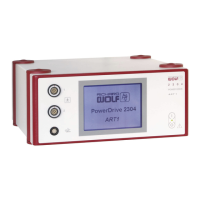
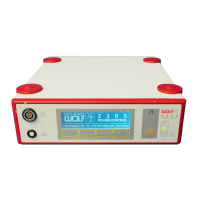
The POWER CONTROL can be operated with POWER STICKS M3 and
M4. The device detects the type of power stick connected and adapts the
settings (such as speed ranges) accordingly.
The motor in the handle drives the rotary blades. It is connected to the
POWER CONTROL unit via a flexible cable.
By pressing the corresponding pedal the rotary blade turns clockwise,
counter-clockwise or in oscillation mode. There is a choice of 4 speed
ranges.
The LCD displays the preselected and actual speeds. In each speed
range the speed can be changed at any time. Each speed change is
stored.
In addition to controlling the POWER CONTROL via the footswitch, direct
control on the power control unit is also possible (e.g. if footswitch is de
fective).
If the unit is operated via the footswitch, additional functions can be activ
ated if required.
To ensure safe operation, essential functions and components are mon
itored automatically. In the case of failure or if an error occurs, a message
appears on the LCD display, accompanied by an optical and acoustic sig
nal.
5.2 Control elements / modes
5.2.1 General notes and instructions for use
WARNING!
Do not reprocess disposable items!
The life cycle of products marked as disposable is designed to endure only
one single application on or in a single patient.
If disposable items are reprocessed for further use, a deterioration of the
product quality cannot be exluded which may endanger the patient, the user
and others.
Possible dangers / risk factors are:
'
considerable functional impairment
'
greatly increased risk of infection
If disposable items are reprocessed for further use, the product responsibility
lies with the user or reprocessor, respectively.
In this case the manufacturer can no longer guarantee the safety and per
formance of the product.
.
IMPORTANT!
Do not touch the surface of the LCD and sensor surface with sharp or
contaminated objects. This will impair image quality and damage the sur
faces.


 To Next Page