21
GA--A 202
Z With the footswitch:
Z Switch footswitch to control level “B".
' Symbol appears on the display.
Z Keep the corresponding footswitch pedal depressed to increase or
decrease the speed.
Z After speed adjustment, switch footswitch back to control level “A".
Selecting the direction of rotation using the footswitch:
Z Connect footswitch and POWER STICK to the unit.
' Ensure that the markings on the plug and on the socket are aligned.
Z Direction of rotation of rotary blade
' “Clockwise“ rotation:
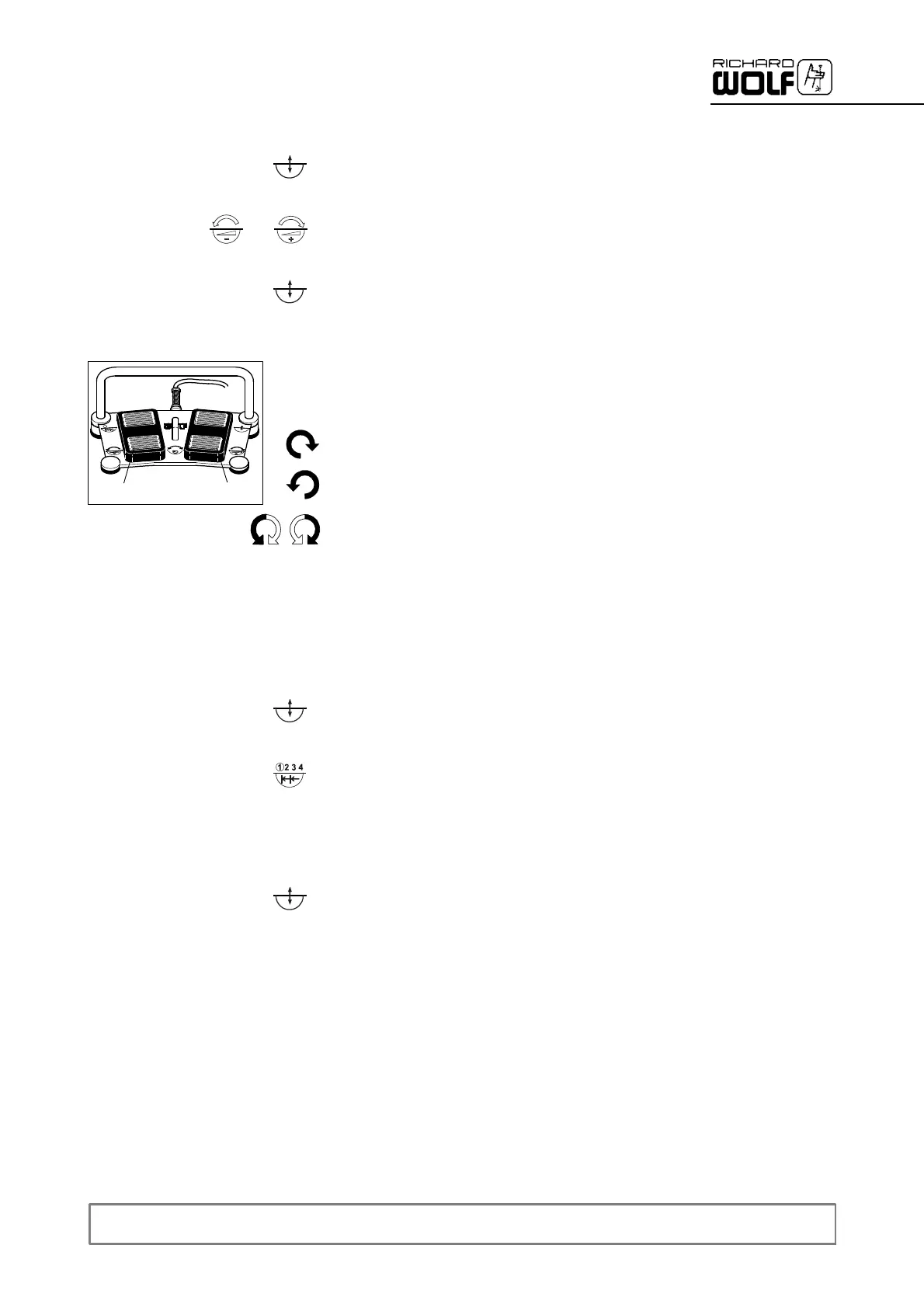
Actuate right pedal (12.4): "CW rotation" is indicated on the LCD.
' “Counter-clockwise" rotation:
Actuate left pedal (12.3): "CCW rotation" is indicated on the LCD.
' “Oscillating" rotation:
Actuate both pedals (12.3 and 12.4) simultaneously: "Oscillation" is
displayedontheLCD.
Setting stop position of rotary blade:
Z On POWER CONTROL:
' Not possible if footswitch is connected.
Z On footswitch:
Switch footswitch to control level “B".
' A symbol appears on the display.
Z Keep pressing the “single step" pedal and keep it depressed until the
blade is in the required position.
' As long as the pedal is actuated, the blade moves slowly in single
steps, the tool stops when the pedal is released. This position is
stored in the POWER CONTROL.
The blade will always stop in this position until it is removed.
Z Switch footswitch back to control level “A".
1
2
3
4
12.4
12.3


 To Next Page