1
Various Shooting Functions
56
Setting Focus Assist and AE/AF Target
Without moving the camera you can meter a specific spot on the subject
using buttons only, and activate the focus lock. This function is useful for
shooting on a tripod.
:PVDBOFOMBSHFQBSUPGUIFTDSFFOBOEFNQIBTJ[FPVUMJOFTBOEDPOUSBTUUP
make it easier to focus.
1 In the [Shooting] menu, select [FA/Move Target], and then press
the $ button.
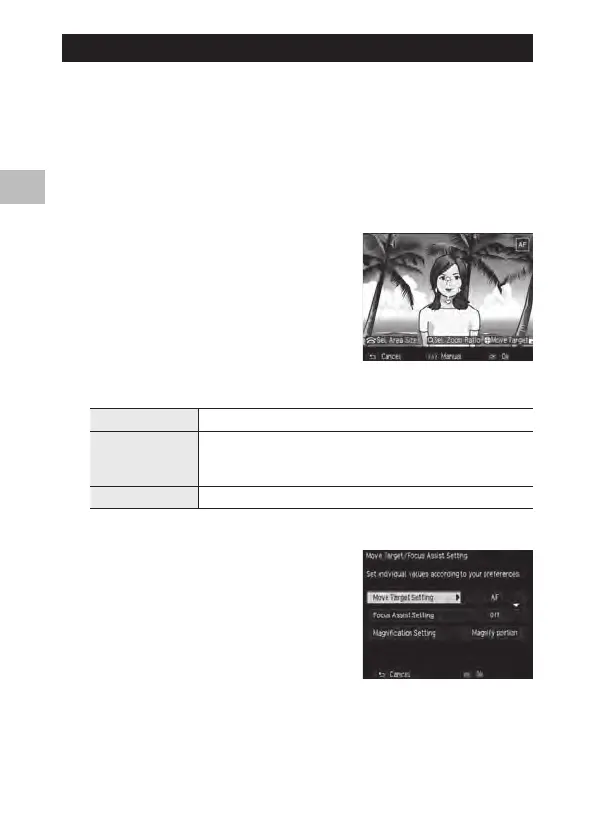
The target setting screen will appear.
2 Set the target position and size.
The following operations are available.
!"#$ buttons
Moves the target.
Up-down Dial Portion is magnified: Changes the display area.
Whole is magnified: Changes the size of the focus assist area when the mag-
nification is the same ratio.
X/Y button
Changes the magnification factor: 2x/4x/8x
3 For detailed settings, press the Fn2
button.



 To Next Page