32
Bolero User Manual A20
2.4.12 Reset
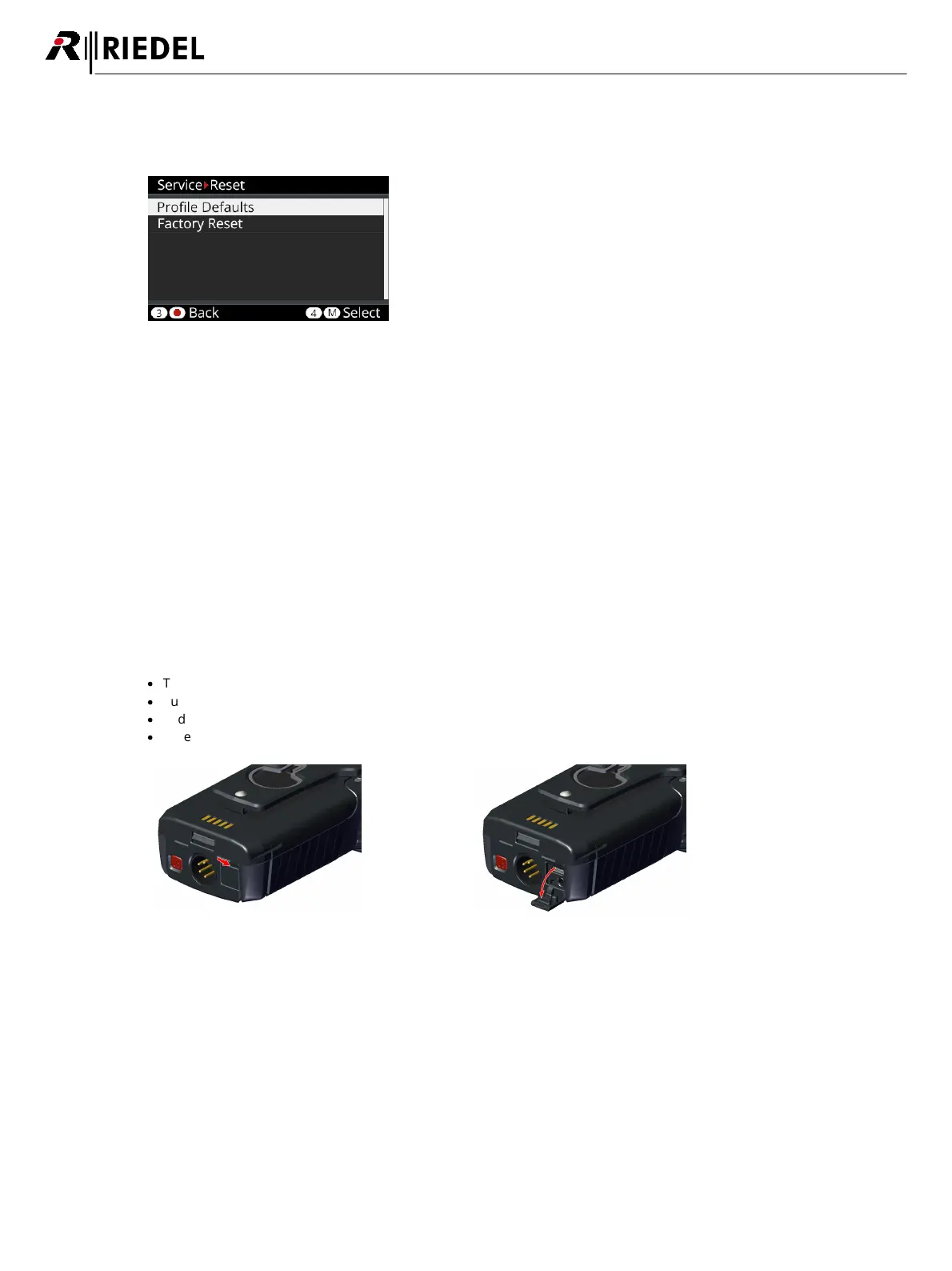
The Beltpack-Menu 'Service > Reset' offers two different ways to reset the Beltpack to factory default settings.
Figure 24: Beltpack – Reset Menu
Profile Defaults
This resets the Beltpacks' Profile data the current default settings of the net.
All registration data stays in memory.
Factory Reset
This resets all data and settings to factory default.
All Net lists and registrations data will be deleted.
2.4.13 Opening the Rubber Cover
The rubber cover yields protection against ingressing dirt and water inside the Beltpack.
The rubber cover can be removed as follows:
·
Turn the Beltpack's rear side upwards.
·
Push your fingernail gently in the slit on the top of the rubber cover...
·
and pull the rubber cover out of the Beltpack's connectors.
·
Take care to seal the Beltpack when the connectors are not in use.
Figure 25: Insert fingernail
Figure 26: Pull rubber cover




 To Next Page