44
Bolero User Manual A20
3.4 Web Interface
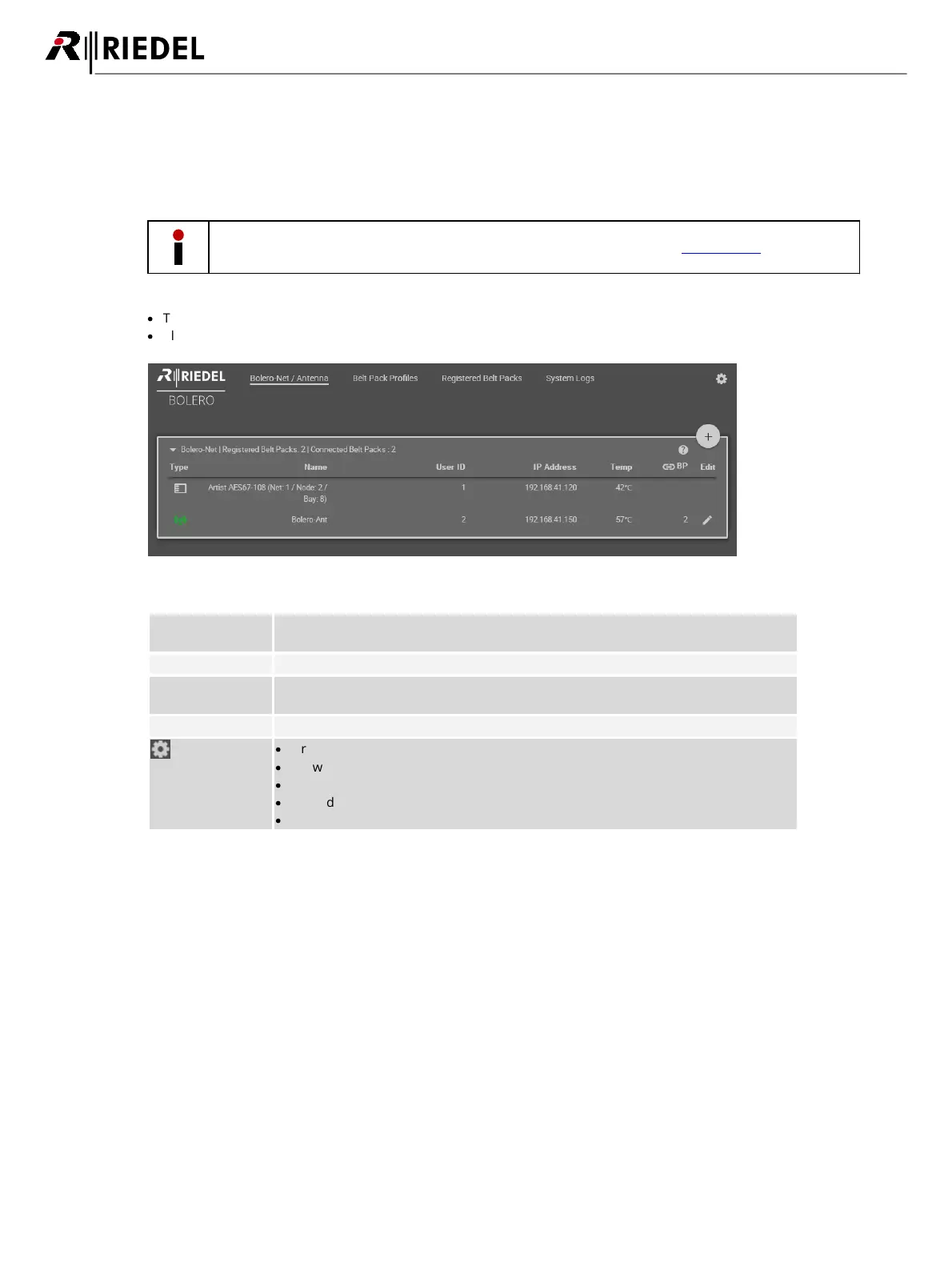
The Web Interface is opened by entering the IP address of the respective Antenna (e.g. 192.168.41.150).
Basic information is displayed and settings can be modified in the Web Interface.
The user must be logged in the Net to be able to change settings (see chapter Login/Logout).
·
The entries in the table can be sorted by clicking on the desired column header.
·
Clicking on an entry will select the respective item or deselects it. A selected entry is highlighted.
Figure 40: Antenna – Web-Interface
General settings of the Bolero Net
The name of the Net is displayed between the brackets (e.g. "Bolero-Net").
Create and Edit Beltpack profiles.
Table of all registered Beltpacks. The Beltpack settings can be modified here.
Table of logging (Events and Errors)
·
Firmware Manager
·
Network Service
·
Save Net Config
·
Upload Net Config
·
Logout (if a user is logged in)




 To Next Page