45
Bolero User Manual A20
3.4.1 Net / Antenna
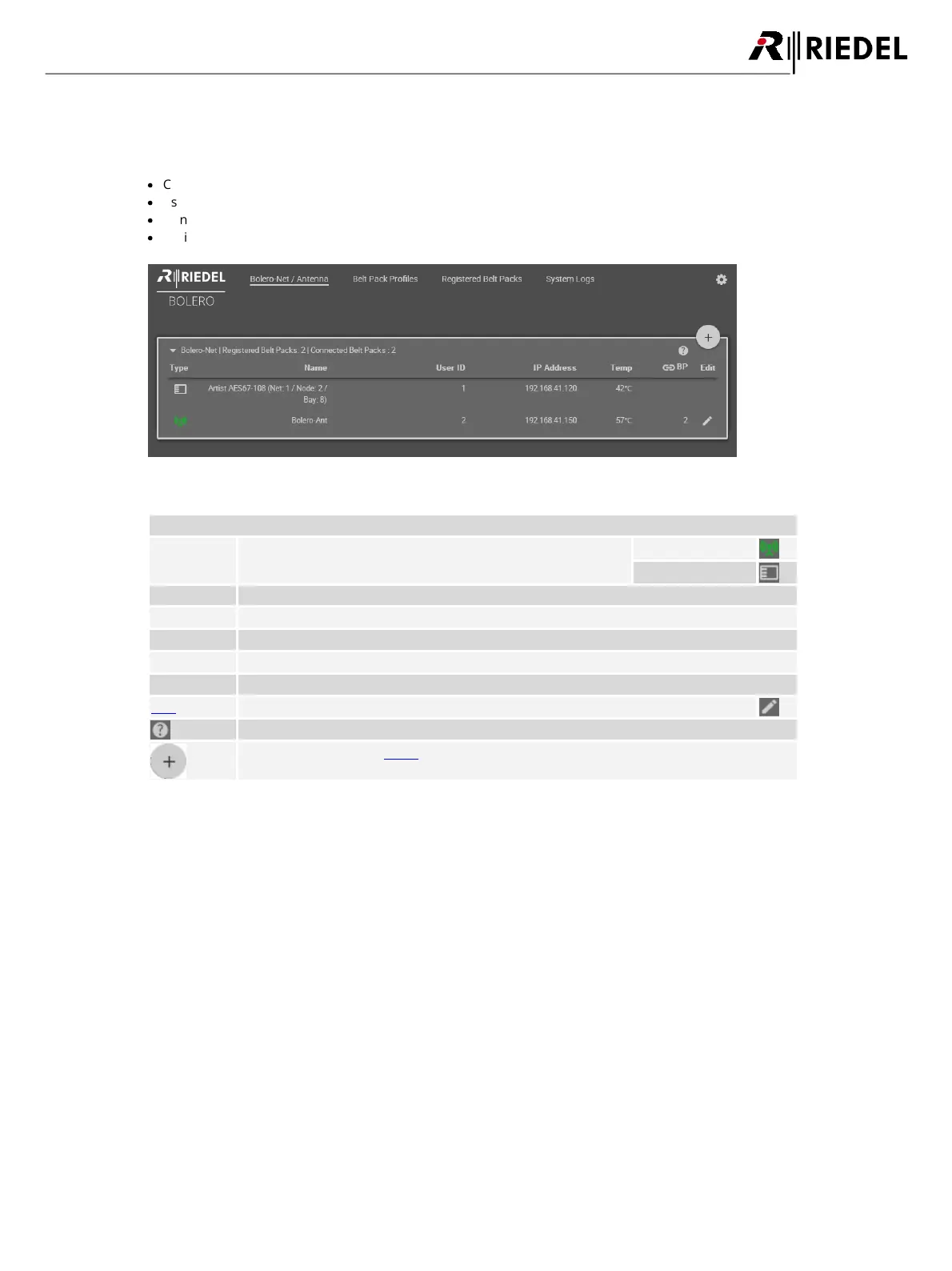
The Net / Antenna window features following functions:
·
Creating Nets
·
Assigning Nodes (Antennas, Artist AES67 cards) to Nets
·
General settings of Nets
·
Defining the registration method of Beltpacks
Figure 41: Web-Interface – Net / Antenna
Name of the Net. | Number of registered Beltpacks | Number of connected Beltpacks
Symbols of the Node type
(the green icon indicates the web-interfaces device)
Display of the inside temperature of the Nodes.
Amount of registered Beltpacks at the Antenna.
Button to edit the Node settings.
Opens a brief information about the selected page.
Shows the Net/Antenna Menu.




 To Next Page