33
Bolero User Manual A20
2.4.14 Battery
Light and powerful custom lithium rechargeable battery packs are used to operate the Beltpacks.
Batteries can be charged in following ways:
·
Beltpack (with battery) in the Charger
·
single Battery in the Charger
·
Beltpack (with battery) via any USB device (USB charger, PC, etc.)
The charging speed depends on the ambient temperature and the charger:
slow charging
(1.00A, 4.06V)
slow charging
(0.90A, 4.06V)
slow charging
(0.50A, 4.06V)
normal charging
(1.50A, 4.20V)
normal charging
(0.50A, 4.20V)
slow charging
(1.50A, 4.06V)
slow charging
(0.50A, 4.06V)
2.4.14.1 Charging via USB in the Beltpack
·
Connect the Beltpack with an USB power supply or an USB connector that has a minimum current supply of 500mA.
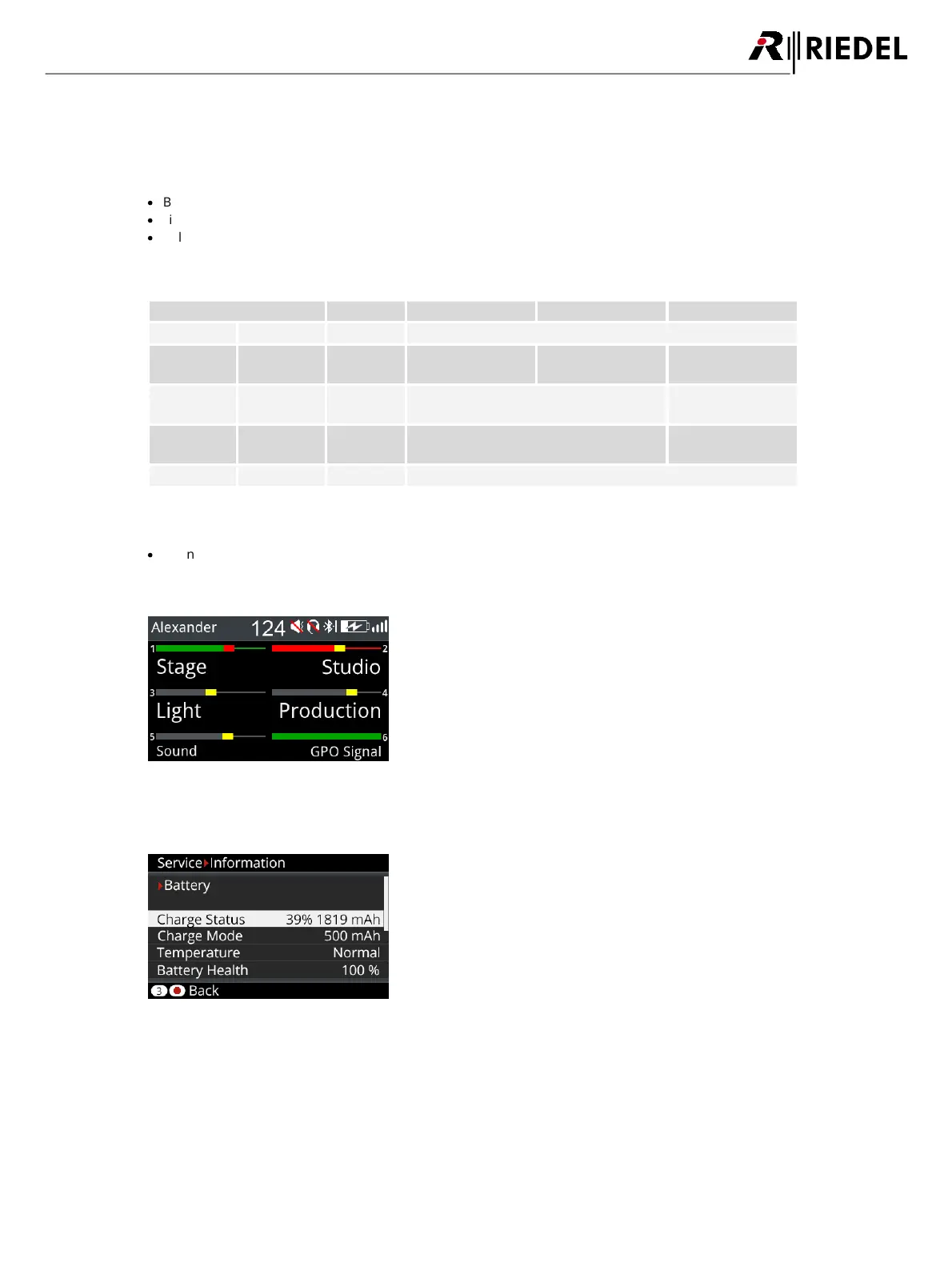
During charging the Beltpack is still operable. The main screen shows in the top right the charge icon:
Figure 27: USB Charging view
More information is displayed in the Beltpack Menu 'Service > Information > Battery':
Figure 28: Charging information in the Beltpack menu




 To Next Page