8
4.3. Main menu
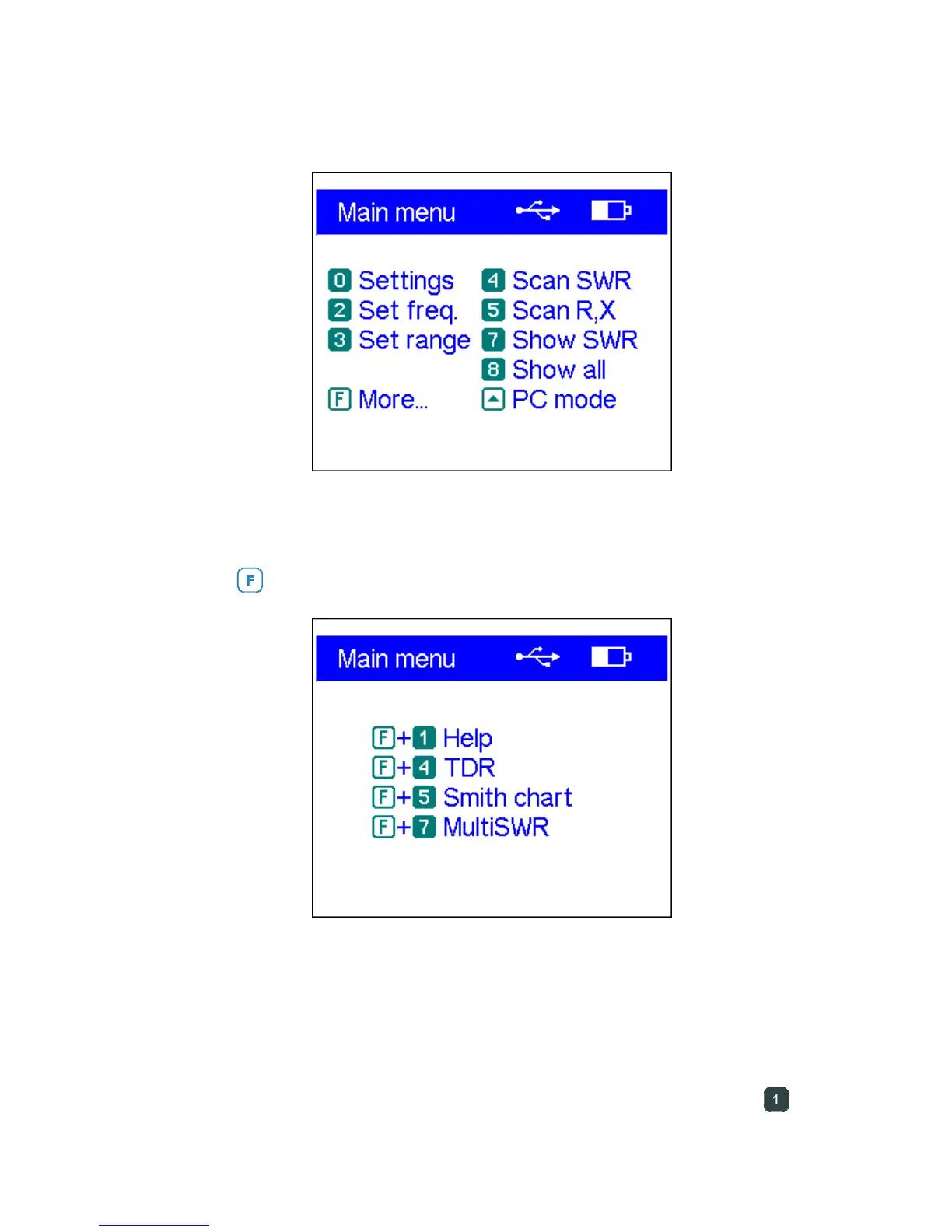
Once the analyzer is turned on, the Main menu appears on the LCD:
The Main menu contains a brief list of available commands. By pressing keys on the
keypad, you may enter corresponding measurement modes, set up additional
parameters, etc.
Pressing the
(function) key will immediately list additional commands:
There is a power indicator in the top-right corner of the Main menu screen:
• The battery indicator shows battery discharge level. When the battery voltage is
too low, this indicator starts flashing.
• The USB icon is displayed when the analyzer is plugged to a personal computer
or to a DC adapter with USB socket.
Important: RigExpert antenna analyzers are self-documenting. Pressing the
(help)
key will open a help screen with a list of available hot keys for the current mode.













 To Next Page