61
Measurement
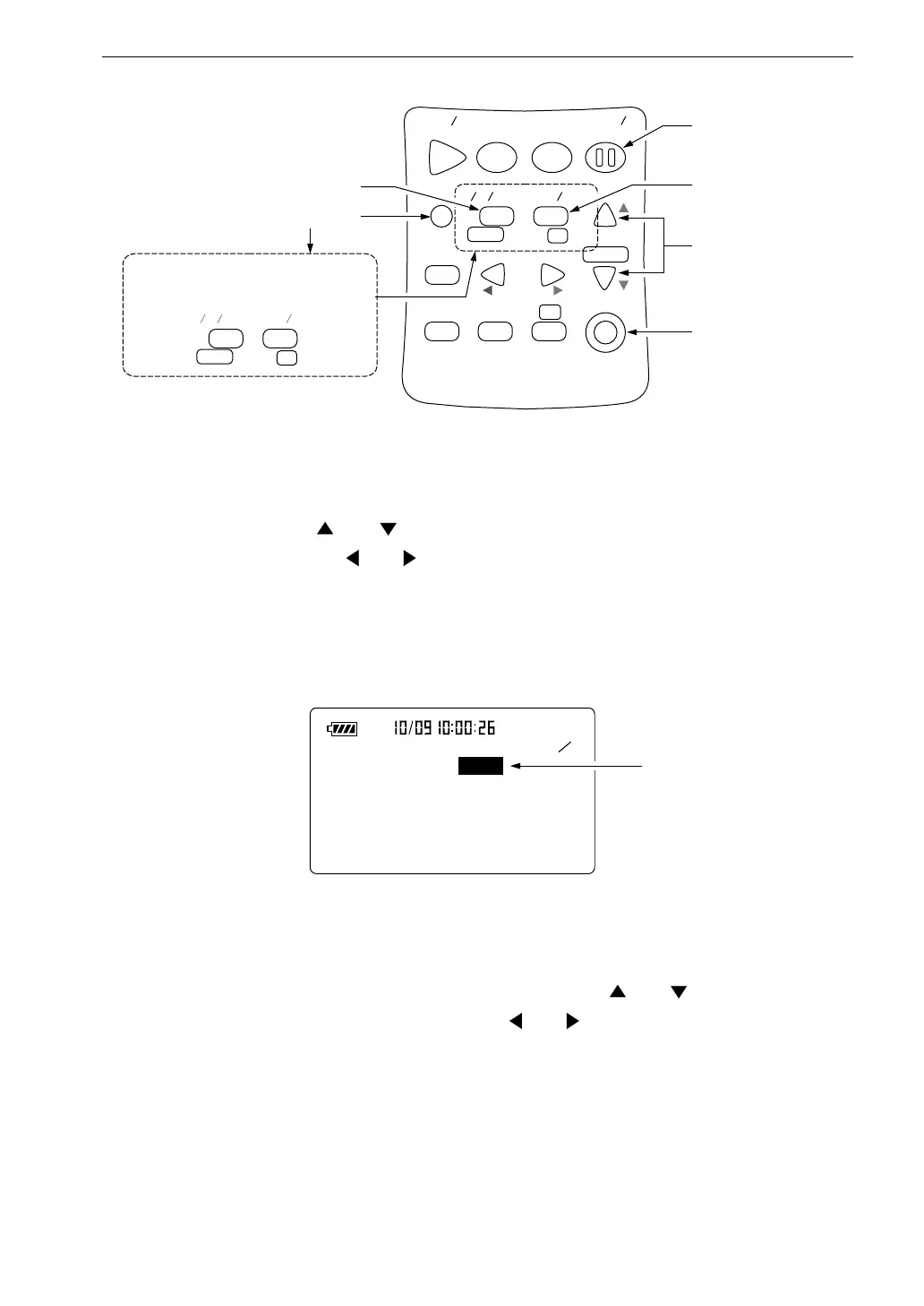
5. Use the menu to set the measurement time.
Press the Menu key to call up the menu screen 1/5.
6. Use the and keys to move the cursor to the "Meas. time" item,
and use the and keys to select the measurement time.
S t a r t
S t o p S t o r e
M o d e
P a u s e
C o n t
F a s t
S l o w
M e n u
P a g e
R a n g e
R e c a l l
F r e q
L i g h t
P r i n t
P o w e r
S O U N D L E V E L M E T E R
R e c a l l
d a t a
D o w n
C a l a d j
C a l
U p
A
C
F L A T
N L - 2 1
F a s t
P a g e
D o w n
U p
A C
F L A T
S l o w
P r e s s i n g t h e M e n u k e y e n a b l e s
t h e P a g e U p / D o w n k e y f u n c t i o n
M e n u k e y
A / C / F L A T k e y
P a u s e / C o n t k e y
F a s t / S l o w k e y
R a n g e k e y s
P o w e r k e y
1 5
< S y s t e m >
M e a s . t i m e : 1 0 m i n
B a c k E r a s e : O f f
C a l M o d e : I n t e r n a l
F i l t e r : O f f
M e a s u r e m e n t t i m e
( a c t u a l t i m e )
M e n u s c r e e n 1 / 5
Manual → 10 sec → 1 min → 5 min → 10 min → 15 min → 30 min →
1 hour → 8 hours → 24 hours → Manual → ...
7. Use the Page Up/Down keys to display the menu screen 4/5.
If L
max
: Off, L
min
: Off is displayed, use the and keys to move the
highlight to "Off", and use the and keys to set the item to "On".



 To Next Page