62
Measurement
8. To use the data exclusion (back-erase) function, please refer to page 77.
Note
In addition to the regular pause function it is also
possible to exclude (back-erase) data from the im-
mediately preceding 5 seconds.
S t a r t
M a n u
2 0 8 0
F a s t
E
m
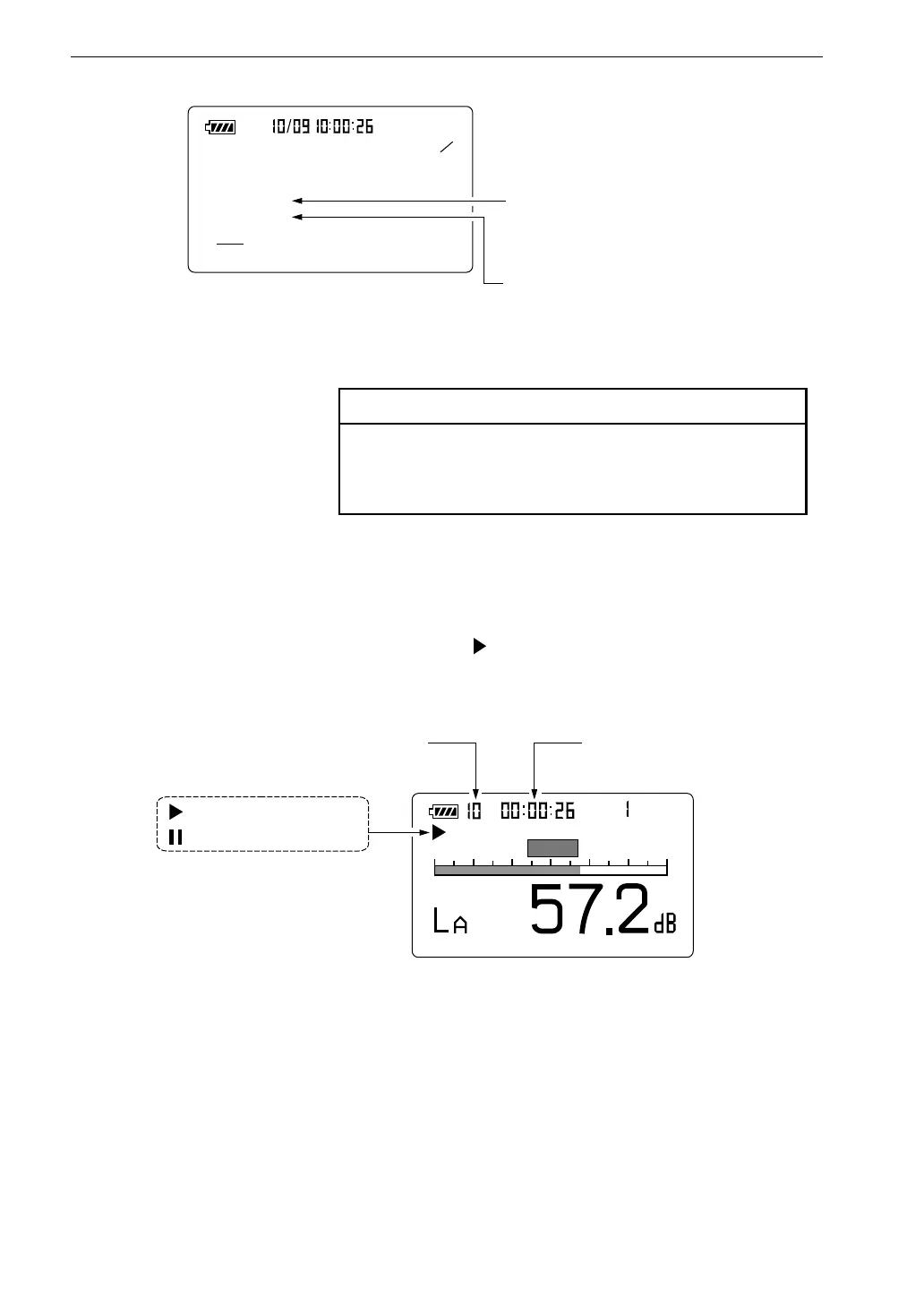
P a u s e s y m b o l
M e a s u r e m e n t s y m b o l
M e a s u r e m e n t t i m e
E l a p s e d m e a s u r e m e n t t i m e
M e a s u r e m e n t s c r e e n
L
m a x
m i n
L
< D i s p l a y >
L e q : O n L N : O f f
L E : O n L N : O f f
L m a x : O n L N : O n
L m i n : O n L N : O f f
L C p k : O f f L N : O f f
L I S T : O n T - L : O n
4
5
: S e t m a x i m u m s o u n d
l e v e l d i s p l a y t o " O n " .
: S e t m i n i m u m s o u n d
l e v e l d i s p l a y t o " O n " .
M e n u s c r e e n 4 / 5
When the measurement time set in step 6 has elapsed, the measurement
terminates automatically. When wishing to terminate the measurement
earlier, press the Start/Stop key.
If no display (arbitrary measurement time) was selected, the Start/Stop
key must be used to conclude the measurement.
9. Press the Menu key to return to the measurement screen.
10. Press the Start/Stop key to start the measurement.
During measurement, the symbol flashes and the elapsed
measurement time is displayed.



 To Next Page