82
Store Operations
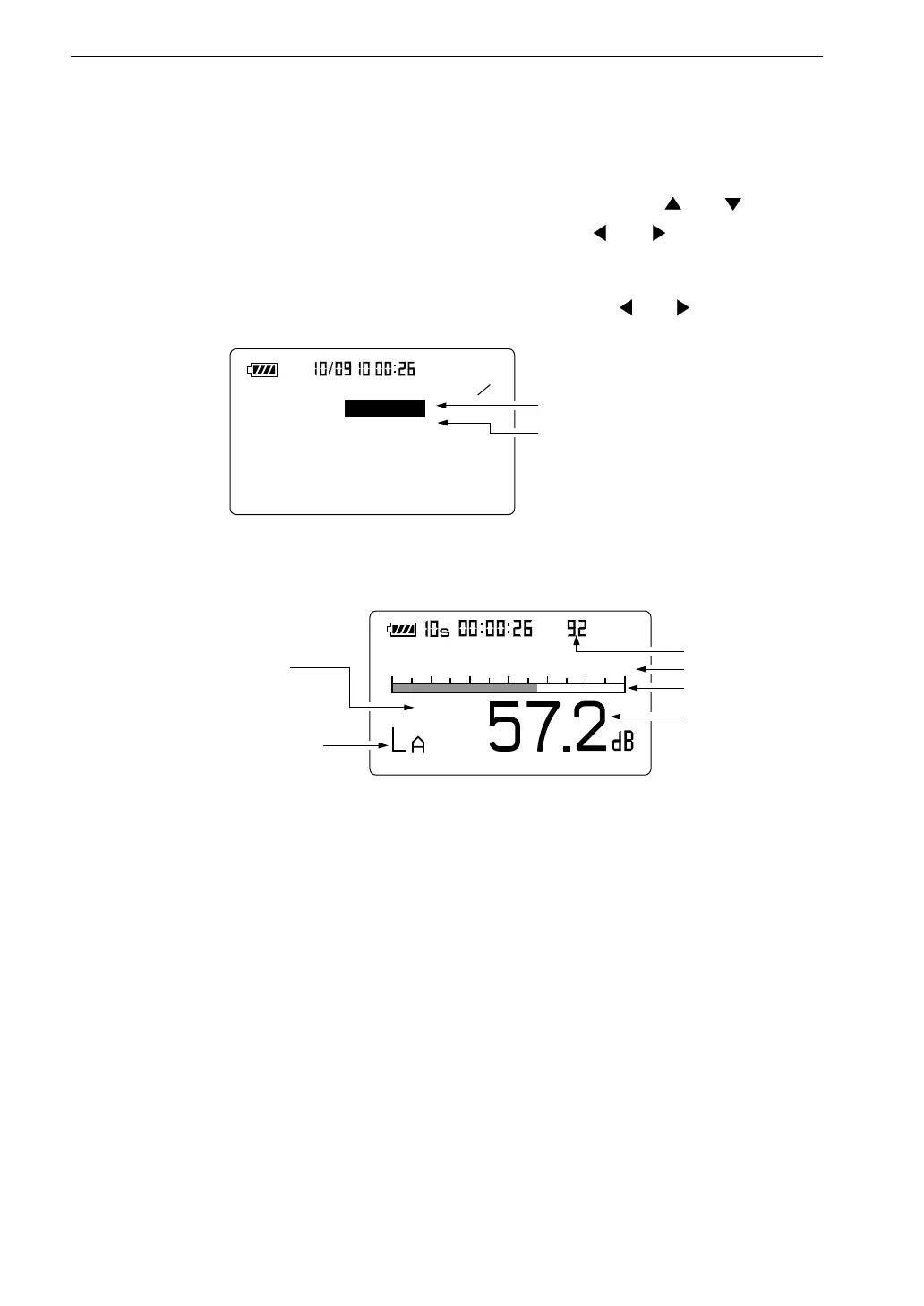
< S t o r e >
2 5
S t o r e m o d e : M a n u a l
F i l e n a m e : M A N _ 1 2 3 4
M e n u s c r e e n 2 / 5
S t o r e m o d e
F i l e n a m e ( 4 - d i g i t n u m b e r )
2 0
8 0
F a s t
M a n u
S e l e c t f r e q u e n c y w e i g h t i n g
w i t h A / C / F L A T k e y
S e l e c t t i m e w e i g h t i n g
w i t h F a s t / S l o w k e y
L e v e l r a n g e
B a r g r a p h
L e v e l r e a d i n g
M e a s u r e m e n t s c r e e n
D a t a n u m b e r
3. Press the Menu key to call up the menu screen.
4. Use the Page Up/Down keys to display the menu screen 2/5.
5. If the Store Mode item is not set to "Manual", use the and keys to
move the highlight to the item and use the and keys to set it to
"Manual".
6. Specify a file name (4 numeric digits) with the and keys.
7. Press the Menu key to return to the measurement screen.
8. To store the sound level, proceed as follows. (To store processed values
only, skip this step and continue with step 9.)
Verify that no processed data exist (processed values are 0.00 dB).
If there are processed values, turn the unit off and then on again.
Activate the sound level measurement display. Then proceed to step 10.



 To Next Page