Agility 3 User Manual
Page 17
To enable local reset by your engineer you may need to authorize him/her using the
master code after the engineer enters his/her code. A one hour time window is
opened for the engineer to program user functions and be able to reset your system
locally
2.3 Sending a Panic Alarm
Panic alarms enable you to send a message to the alarm receiving centre in the event of an
emergency, send a message to a follow me number, announce a local message or activate a
local alarm. Panic alarms can be set to be silent (Refer to your engineer for more
information).
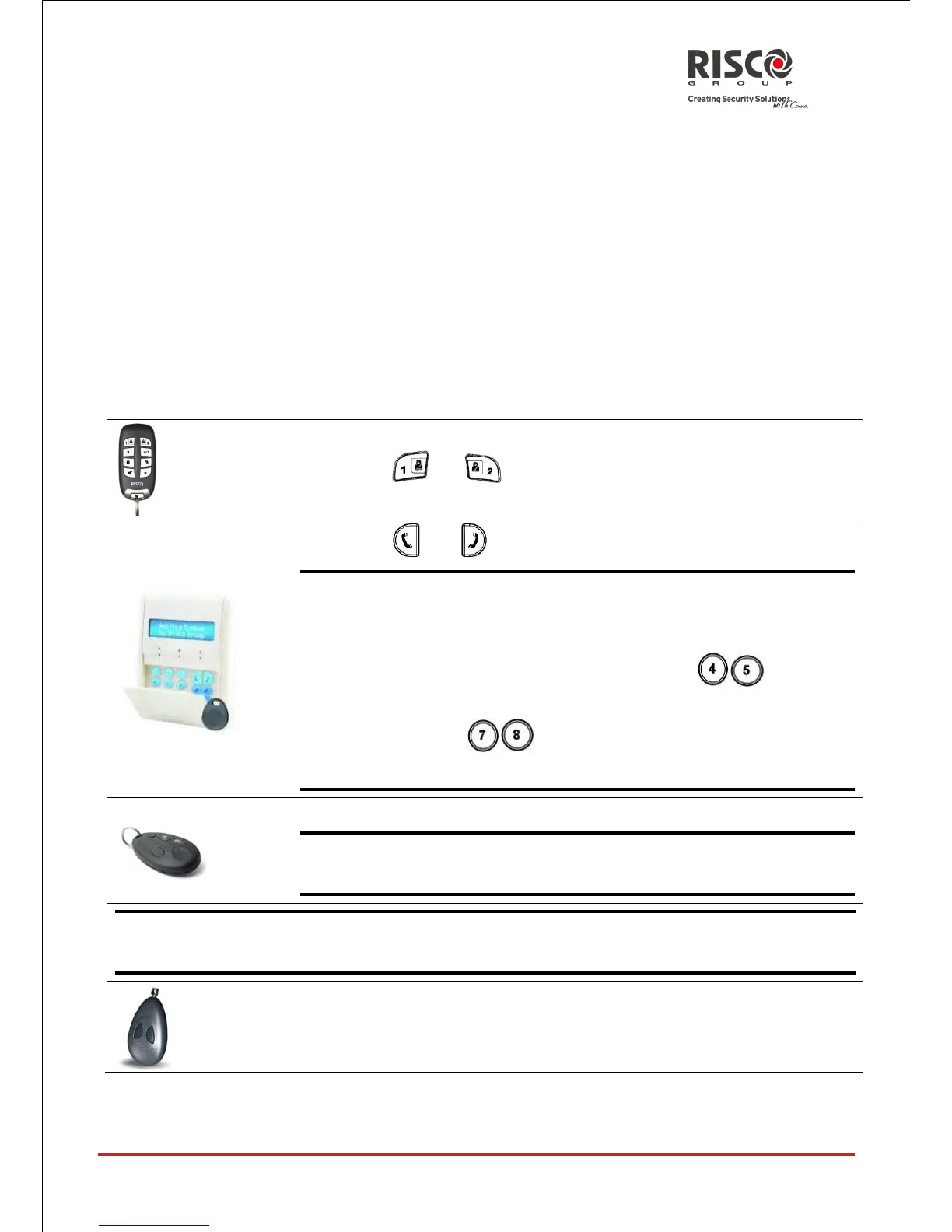
To send a Panic
Alarm using
Press both and keys simultaneously
Press both and keys simultaneously
Note: Your engineer should define these keys to be set as panic
keys. These keys can be either disabled or used to
establish a service call to your Alarm Receiving Centre.
If defined by your engineer pressing
simultaneously for 2 seconds will send a fire alarm and
pressing simultaneously for 2 seconds will
send a special emergency or medical alarm.
Press the small blank button (if defined)
Note: Your engineer can define the small blank button to be used
for sending a panic alarm.
Note: For full capabilities of the 2-way remote control, the bi-directional keypad and 4
button key fob, refer to the instructions supplied with each product.
Press both keys simultaneously





 To Next Page