Agility 3 User Manual
Page 6
status of each sensor to detect problems. If the panel detects trouble it will notify
you with beeps and indicator lights on the panel itself.
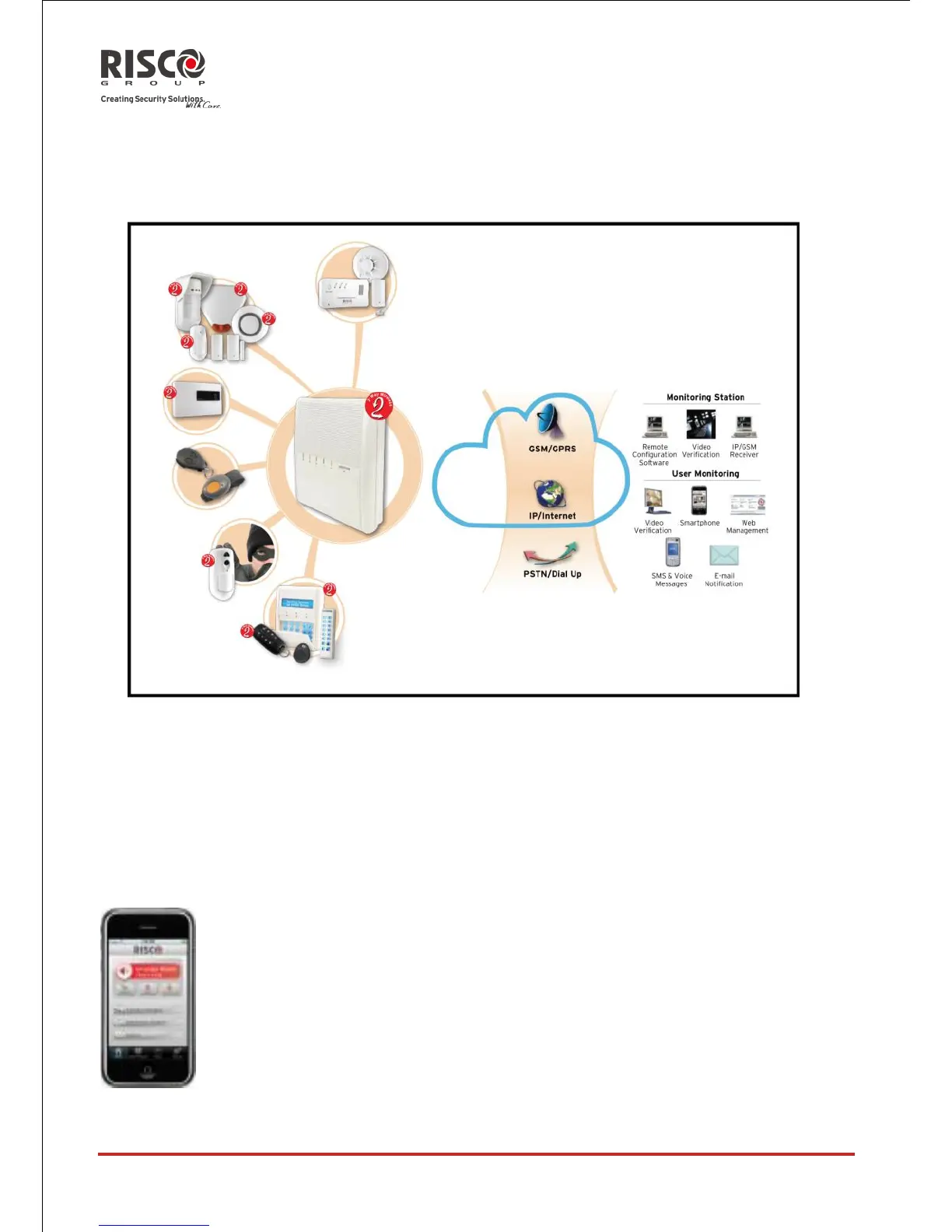
The following diagram shows the components that make up the system:
1.3 User Operating Tools
The Agility system can be operated using several devices, some of which have been
designed as bi-directional. If you have purchased a bi-directional device, your system is
capable of sending a return reply status indication from the panel to the device for each
command that is sent to it.
Depending on your purchase you can operate your system via the following:
Smartphone Operations:
Homeowners can now enjoy the iRISCO Smartphone App for
smart and easy control of their Agility system. The app enables
users to set/unset the system on-the-go, visually verify alarms by
viewing images taken by their PIR Cameras, take snapshots,
activate home automation devices, omit detectors, view the
system’s status and history, and much more. Available for
iPhone, iPad and Android.





 To Next Page