Agility 3 User Manual
Page 37
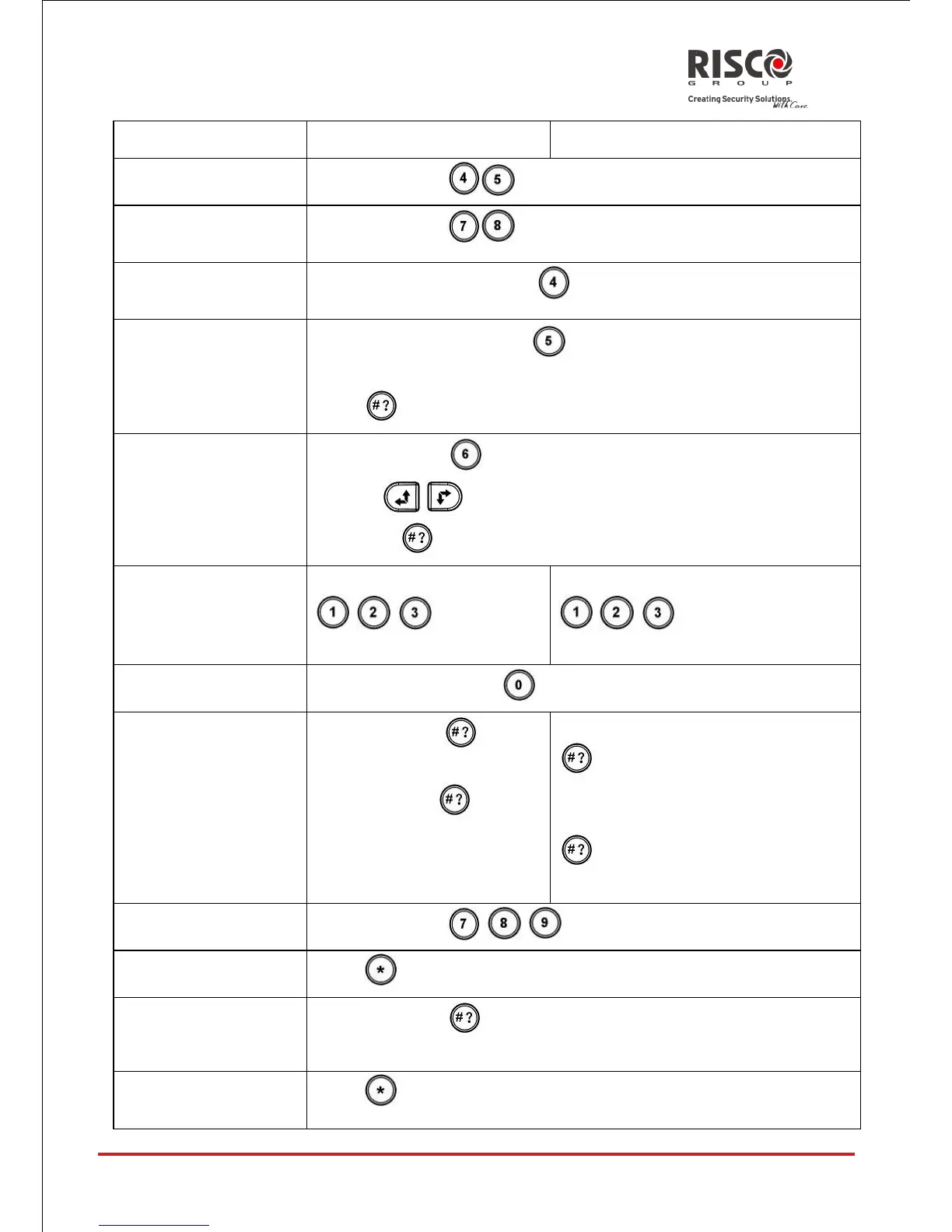
Press and hold simultaneously for 2 seconds
Press and hold simultaneously for 2 seconds
Press and hold the button for 2 seconds
Press and hold the button for 2 seconds
Select the volume level (0=No sound, 4=Full volume)
Press to save your selection
Press and hold for 2 seconds
Use the keys to adjust the keypad's display contrast
and press
Press and hold button
/ / for 2 seconds
Press and hold button
/ / for 2 seconds
followed by code or proximity tag
Press and hold button for two seconds
Short press on : LCD
display
Long press on : LCD
display + voice
Only LCD display : Short press on
followed by code or proximity
tag
LCD display + voice: Long press on
followed by code or proximity
tag
Press and hold / / for 2 seconds
Press and hold for 2 seconds after changing parameters in
the system





 To Next Page