Agility 3 User Manual
Page 54
Alerts
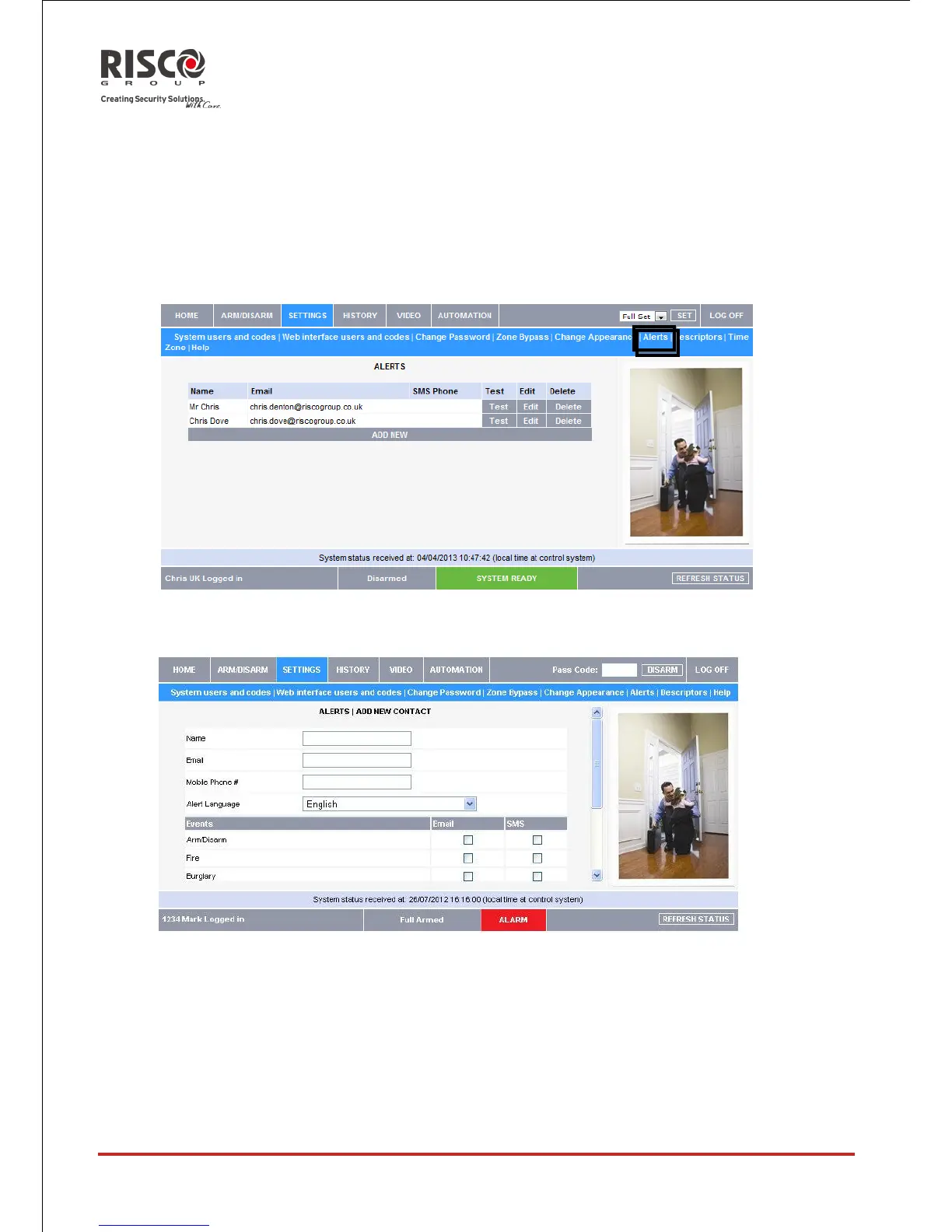
The Alerts feature allows those people included in your contact list to be notified by email
when certain events occur.
To add alert notification recipients to your contact list
1. On the SETTINGS tab, click the Alerts sub-menu to display the following:
2. Click ADD NEW to add email addresses for the alert messages or click Edit to
modify and existing alert recipient
3. In the Name field, enter the name of the contact to receive alerts.
4. In the Email field, enter the email address for email alerts.
5. Alter the Alert Language specification as needed
6. To start receiving the events messages, in the area below, select the checkboxes
according to the event type.
7. Test the alerts you have programmed by clicking the Test button on the Alerts
page near the newly added alert.





 To Next Page