27
Printing >> Printer Driver Screens
2
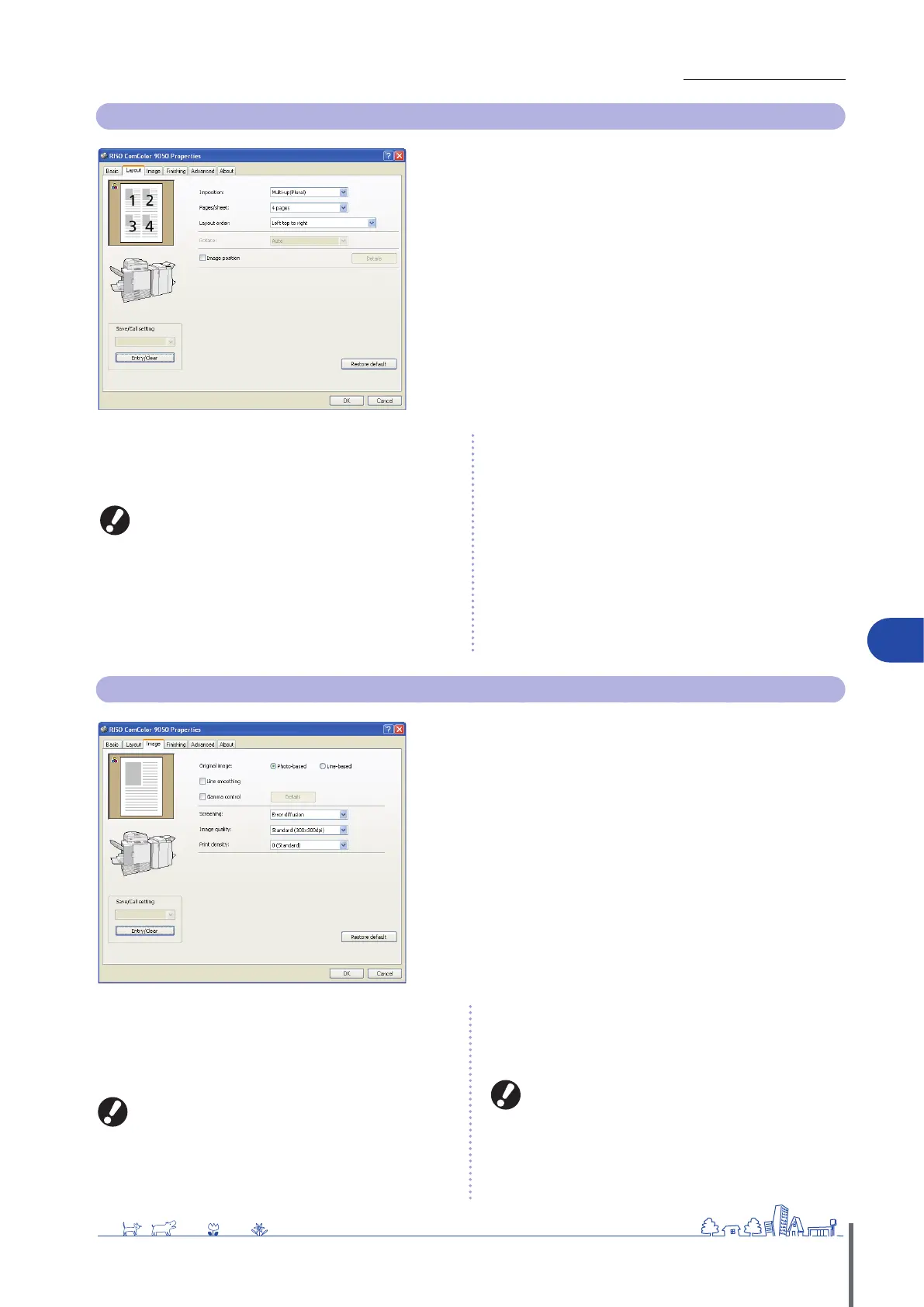
Layout Tab
Complete settings on this tab to print multiple pages per sheet, or to
print images rotated.
[Imposition]
Select the type of layout-specically, how originals are arranged for
printing. The options displayed vary depending on the type of
layout.
[Pages/sheet] and [Layout order] are not displayed if you
select [OFF].
[La
yout order] is not displayed if you select [Multi-up
(Single)].
[Pages/sheet] is not displayed if you select [Booklet].
•
•
•
[Pages/sheet]
Select the number of pages per sheet.
[Layout order]
Specify the order in which originals are arranged on a single sheet.
Options will vary depending on your selected number of pages in
[Pages/sheet].
[Rotate]
Specify the angle of rotation for images.
[Image position]
Adjust the printing position of images, as desired. Selecting this
option will display additional options under [Details], where you can
specify details such as the direction and amount of adjustment.
[Save/Call setting], [Entry/Clear], and [Restore default]
See “Basic
Tab” (p. 26).
Image Tab
Complete image processing settings on this tab, such as for image
quality and density.
[Original image]
Select whether to emphasize the image quality of photos or text in
originals.
[Line smoothing]
Smooth the outline of printed text.
Printing speed slows down if you have selected [Line
smoothing].
[Gamma control]
Adjust the gamma value of colors, as desired. Selecting this option
will display additional options under [Details].
[Screening]
Specify the method of halftone processing. (S
ee p. 28.)
[Image quality]
Specify the print resolution.
Printing speed slows down if you have selected [Fine].
[Print density]
Specify the print density.
[Save/Call setting], [Entry/Clear], and [Restore default]
See “Basic
Tab” (p. 26).
ComColor Series Basic Guide 02 ComColor Series Basic Guide 02










 To Next Page