71
Managing Jobs >> Job Operations
5
4
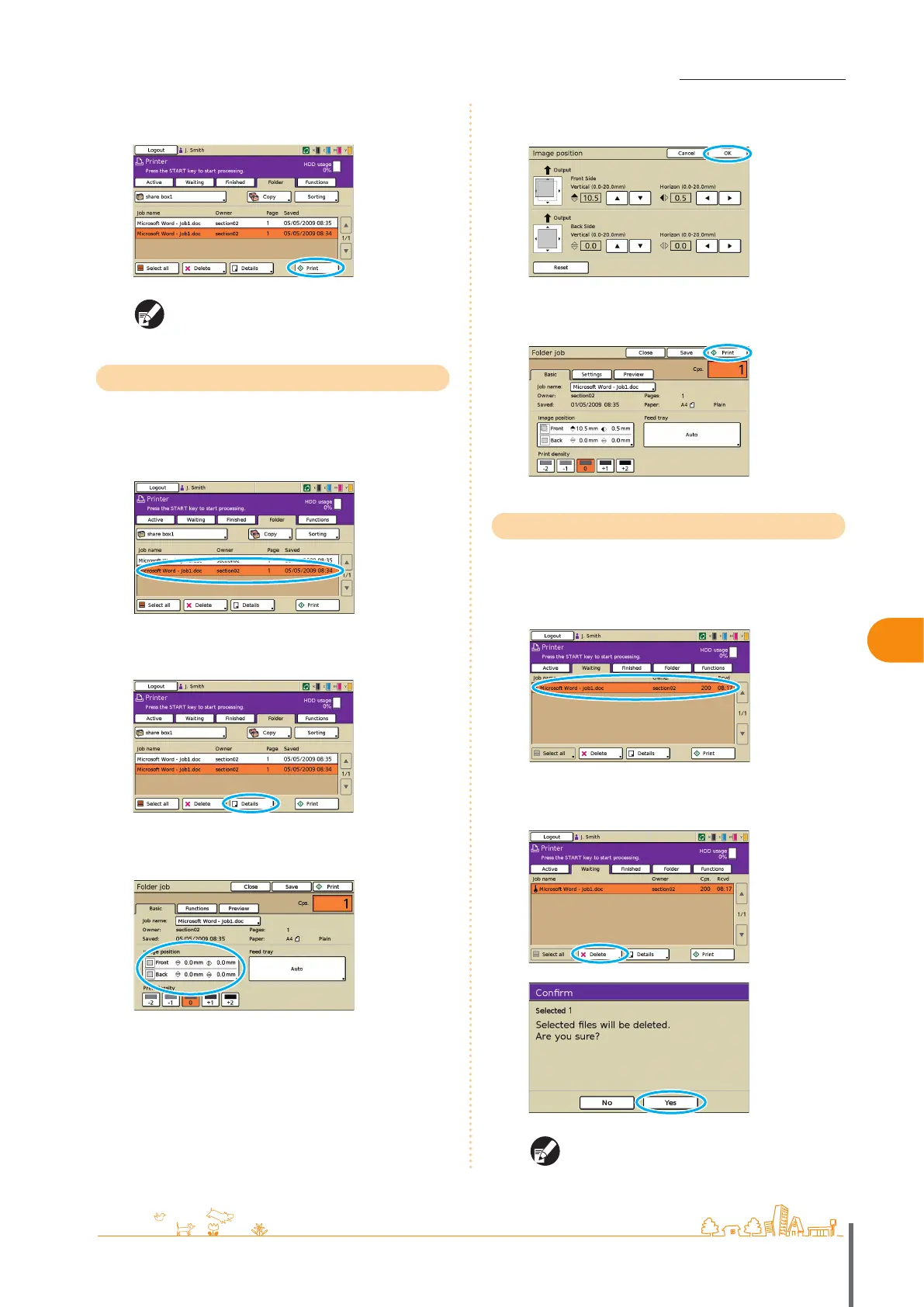
Press [Print].
Otherwise, press the [START] key.
For PIN code jobs, the conrmation screen is
displayed. Enter the PIN code and press [OK].
Repositioning Images before Printing
Reposition the image to be printed as follows.
1
Select the job to print.
2
Press [Details].
3
Press [Image position].
4
Adjust the image position and press [OK].
5
Press [Print].
Otherwise, press the [START] key.
Deleting Jobs
Remove jobs from the list as follows.
1
Select the job to delete.
2
Press [Delete], and on the conrmation screen, press
[Yes].
For PIN code jobs, the conrmation screen is
displayed. Enter the PIN code and press [OK].
ComColor Series Basic Guide 02 ComColor Series Basic Guide 02










 To Next Page