14
Conguration.
Connectingtoyourcomputernetwork-cont.
WEP keys are 10 or 26 characters long (using 0 - 9, and A - F). WPA keys may be between
8 and 63 characters.
Note: WEP is now not considered to be secure, but it is supported by the radio for compatibility
with older WiFi installations.
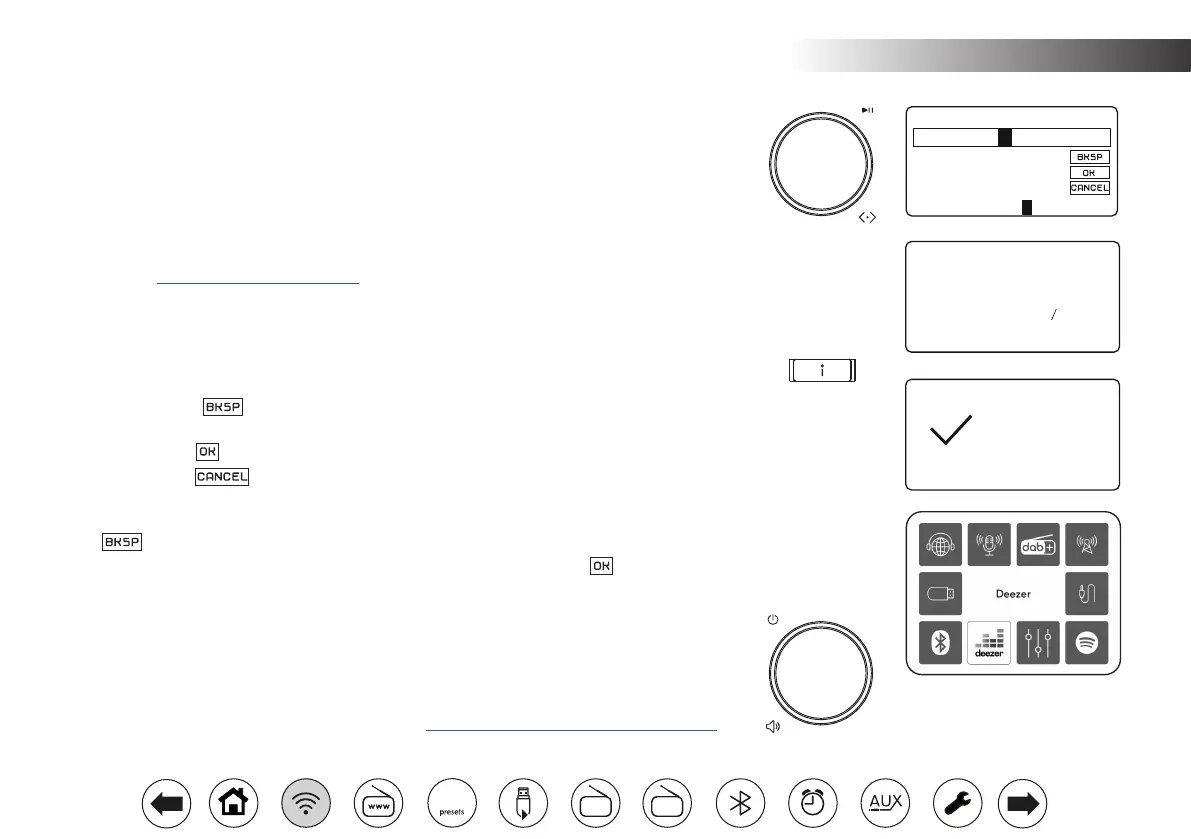
9. To enter the key, characters are selected and entered using the Tuning control. As you rotate
the control, the highlight scrolls through the available characters as well as the three controls
on the right. The character currently highlighted will be entered when you press the Tuning
control. See also 'Text Entry' page 8.
Do this as needed until the complete key has been entered. Remember, WEP keys only use
the numbers 0-9 and letters A-F. WPA keys are sensitive to upper and lower case characters.
You must enter the key exactly or the radio will not connect to the network.
The three controls on the right-hand side of the screen have special functions. You can quickly
access these by pressing the Info button and then using the Tuning control as needed:
select ' ' to erase a character just entered (long press to clear); Info
again to continue
select ' ' when the complete key has been entered
select ' ' to cancel and re-run the Network Wizard
If a key has previously been entered for the selected SSID then the display will show 'Key:
[Set]'. If you have previously entered a different key, you must clear this by selecting the '
' symbol. This will remove the '[Set]' indication.
After the nal character of the key has been entered, highlight the ' symbol and press
the Tuning control. The screen will show 'Connecting...' and then 'Setup wizard completed'.
Press the Tuning control to the exit setup wizard. The radio should now be able to connect
to the network.
10. Once you have connected your radio to the network (and therefore also to the Internet) it
will display the Main menu. Press the On/Off control to put the radio into Standby mode. It
should then display the time as obtained from the Internet. If the time display is not correct
for any reason, it can easily be adjusted later,
see page 37, 'Manually setting the clock'.
Network Settings
Please wait
Connecting...
Setup Wizard
Setup Wizard
completed
Press SELECT to exit
Key:
7 8 9 . _ - @
,
a b c d e
f g h i j k l
m n o p q r s
123-jones*xy
FM
DAB
60



 To Next Page