37
Manuallysettingtheclock
After a connection to the Internet has been established, your radio will normally
set its clock automatically to the local time zone that was specied during setup
(see page 10) provided that time updates from the network were selected.
Should you need to set the time manually, change the time zone, or manually
switch from winter to summer time (from GMT to BST in the UK, also commonly
known outside the UK as daylight savings time), then please follow this
procedure.
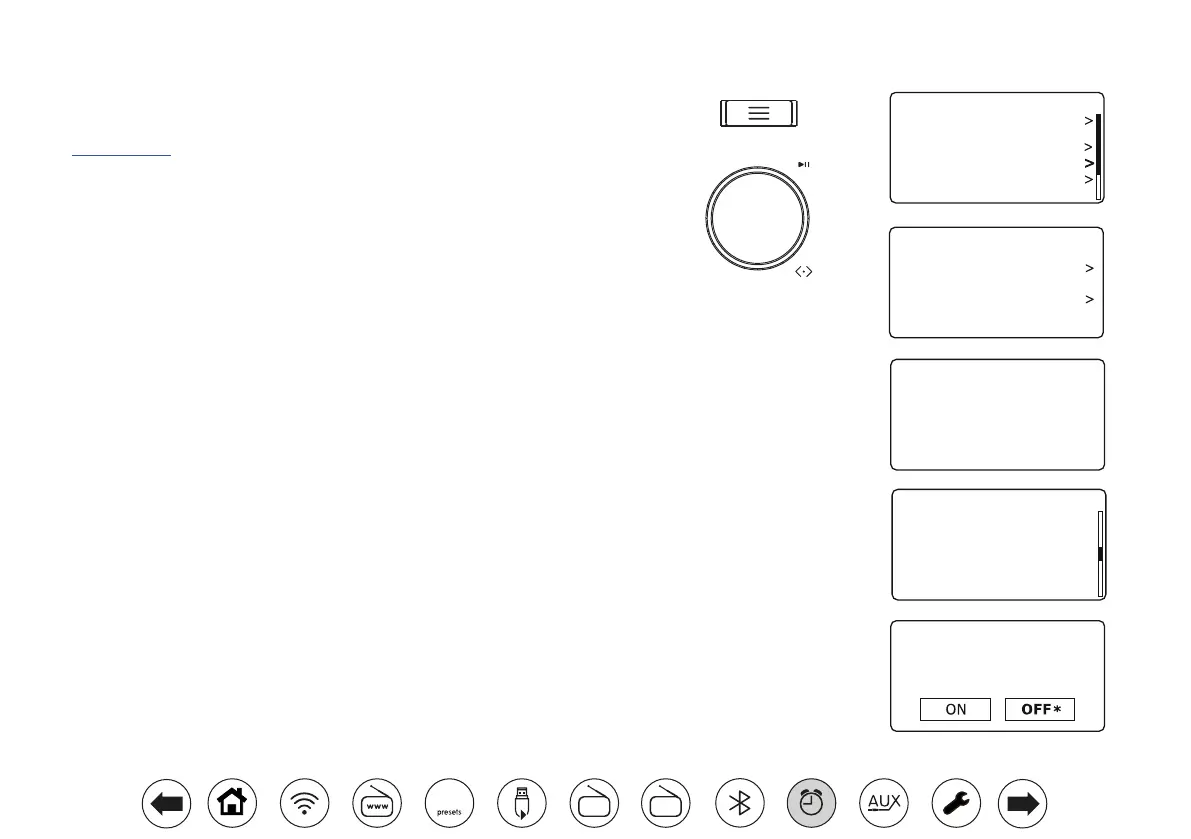
1. With your radio switched on, press Menu.
2. Choose 'System Settings'.
3. To change the current time or date setting choose 'Time/Date', 'Set Time/
Date', and then set the correct day, month, year, hour and minute digits.
To change the time zone setting go to step 5.
To change from winter to summer time go to step 6.
4. The display will then return to the previous menu.
5. Select 'Set Timezone' and choose the time zone which is applicable to
your location.
Note: This option is only available for Network Time updates.
6. Select 'Daylight Savings'. The asterisk shows the current setting.
In the UK, ON is equivalent to British Summer Time, OFF is equivalent to
Greenwich Mean Time.
Note: This option is only available for Network Time updates.
7. Choose 'ON' or 'OFF' as required. Press Menu to exit.
17 - 11 - 2024
13 : 53
Set Time/Date
Daylight Savings
Daylight Savings
UTC + 00:00: Dublin, Lond
UTC + 00:30:
UTC + 01:00: Madrid, Am
UTC + 01:30:
UTC + 02:00: Athens, Cair
UTC + 02:30:
Set Timezone
*
Set Time/Date
Auto Update
Set Format
Set Timezone
Daylight Savings
Time/Date
Equaliser
Audio Quality
Network
Time/Date
Brightness
Inactive Standby
System Settings 10:30
10:30
10:30
10:30
FM
DAB
60



 To Next Page