45
InactiveStandbyfeature
The Inactive Standby timer allows your radio to save power by automatically
going to Standby if no controls are used for a period of time. By default
this period is set to 8 hours but you may change it if you wish.
1. With your radio switched on, Press Menu.
2. Choose 'System Settings'.
3. Choose 'Inactive Standby' and then choose from 2, 4, 6, 8 hours
or Off.
4. Your radio will go into standby after the selected time has expired.
Setting Inactive Standby to Off will disable this feature.
Your radio may also enter standby mode if no radio or audio signal is
received for 15 minutes in order to minimise power consumptionm.
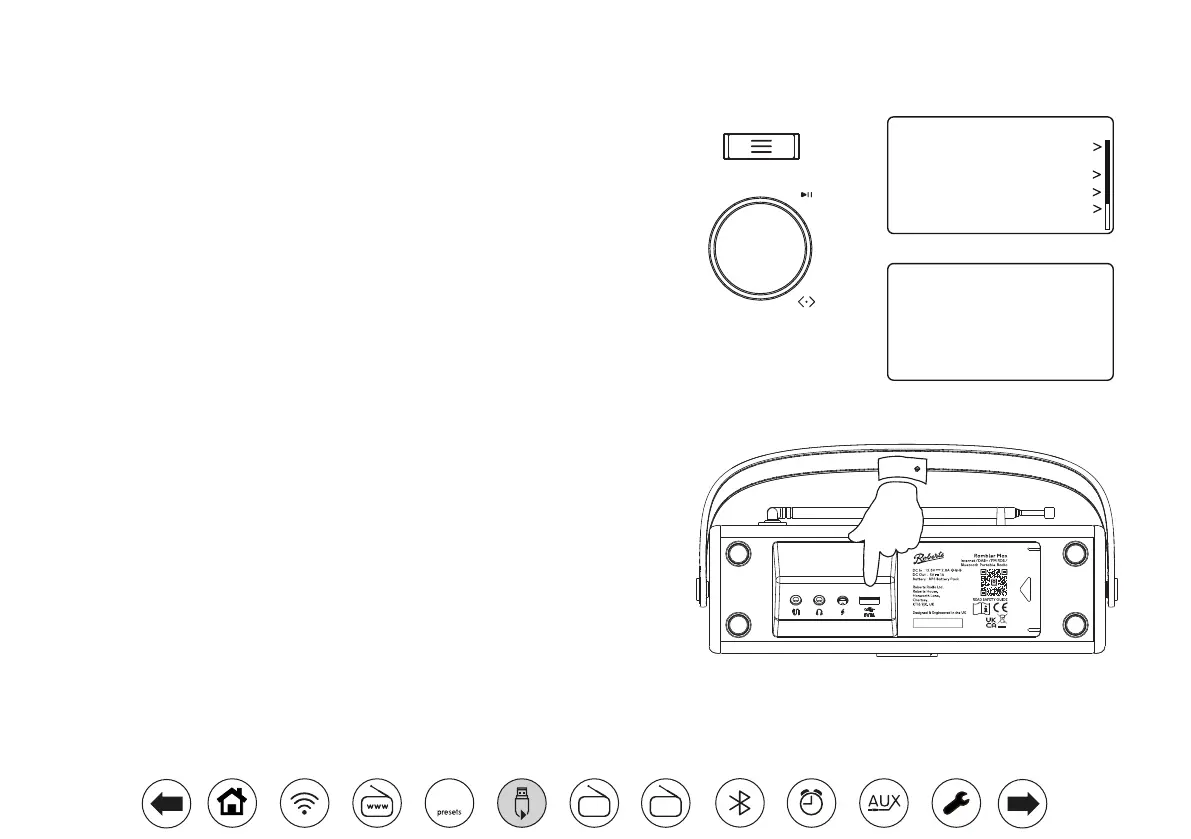
USBsocketforsmartphoneortabletcharging
Your radio has a USB socket which can be used for charging a smartphone, tablet or
other similar devices.
Charge time may vary and in some cases may take longer to charge than when using
the manufacturers charging unit supplied with the device.
1. Ensure your radio is plugged in and powered from the mains.
2. Connect your device to the USB charging socket on the underside of your radio.
3. Your device will begin to charge. Once your device has charged remove the USB
lead.
Off
2 hours
4 hours
6 hours
8 hours
Timeout
*
Equaliser
Audio Quality
Network
Time/Date
Brightness
Inactive Standby
System Settings 10:30
FM
DAB
60



 To Next Page