22
USBPlayback.
UsingUSBmemorydevices
This section describes how to use your radio to access and playback your audio
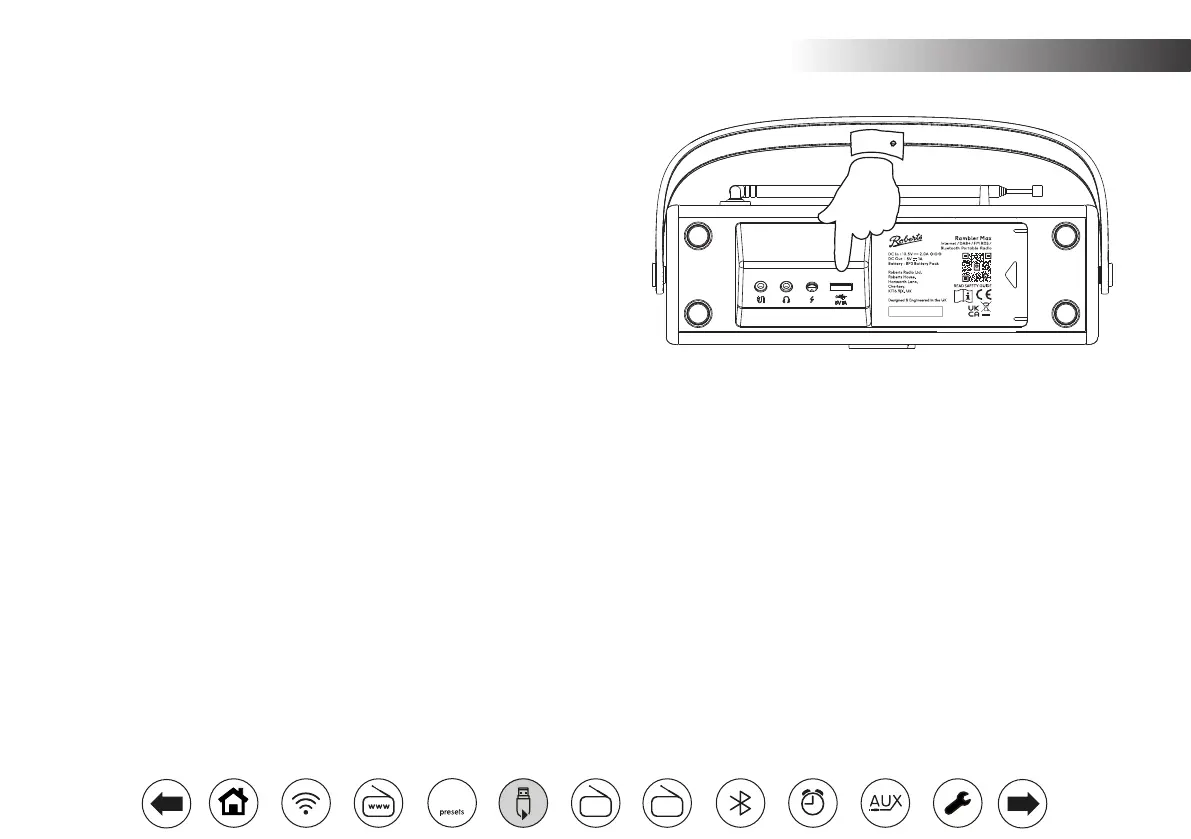
les via USB memory devices. USB memory devices plug into the rectangular
slot on connector panel under the radio.
Important: Your radio is only designed to work with USB ash memory devices.
It is not intended to be connected to hard disk drives or any other type of USB
device.
The Rambler Max radio has been tested with a range of USB memory devices
of up to 256GB capacity. USB memory must use the FAT or FAT 32 ling system
in order to operate with your radio. Your radio is unable to play from media
formatted using the exFAT, NTFS or other formats.
It is possible to use SD and micro-SD cards for media storage and playback
when held in a suitable USB adaptor. However, due to the wide variation of such
adaptors, it is not possible to guarantee that all adaptor / card combinations will
work with the radio.
The audio coding supported is MP3. Other audio codings are not supported.
Recommendations:
Unless you have only a few les on the USB memory device, do not place
all les in the root folder.
The number of items (les / sub-folders) in any folder should be less than
2000.
Searching and playback will be more responsive if the number of les in
any one folder is limited (we suggest not more than 250).
It is recommended that the USB memory is reformatted in your computer
before adding your music les.
The maximum depth of folder nesting permitted is 8 folder levels (but
playback is only from the currently selected level).
Shufe and Playlist functions are limited to 500 tracks.
Cautions:
Use only USB devices which are small enough to sit under the
radio without straining the device or the socket. To use larger
USB devices, we recommend using a short USB extender
cable with a USB type A plug and USB type A socket.
Remove the USB memory before carrying the unit or if not
using the USB feature for a prolonged period.
Place the unit in Standby mode before removing your USB
memory device.
The USB connection is intended only for ash memory
devices. Other types of storage media are not supported.
Playback via USB of les stored on phones, tablets, MP3
players, etc. is not guaranteed.
FM
DAB
60



 To Next Page