20
InternetRadio.
PresettingstationsInternetradio,DABandFM
Your radio has 20 memory presets for Internet radio / Podcast, 20 DAB and 20 FM which
can easily be set to store the details of any radio station. The radio station presets are
retained even when the radio is switched off.
For internet radio only, please also see the sections 'Last Listened' on page 19.
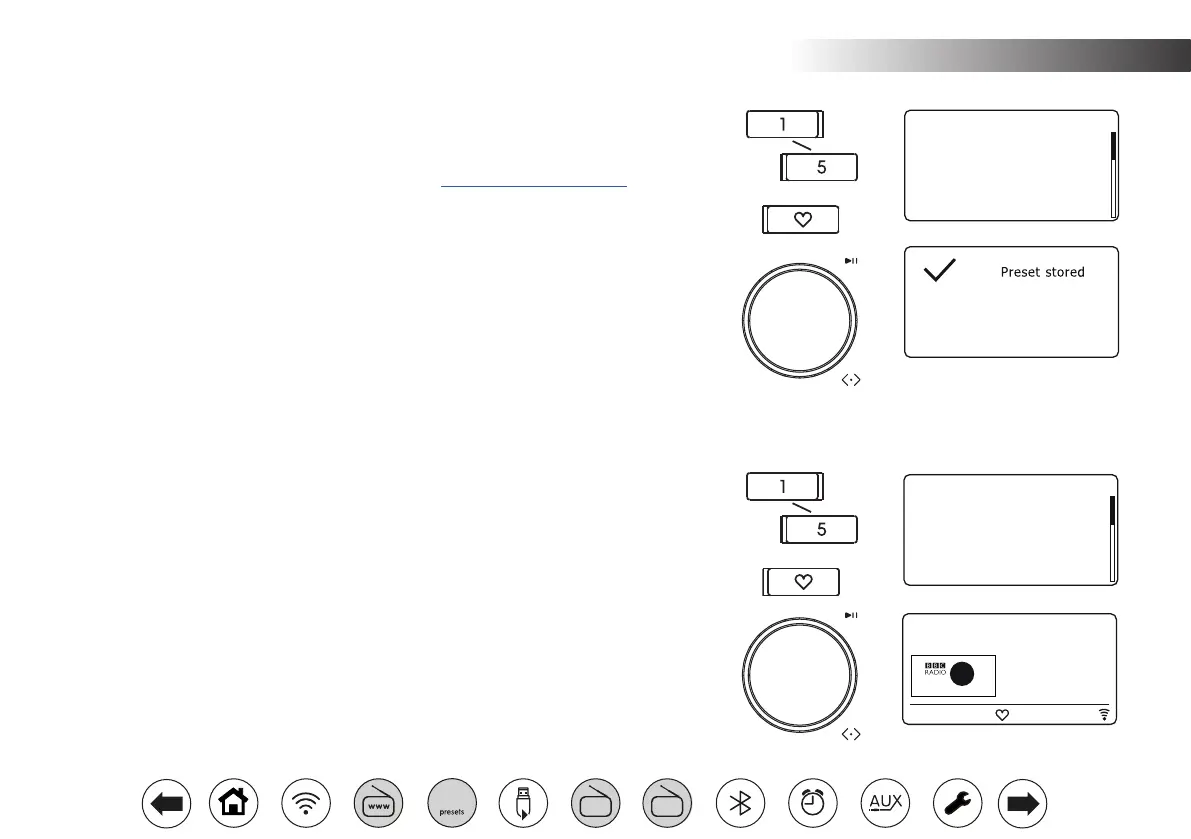
Storingapreset
1. Switch on your radio and tune to the required Internet Radio / Podcast, DAB or FM
station.
2. To store to any of presets 1 to 5 press and hold one of the numbered Preset buttons.
3. For presets 6-20, or to see the full list, press and hold the Presets button to display
the 'Save Preset' menu.
4. Use the Tuning control to scroll through the preset list until you reach an unused preset
or a preset that you wish to change. Press and release the Tuning control to store the
preset. 'Preset stored' will be shown on the display. Repeat this procedure as needed
for the remaining presets.
5. Stations which are already stored in the presets may be over-written by following the
steps above.
Recallingapreset
1. Select the required mode (Internet Radio / Podcast, DAB or FM) using the Mode button.
2. To recall any of presets 1 to 5 press and release one of the numbered Preset buttons.
3. For presets 6 to 20, or to see the full list, press and release the Preset button to display
the 'Recall Preset' menu.
4. Use the Tuning control to select the desired preset station or podcast. Press and release
the Tuning control. Your radio will then connect to the station or podcast stored in the
preset memory.
1. [Not set]
2. BBC Radio 4
3. Atlantic FM
4. [Not set]
5. [Not set]
6. BBC Radio 4
Save Preset 10:30
1. Classic FM
2. BBC Radio 4
3. Atlantic FM
4. RTL
5. BBC Radio 2
6. [Not set]
Recall Preset
Description
The best new
music and
entertainment
Internet Radio
BBC Radio 2
5
2
10:30
10:30
FM
DAB
60



 To Next Page