36
Clock and Alarms
Automaticallyupdatingtheclock
Your radio can update the clock automatically from the internet, or from DAB or FM
radio. Which you choose may depend on which operating modes you generally
use, or on the availability of the required radio signals. Updating the time from the
internet will generally be the preferred option.
Alternatively you may specify that the time is not automatically updated. In this case
the clock may need to be set manually after a power interruption.
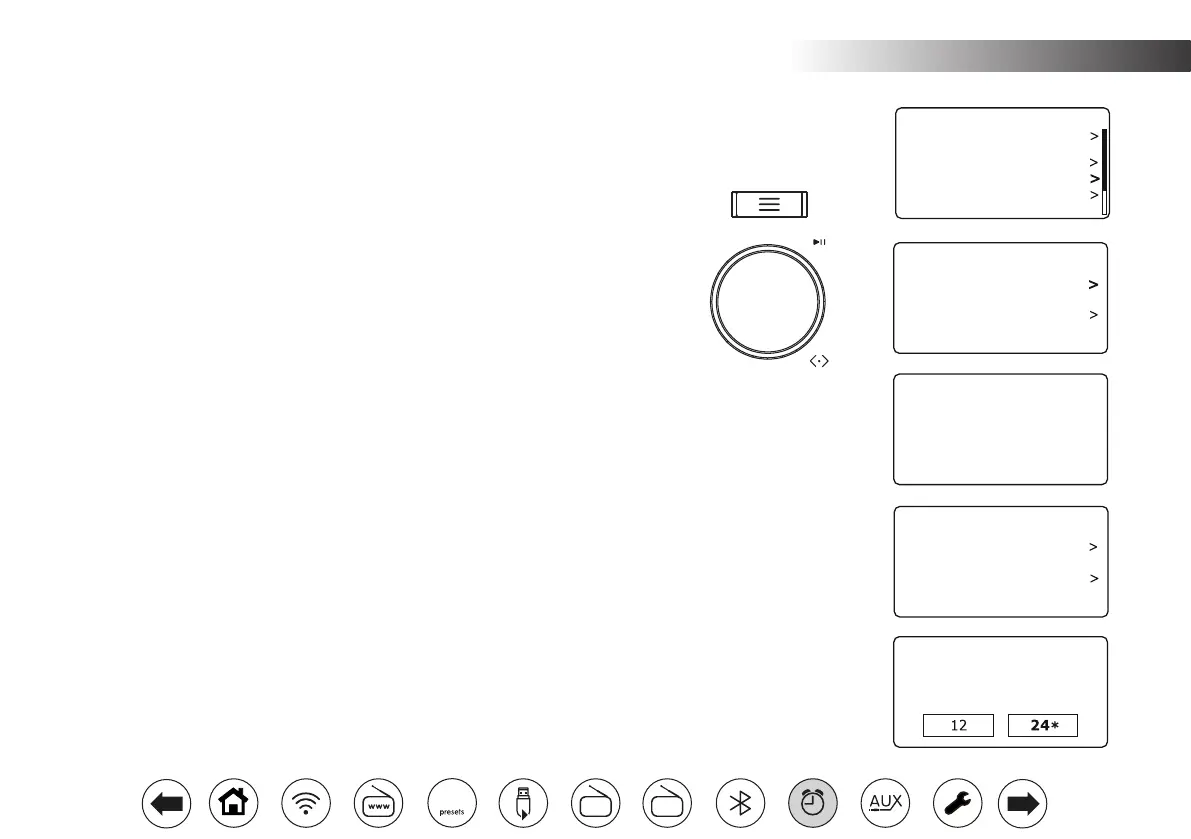
1. With your radio switched on, press Menu.
2. Choose 'System Settings', 'Time/Date', 'Auto Update' and then choose an update
option from 'Update from DAB', 'Update from FM', 'Update from Network' or
'No update' as required. Select 'Update from Network' to get time updates from
the internet.
3. Updates are performed when the radio is in standby, or when the radio is
being used in the specifed update mode. For internet time updates, the WiFi
conenction must be available. For DAB or FM radio time updates, the aerial
should be extended and the radio must have been previously tuned to a DAB
or FM radio station, as appropriate.
Settingtheclockformat
The clock display used in Standby mode and on the playing mode screens can be
set to 12 or 24 hour format. The selected format is then also used when setting
the alarms.
1. With your radio switched on, press Menu.
2. Choose 'System Settings', 'Time/Date', Set Format' and then select either 12
or 24 hour. The current clock display format is marked with an asterisk.
If the 12 hour clock format is chosen, the radio will then use the 12 hour clock
for the setting of alarms, and will display a 12 hour clock with an AM or PM
indicator when in standby mode.
Set Time/Date
Auto Update
Set Format
Set Timezone
Daylight Savings
Time/Date
Auto Update
Update from DAB
Update from FM
Update from Network
No update
*
Date/Time
12/24 hour format
Equaliser
Audio Quality
Network
Time/Date
Brightness
Inactive Standby
System Settings 10:30
Set Time/Date
Auto Update
Set Format
Set Timezone
Daylight Savings
Time/Date
10:30
10:30
10:30
10:30
ClockandAlarms.
FM
DAB
60



 To Next Page