43
Brightnesscontrol
The brightness of the display can be adjusted for when the radio is in standby and for when
it is in use. If you use the unit in the bedroom, you may prefer a lower standby brightness
level than the standard setting.
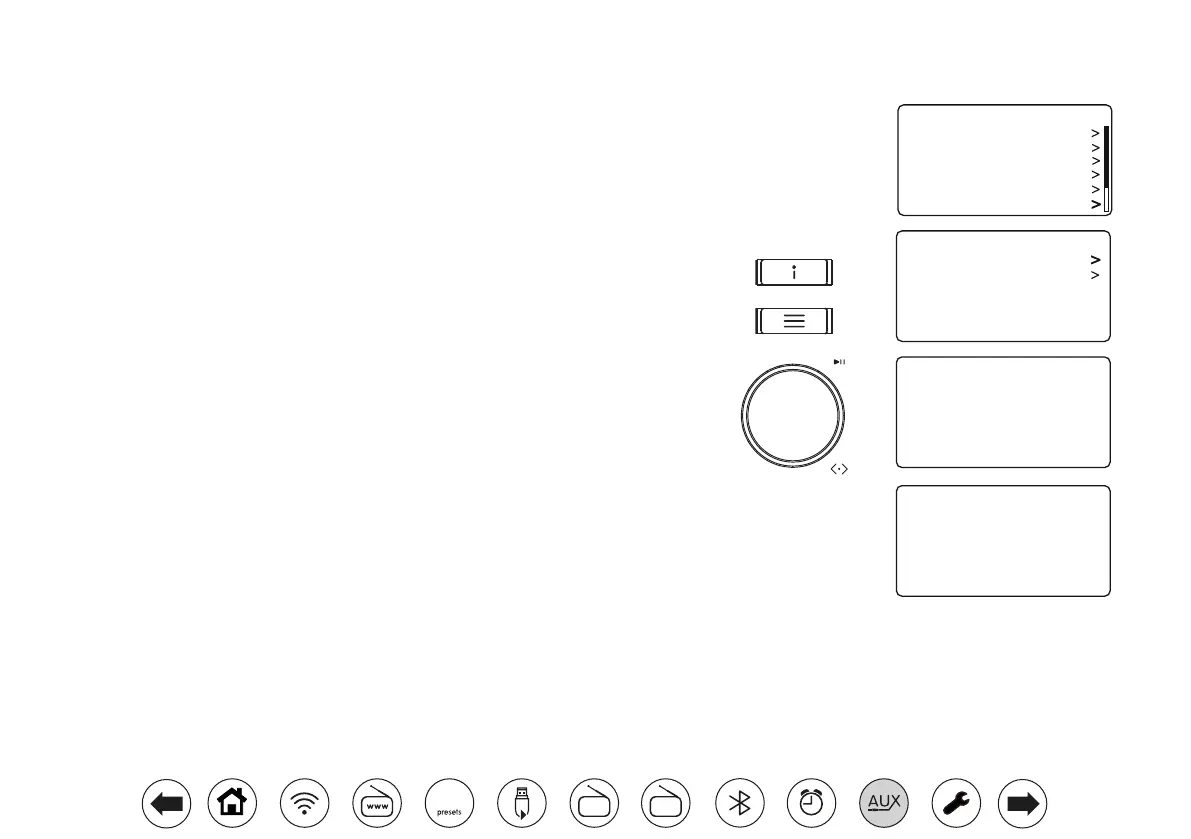
There are 4 standby brightness levels and 3 levels for when the radio is in use. To change
the current brightness setting please follow these steps.
1. With the radio in standby or in use apply a longpress on the Info button.
Alternatively, while ththe radio is in use you may also press Menu and choose 'System
Settings' then 'Brightness' to access the display brightness setting.
2. To adjust the display brightness when the radio is switched on select the 'Power-on
level'.
To adjust the display brightness when the radio is in standby select the 'Standby level'.
The display brightness will change while you change the highlighted option. Then
press Tuning. The current setting will be marked with an asterisk.
3. Choose either the 'High', 'Medium' or 'Low' setting. If setting the standby brightness
level there is also an option to set the brightness to 'Very low'. Press the Tuning
control to set the level. If the radio is playing, then the chosen brightness will be applied
immediately. If the radio is in standby, then the chosen brightness will be applied after
a few seconds delay.
When the radio is in Standby mode and powered by the mains, pressing a button or turning
a rotary control will cause the radio to switch a higher brightness level for a few seconds.
This is so that even if the standby brightness level is set very low, it is still possible to see
the time when needed.
Power-on Level
Standby Level
Brightness
Brightness
High
Medium
Low
*
Brightness
High
Medium
Low
Very Low
*
Equaliser
Loudness
Audio Quality
Network
Time/Date
Brightness
System Settings 10:30
FM
DAB
60



 To Next Page