11
Connectingtoyourcomputernetwork
Before you can use your Rambler Max to listen to Internet radio or to any music streaming services, it must rst
be connected to your WiFi network. This section describes how to do this.
The following instructions assume that you have set up the clock and time options using the Setup Wizard as
described on the preceding page. These instructions also apply to the Network Wizard in the Network Settings
menu (from step 2 onwards).
Keep network connected
You can choose whether your radio will keep its connection to WiFi available when it is in standby through the
menu option 'Keep Network Connected'. In the Standby mode display the WiFi signal indicator is shown with or
without a cross through it, according to the state of the connection.
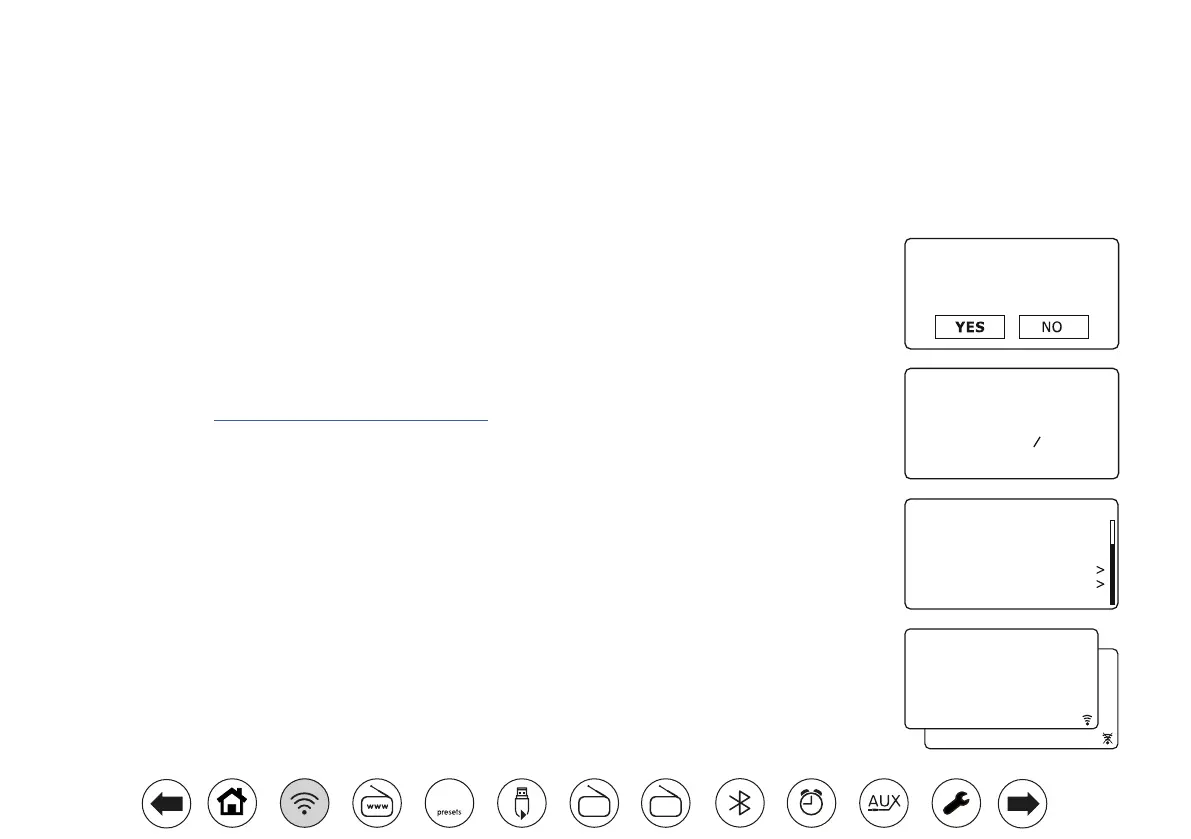
1. After setting the Daylight Savings options (see page 10), the display will show the 'Keep network connected?'
option. You should choose 'Yes' if you wish to keep the radio connected to the network when it is in Standby
mode. This will allow your radio to be controlled using an app on a phone or tablet when needed.
If you choose 'No' then your radio will shut down its WiFi connection when it is in Standby, DAB, FM, Bluetooth
or Aux-in modes. This slightly reduces power consumption but it does mean that you will need to switch the
radio on manually in order to use it with either Spotify Connect or the Oktiv app.
Rotate Tuning to highlight the required option and then press the control to make the selection.
Your radio will then scan for available WiFi networks.
Network Settings
Network Wizard
Scanning...
View Settings
Manual Settings
NetRemote PIN Setup
Network Profile
Clear network settings
Keep network connected
Network Settings
09:30
*
Network Settings
Keep network connected?
13 - 01 - 2022
0 9 : 3 0
21 - 06 - 2024
0 9 : 3 0
FM
DAB
60



 To Next Page