29
DynamicRangeControlsettings
The DRC facillity can make quieter sounds easier to hear when your radio is used in a noisy
environment.
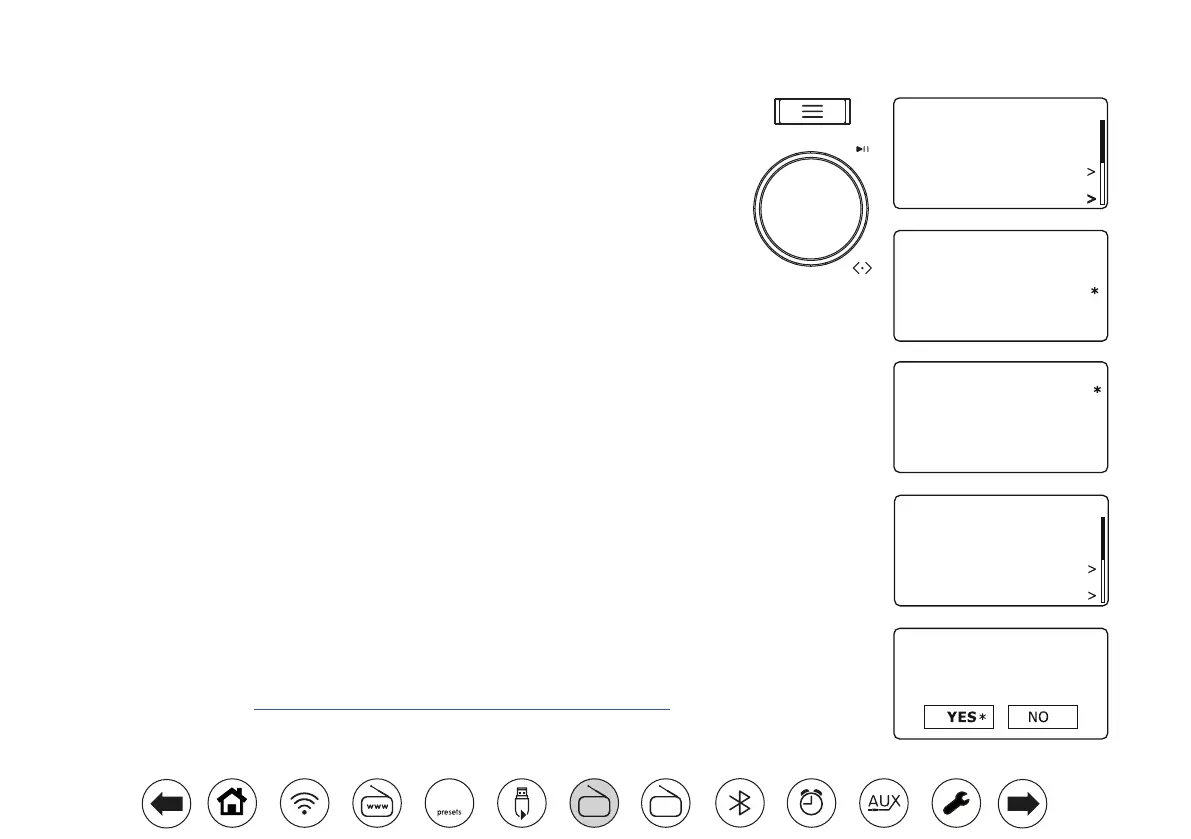
1. When in DAB mode, press Menu.
2. Choose 'DRC' and then choose the required DRC setting (default is Off).
DRC Off - DRC is switched off, Broadcast DRC will be ignored. DRC Low - DRC level is
set to 1/2 that sent by broadcaster. DRC High - DRC is set as sent by broadcaster.
3. Press Tuning to conrm the setting. Note: Not all DAB broadcasts use the DRC function.
If the broadcast does not provide DRC information, then the DRC setting in the radio will
have no effect.
Stationordersetup
Your radio has 2 station order settings from which you can choose. The station order settings
are, alphanumeric and ensemble. Note: The default station order on your radio is alphanumeric.
1. When in DAB mode, press Menu.
2. Choose 'Station Order' and then choose 'Alphanumeric' (list alphabetically) or 'Ensemble'
(organised by DAB multiplex).
Prune stations
If you move to a different part of the country, some of the stations listed may no longer be
available. Also, some DAB services may stop broadcasting or change location or frequency.
Stations which cannot be found, or which have not been received for a very long time are shown
in the station list with a question mark. The Prune stations function will delete the marked DAB
stations from your station list.
1. When in DAB mode, press Menu.
2. Choose 'Prune' and then choose 'YES' to cause the invalid station names to be removed
from the station list. If you do not wish to prune stations choose 'NO'.
Note: If you have moved your radio to a different part of the country you should also carry out
a search for new stations
(please see the section 'Finding new stations' on page 28).
DRC high
DRC low
DRC off
DRC
Alphanumeric
Ensemble
Station Order
Prune
This removes all invalid
stations, continue?
Recall Preset
Save Preset
Scan
Manual Tune
Prune
DRC
DAB 10:30
10:30
10:30
Recall Preset
Save Preset
Scan
Manual Tune
Prune
DRC
DAB 10:30
10:30
FM
DAB
60



 To Next Page