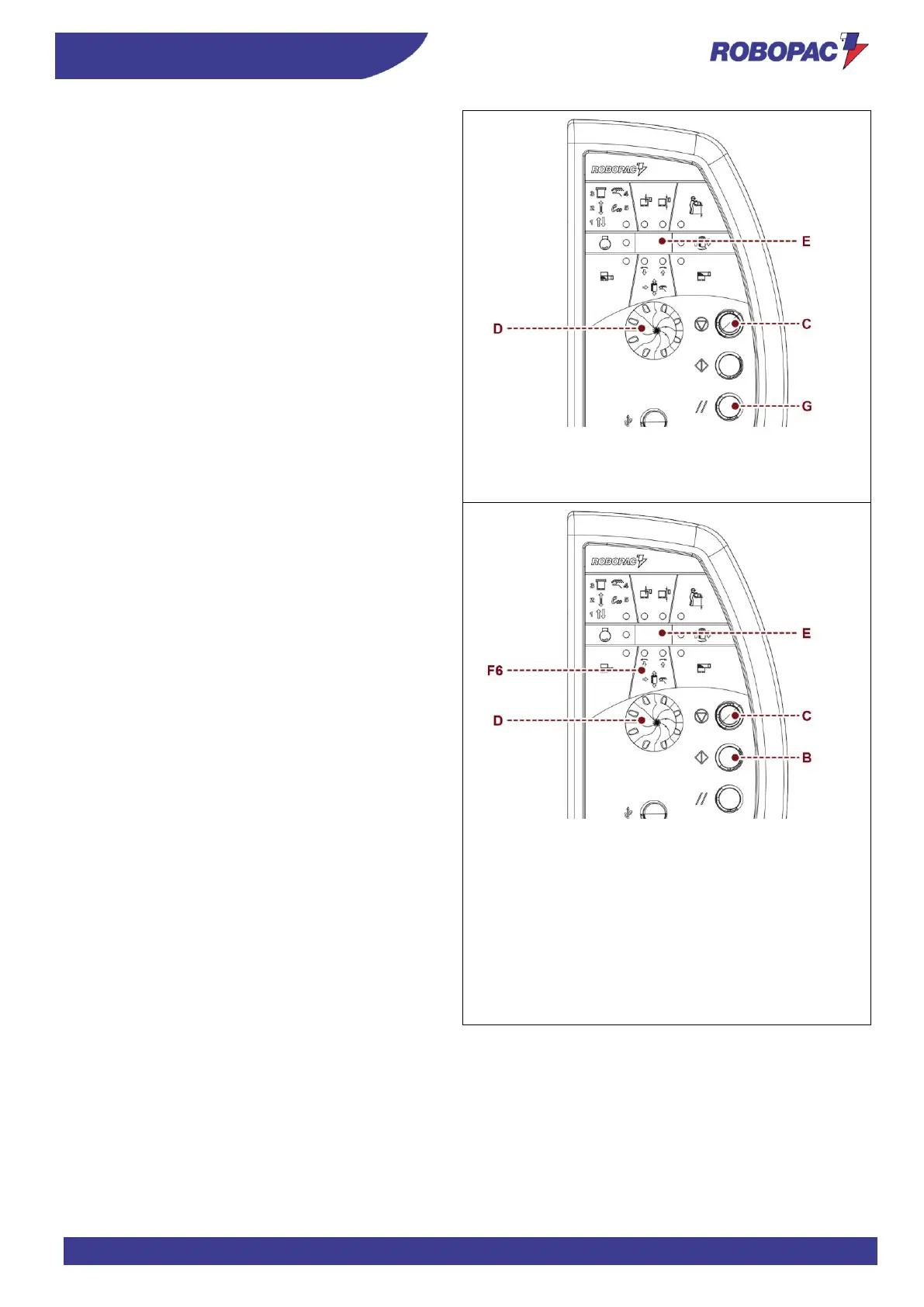
To view the production data:
Activate the main electrical disconnector and at the
same time press selector (D).
The following message appears on the display (E):
- "d1” cycle partial counter.
To reset, briefly hold the selector down (for about 3
seconds).
- “d2” – cycle total counter (1000÷999000)
- “d3” – cycle total counter (0÷999)
- “d4” – Software revision version
- “d5” – Power supply voltage
- “d6” – Board temperature
- “d7” – Machine run status time counter
Upon pressing the "Cycle stop" (C) button, the machine
will prompt the user to press the "Reset" button (G).
To program the “Eco” wrapping cycle:
Select the “Eco” cycle (F1 sel. 5)
The “Eco” wrapping cycle can be customised in order to
optimise it and reduce waste in terms of time and
wrapping material.
1. Press and hold down the selector (D) and
simultaneously press the "cycle stop" button (C).
The message “rEC” appears on the display (E).
“Self-learning” mode is activated.
The system records all operations required to
customise a wrapping cycle (Max 20 steps).
2. Upon pressing the "Cycle start" button (B) the
carriage is returned to the lower limit switch. Upon
pressing the "Cycle start" button (B) again, the
table rotation is activated and the film carriage
movement is simultaneously activated in manual
mode (F6).
3. Engage the selector (D) to move the film carriage.
4. When the film carriage is returned to the “lower”
limit switch position, press the “Cycle stop” button
(C) to stop recording.
The rotary table runs a synchronised stop.
5. Press and hold down the selector (D) and
simultaneously press the "Cycle stop" button (C) to
exit the recording mode.








 To Next Page