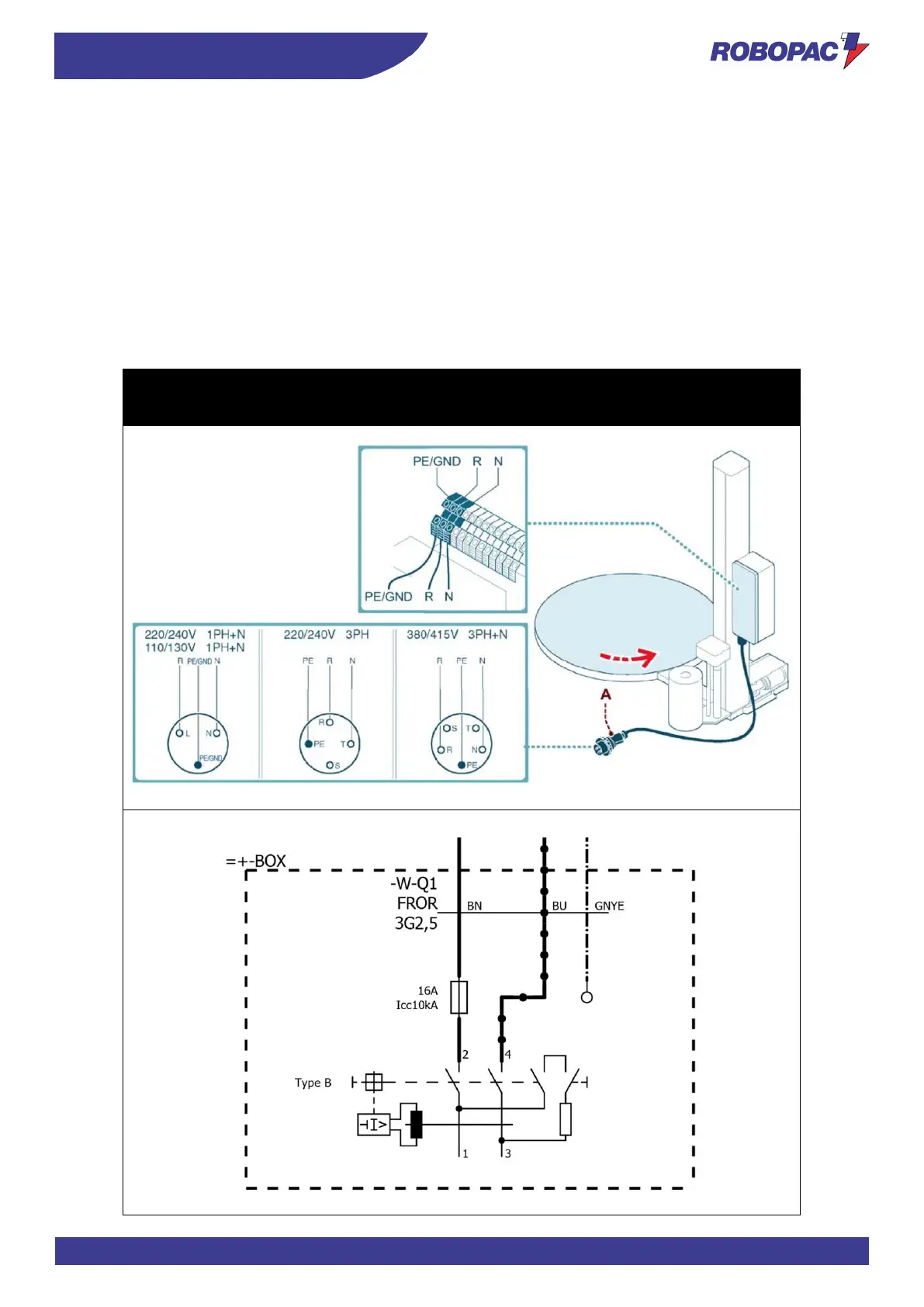
4.10. ELECTRICAL CONNECTION
Proceed as follows for the electrical connection.
1. Check that the line voltage (V) and frequency (Hz) correspond to those of the machine (See identification plate
and wiring diagram).
2. Turn main switch to pos. 0 (OFF).
3. Connect the power cable (if supplied) to the socket (A), as shown in the figure, in accordance with the mains
supply.
4. The earth wire (yellow–green) must be connected to its earth terminal PE.
5. Power the machine using the main switch.
6. Press the “Reset” button.
7. When the “Start” button is pressed, the plate should turn anticlockwise.
8. Provided by the customer.



 To Next Page