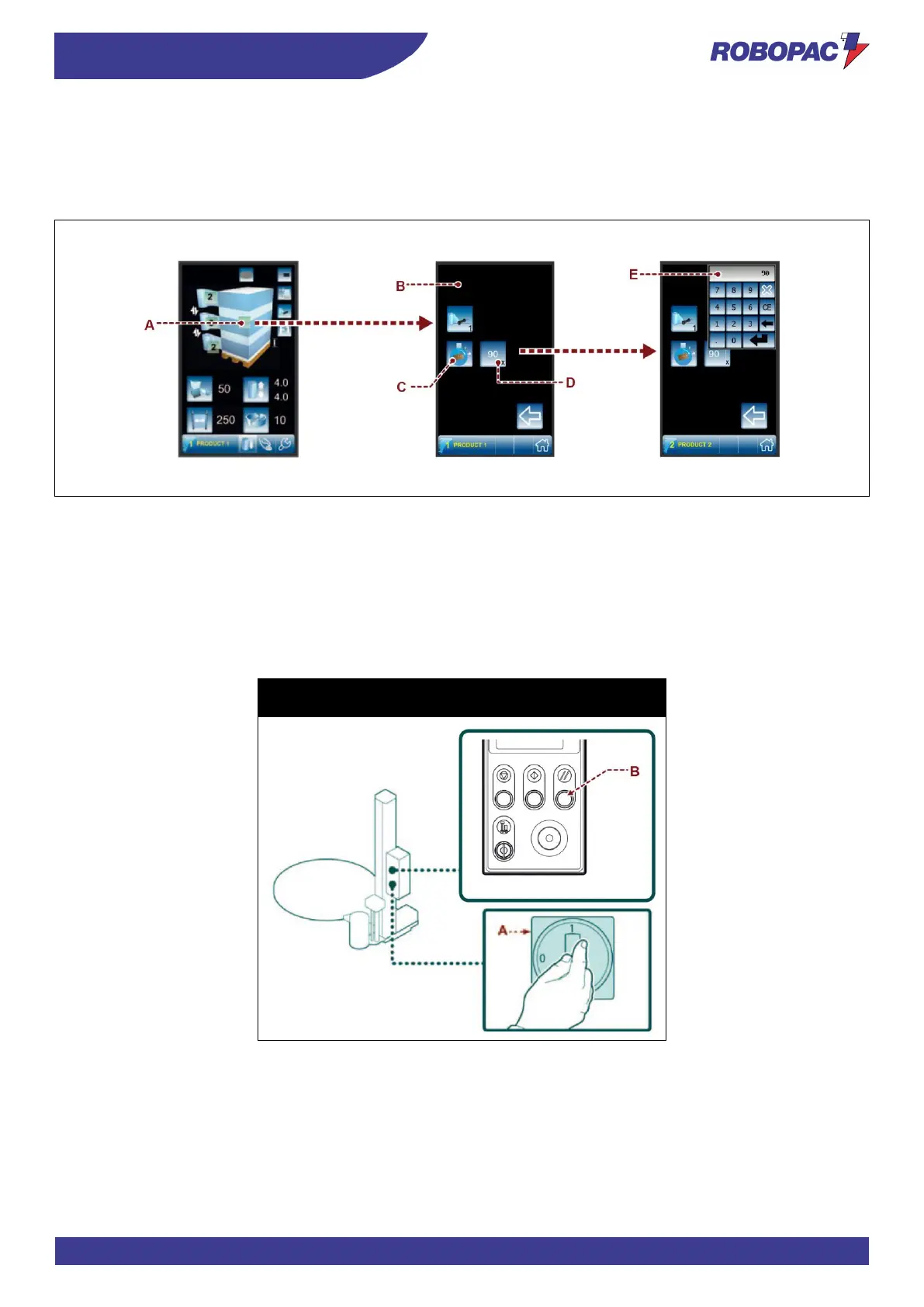
6.15. PHASE ANGLE ADJUSTMENT
1. Press button (A) to view page (B) where the “Phase angle adjustment” button C is shown.
2. Press button C to display the key to set value D (if the set recipe allows it).
3. Press button D to display the drop-down window E where the new value can be set.
6.16. MACHINE SWITCHING ON AND OFF
1. Turn the main switch (A) to I (ON) to activate the power supply. The display shows “RES”.
2. Press the "Reset” button (B). The display goes into “standby” mode.
3. Set the cycle parameters (See “Cycle parameters setting”).
4. Perform the cycle starting operations (see “Cycle start and stop”).
5. Turn the main switch (A) to 0 (OFF) to switch the machine off.



 To Next Page