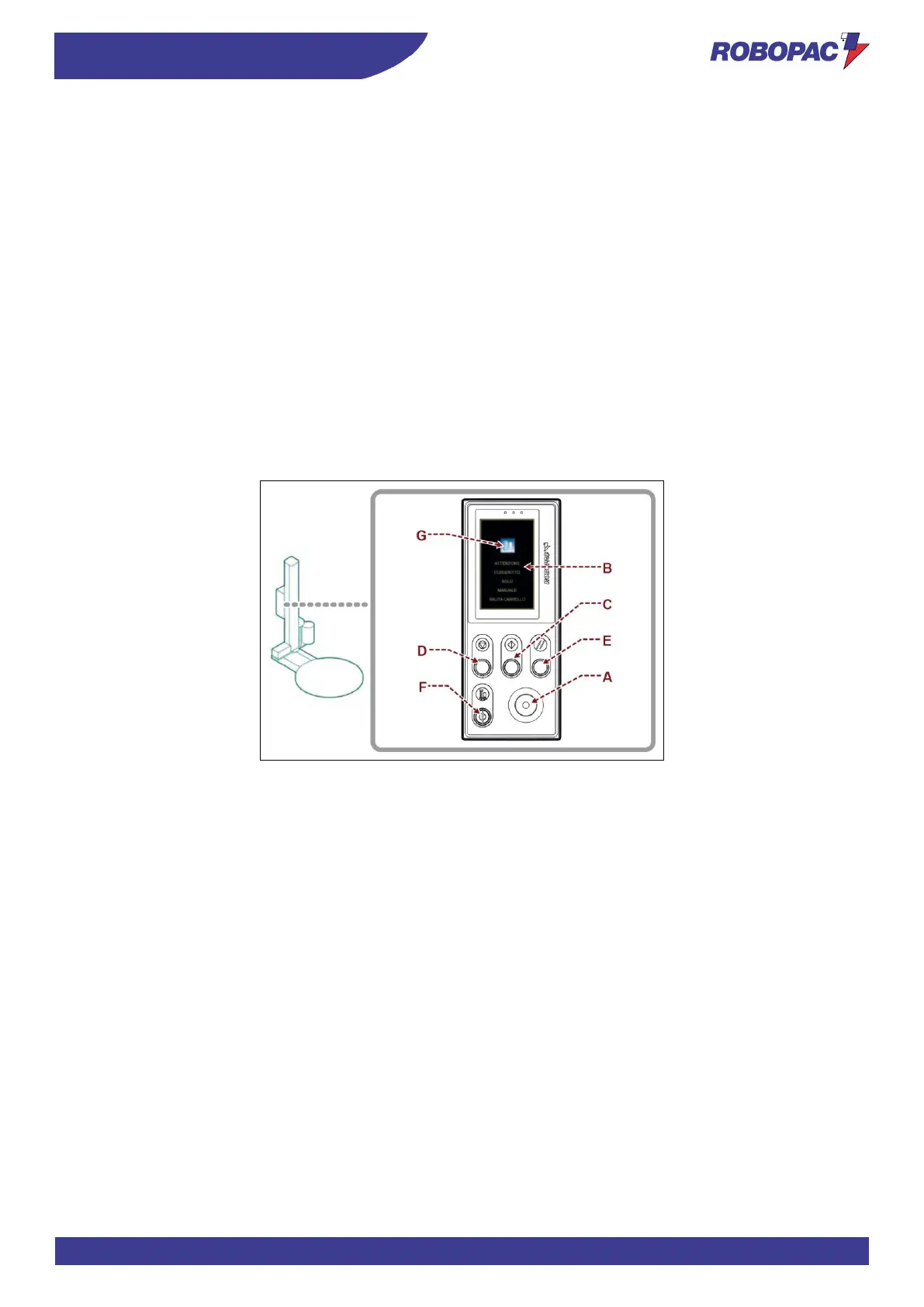
6.2. DESCRIPTION OF THE CONTROLS
1) Emergency stop button:
it is used in case of imminent risk to stop, with a voluntary action, the machine parts which may pose a risk.
For more details, see the paragraph “Description of safety devices”.
2) User interface:
it is used to set or modify the machine operating parameters.
For more details, see the paragraph “Description of user interface”.
3) “Cycle start” button:
it is used to start the wrapping automatic cycle.
4) “Cycle stop” button:
it is used to stop the wrapping automatic cycle.
5) “Reset” button:
it is used to reset the machine before restarting it after an emergency stop or after a shut-down due to the
disconnection of the power supply.
6) Emergency override key-operated switch:
it is used to temporarily bypass the carriage emergency.
When the key is turned to position I (hold to run), the user interface screen will display the page “safety device
override” and this allows, by pressing the button (7), to lift only the carriage.



 To Next Page