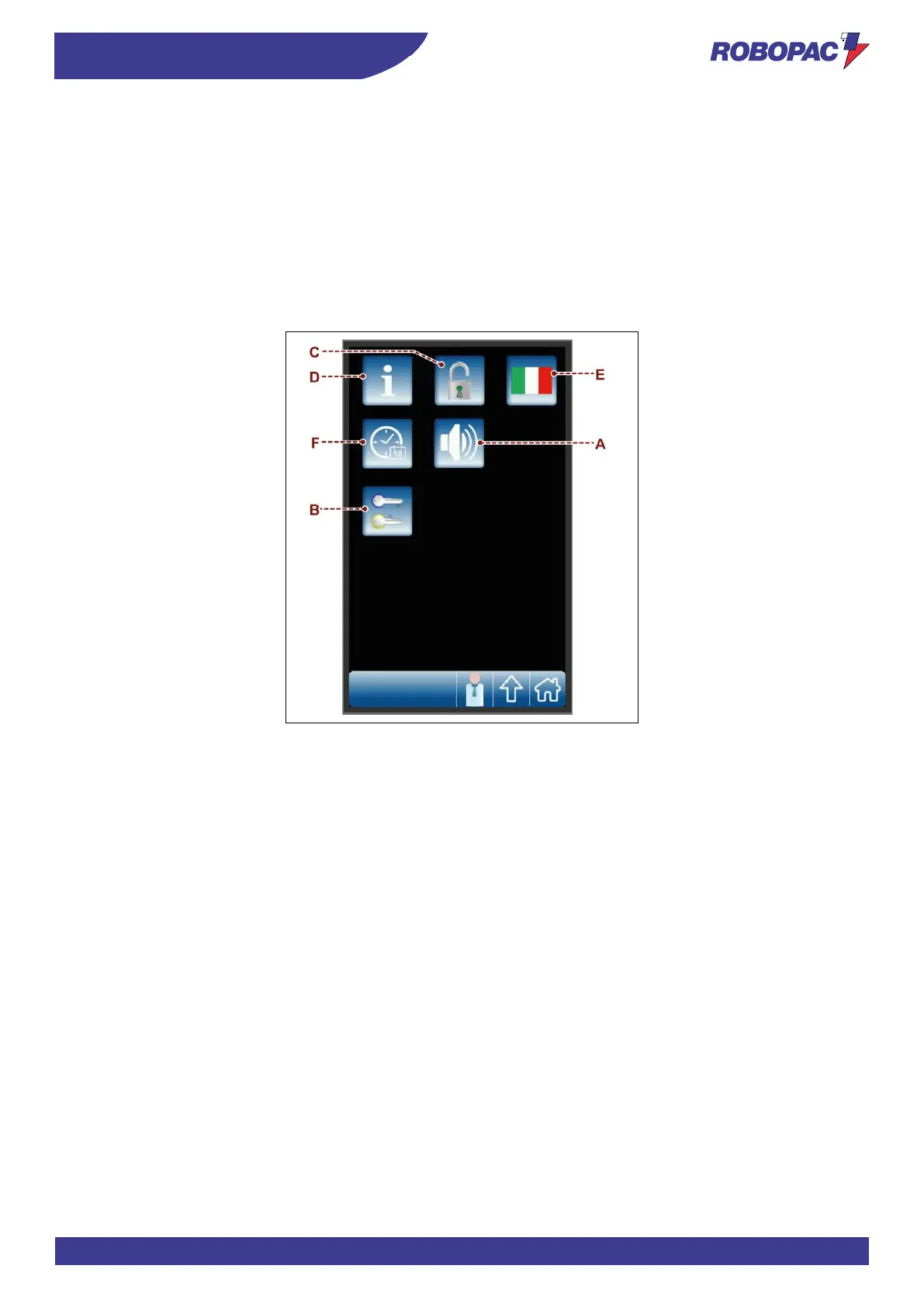
6.10. “HMI SETTINGS” PAGE
The page displays the controls to customise the user interface operating mode.
A) Button: it is used to enable and disable the display acoustic signal.
B) Button: it is used to display the “change password” page .
C) Button: it is used to enable and disable the recipe programming mode.
The function is active only if the system is accessed by a “machine operator” user (see the “enter password
page (user login)”.
D) Button: it is used to display the page with the software version.
E) Button: it is used to select the language.
F) Button: it is used to display the page for setting date and time.



 To Next Page