INFORMATION ABOUT THE USE
6.19. CYCLE START AND STOP
Proceed as follows.
1. Place the pallet on the rotary table and move the loading device away.
2. Fasten the film to the striker bracket (never to the gripper).
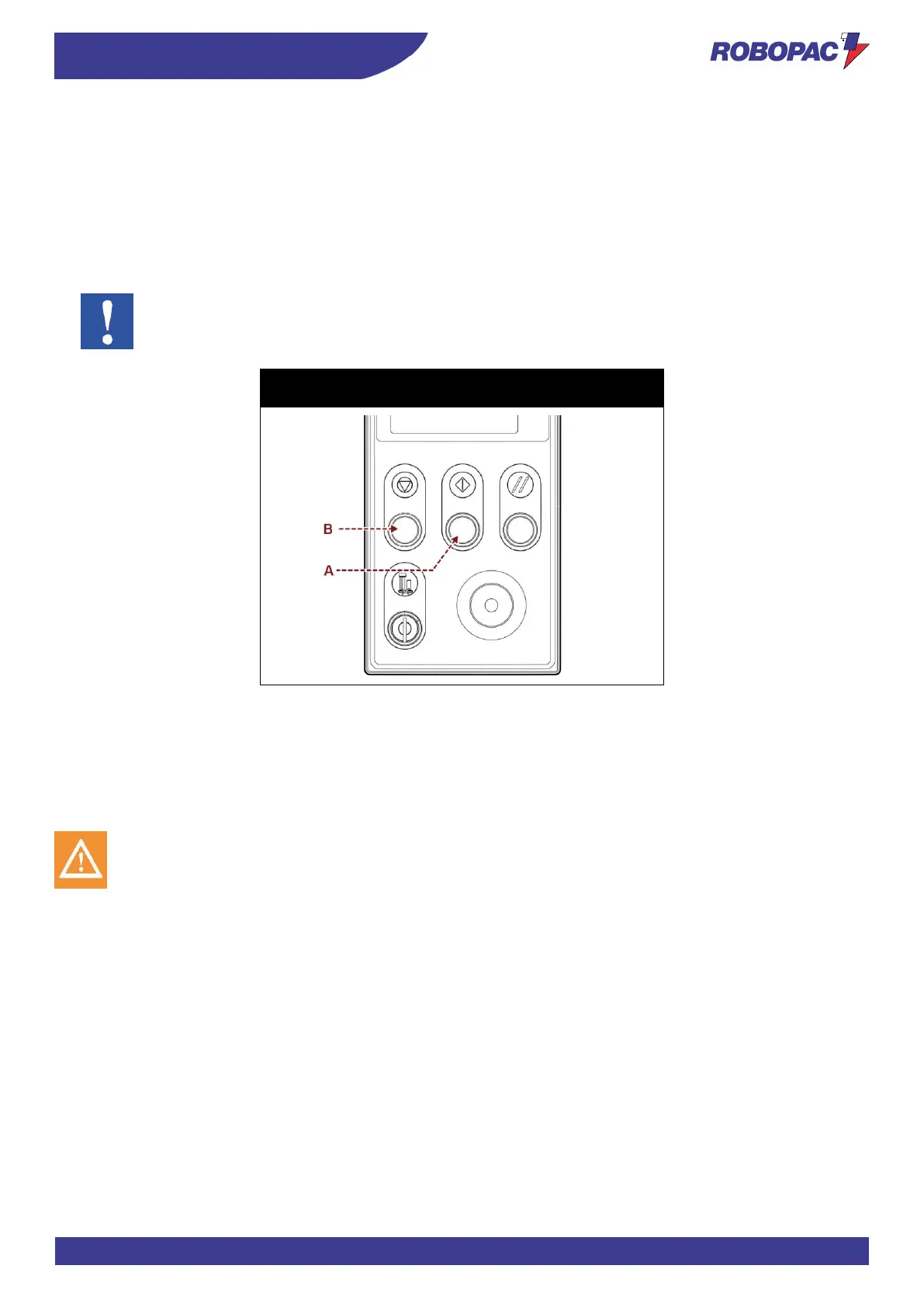
3. Press the "Cycle Start" button (A).
The machine completes the cycle and stops automatically.
4. Cut the film (If necessary).
5. Remove the pallet and position a new pallet to start a new cycle.
Important
To temporarily suspend the cycle, press the “Cycle stop” button (B).
Press the "Cycle Start" button (A) to restart it.
Rotoplat LP 308-508-708
Rotoplat TP3 308-508-708
6.20. PRESSER HEIGHT CHANGE
- Presser unit can be supplied with pneumatic (stroke 800) or mechanical cylinder version.
- The illustrations show the machine with the presser unit in the available versions.
- See tables to find the minimum height of the pallet to be wrapped in accordance with the version of the
presser installed on the machine.
Caution - warning
For “LP” versions, remove the load after the wrapping cycle



 To Next Page