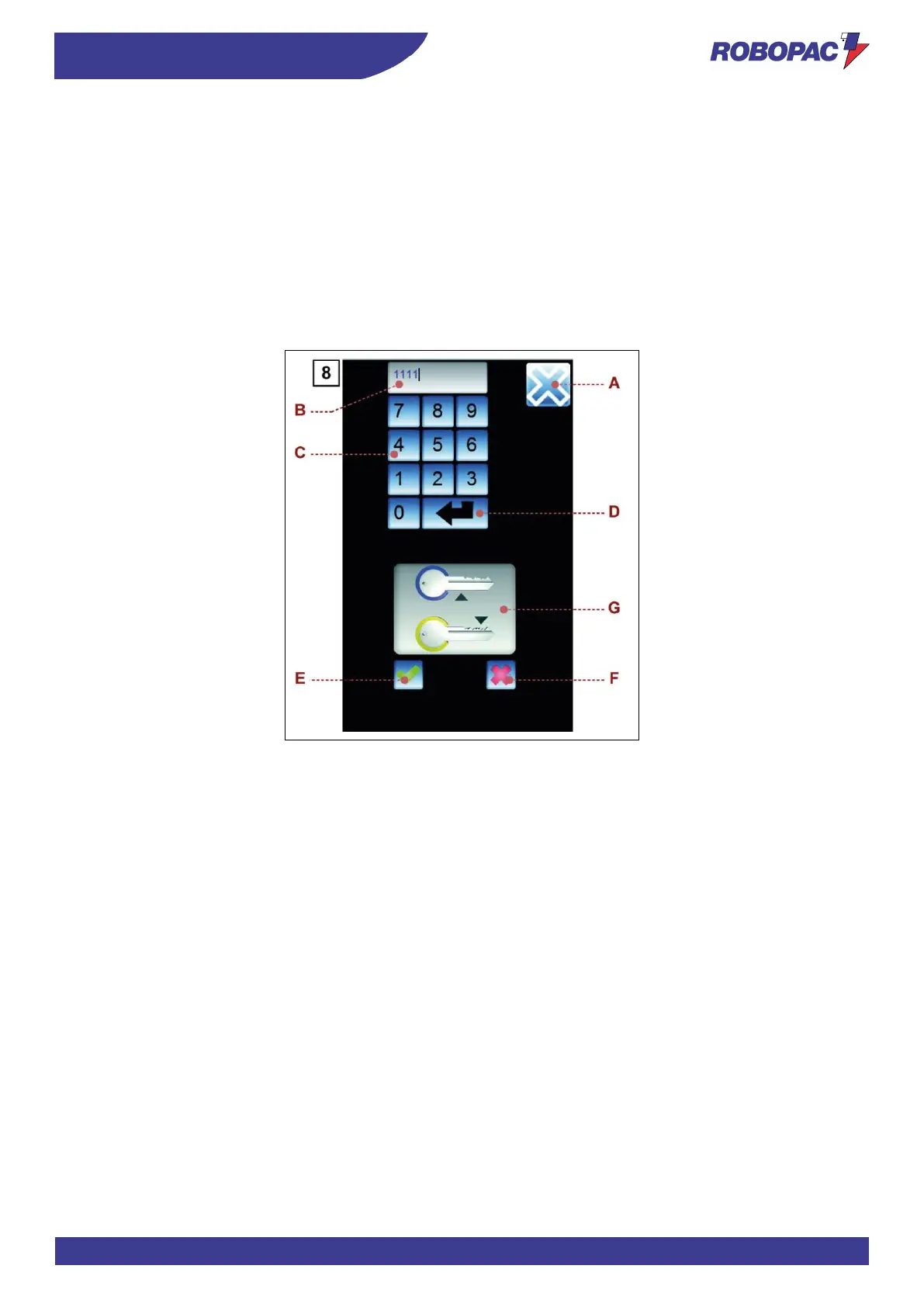
6.11. “PASSWORD CHANGE” SCREEN
The page displays the controls to change the password to access protected functions.
A) Button: it is used to display the upper level page .
B) Area: it displays the entered characters.
C) Numerical keyboard.
D) Button: it is used to confirm the entered values.
The activation of the control is signalled by the animation of icon (G).
E) Button: it is used to save the password.
The control is enabled only if the animation of icon (G) is active.
F) Button: it is used to reset the entered values.
The activation of the control disables the animation of icon (G).



 To Next Page