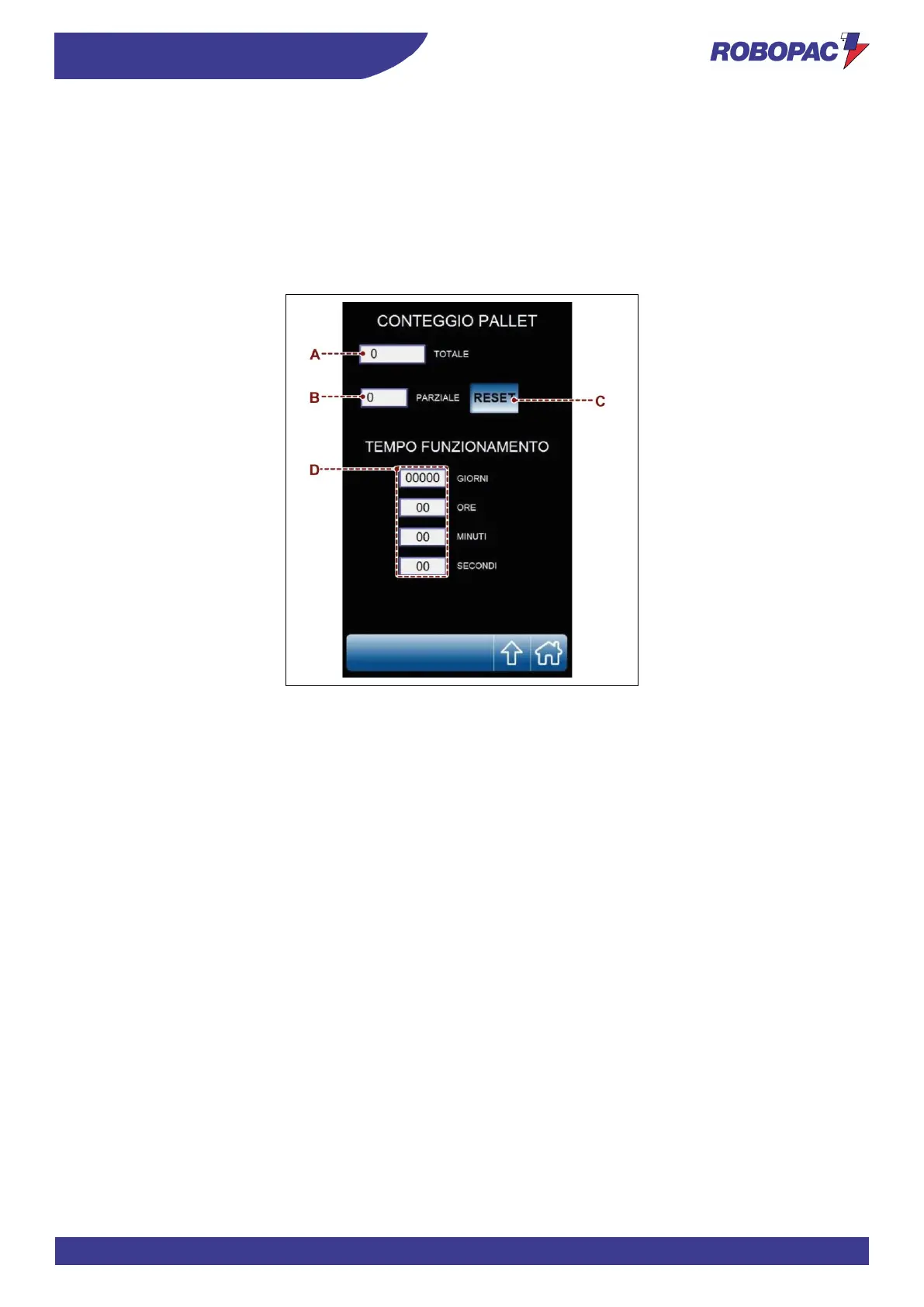
6.9. “PRODUCTION COUNTERS (PALLETS)” PAGE
The page displays the controls to check the quantity (partial and total) of the pallets made.
A) Area: it displays the counter (total) of the wrapping cycles performed by the machine.
B) Area: it displays the counter (partial) of the wrapping cycles performed by the machine.
C) Button: it is used to reset counter (B).
The function is active only if the system is accessed by a “machine operator” user (see the “enter password
page (user login)”.
D) Area: it displays the machine operating time in days, hours, minutes and seconds.



 To Next Page