6.14. NEW RECIPE PROGRAMMING
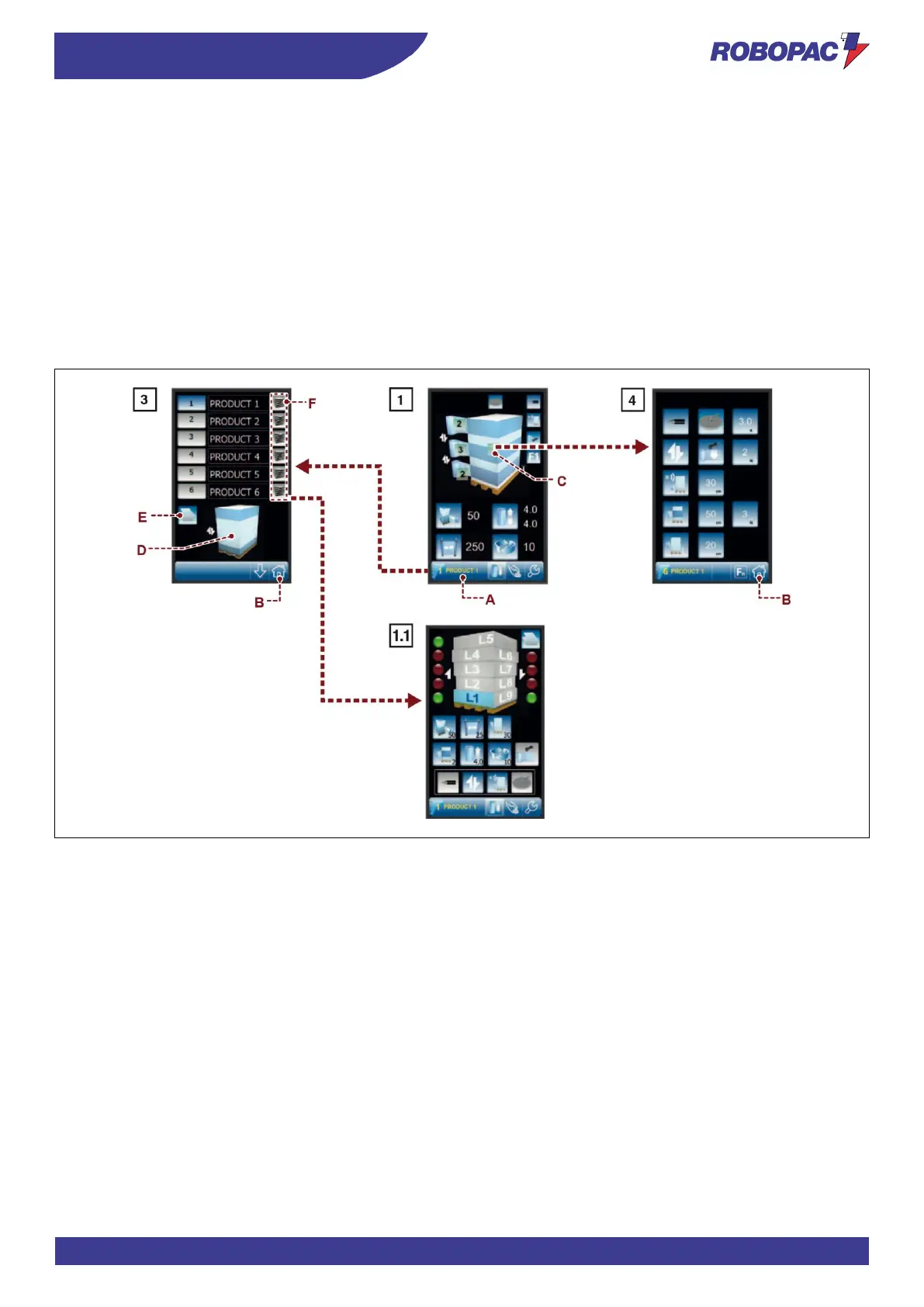
1. Display the “home” page 1.
2. Press the button (A) to display the “recipes” page 3.
3. Press the button (F), corresponding to the required recipe, to access the “home 1.1.” page.
4. If necessary, press the button (E) to copy the data from one recipe to another.
5. Select the concerned recipe.
6. Set the recipe name.
7. Press the button (B) to display the “home” page 1.
8. Press the button (C) to display the “wrapping cycle” page 4.
9. Set the recipe parameters.
The area (D) displays the preview of the selected pallet wrapping cycle.
10. Press the button (B) to display the “home” page 1.



 To Next Page