Robotiq inc. © 2016 19
1.
2.
Installing the fingertips or finger pads on the Gripper :
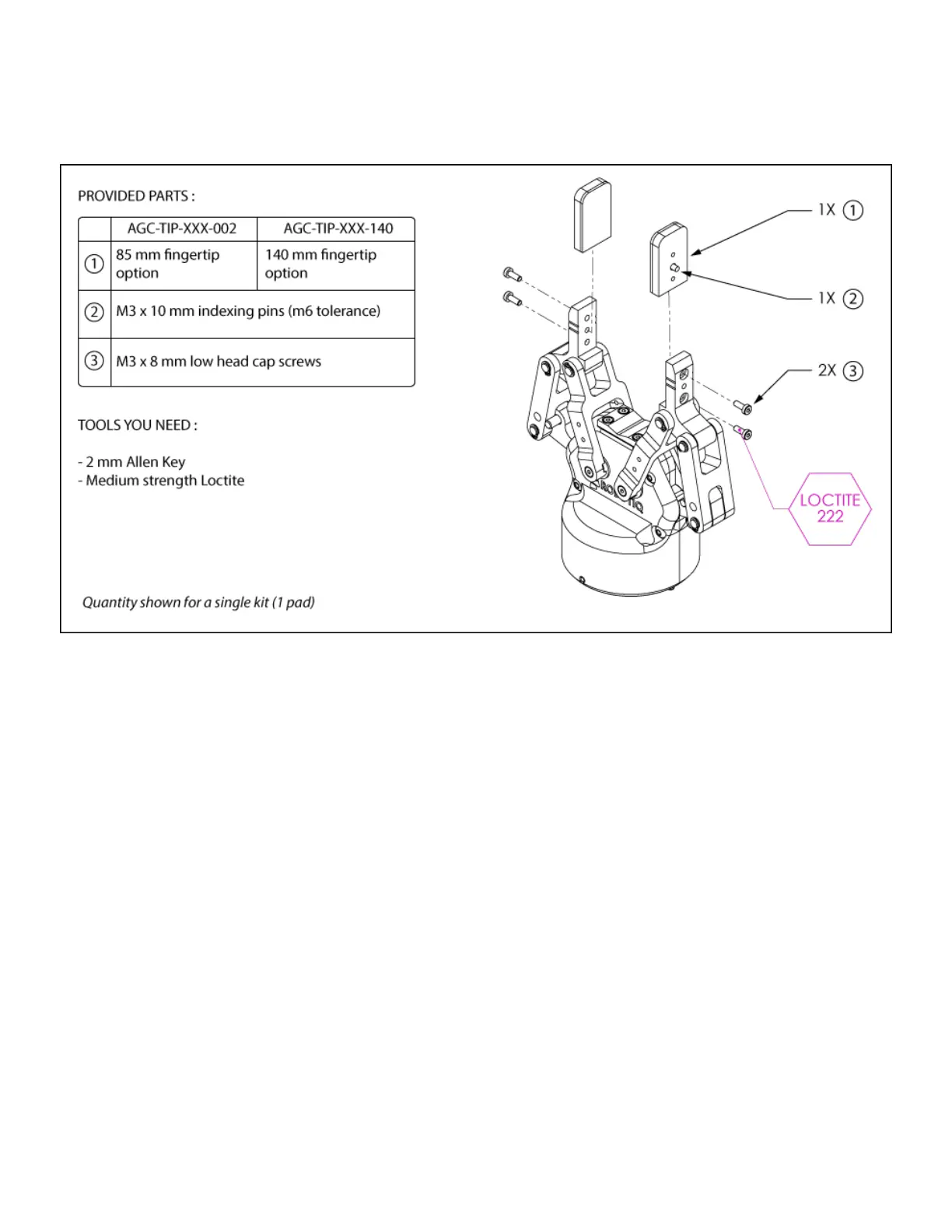
Depending on your options, you may have fingertips to install. The second step of the installation should be to install the fingertips. To do so :
Align the fingertip indexing pin to the fingertip dowel hole.
Insert the two M3-0.5 x 8 low head cap screws and screw on after applying medium strength thread-locker.
Figure 3.4.2 : Installing the fingertip (pads) onto the Gripper



 To Next Page