Robustel GoRugged R2000 User Guide
RT_UG_R2000_v.1.2.0 15.12.2015 97 /120
Confidential
Chapter 4 Configuration Examples
4.1 Cellular
4.1.1 Cellular Dial-Up
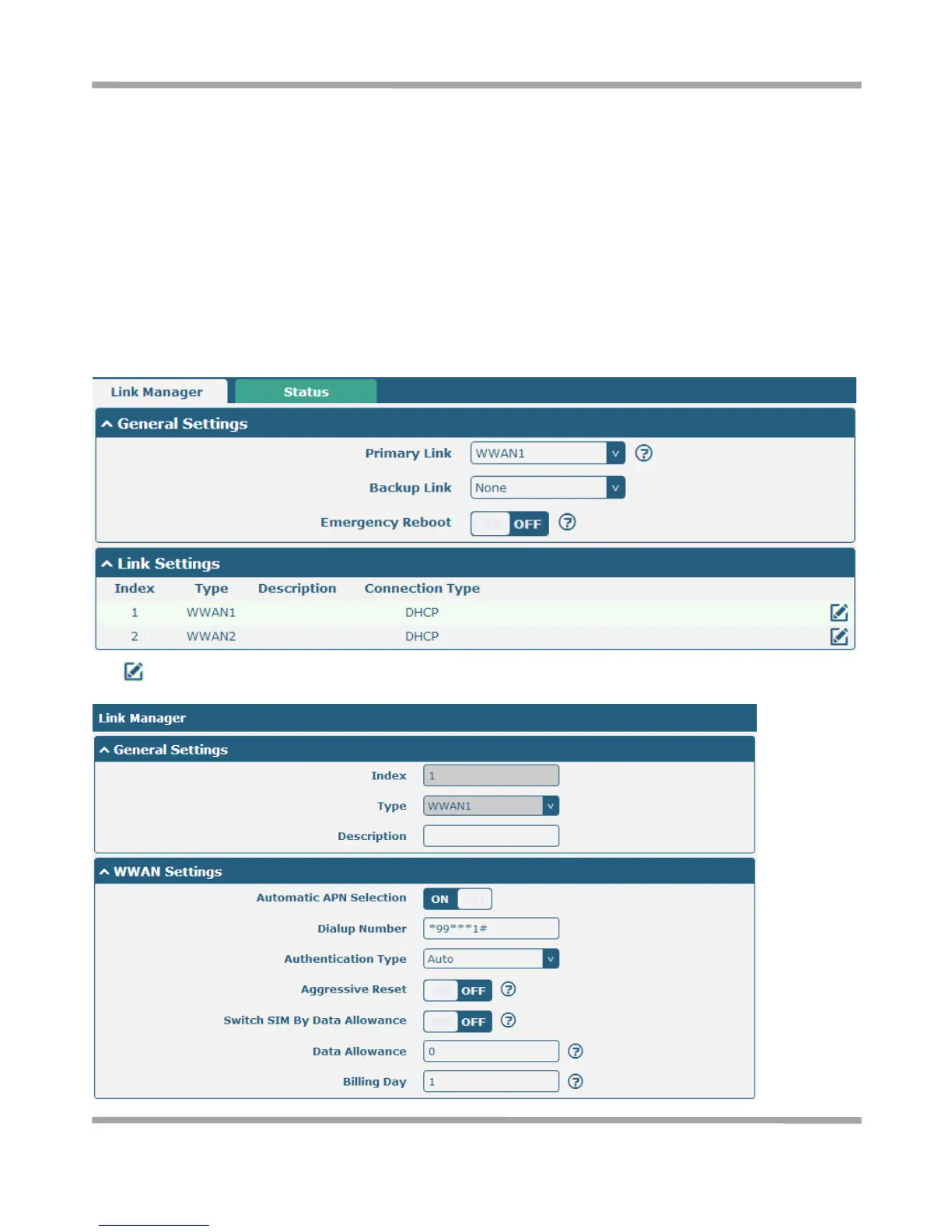
This section shows users how to configure the primary and backup SIM card of Cellular Dial-up.
Interface-->Link Manager->General Setting
Select WWAN1 as Primary Link.
Click to set the WWAN1’s parameter according to the current ISP.











 To Next Page