Robustel R3000 Lite User Guide
RT_UG_R3000 Lite_v.3.0.1 19 May, 2017 35/109
Confidential
Define the primary DNS server assigned by the DHCP server to the
clients.
Define the secondary DNS server assigned by the DHCP server to the
clients.
Define the Windows Internet Naming Service obtained by DHCP
clients from DHCP sever.
Set the lease time which the client can use the IP address obtained
from DHCP server, measured in seconds.
Bind a lease to correspond an IP address via a MAC address.
format: mac,ip;mac,ip;..., e.g. FF:ED:CB:A0:98:01,192.168.0.200
Enter some other options of DHCP server in this field.
format: config-desc;config-desc, e.g. log-dhcp;quiet-dhcp
Click the toggle button to enable/disable this option. Enable for DHCP
information output.
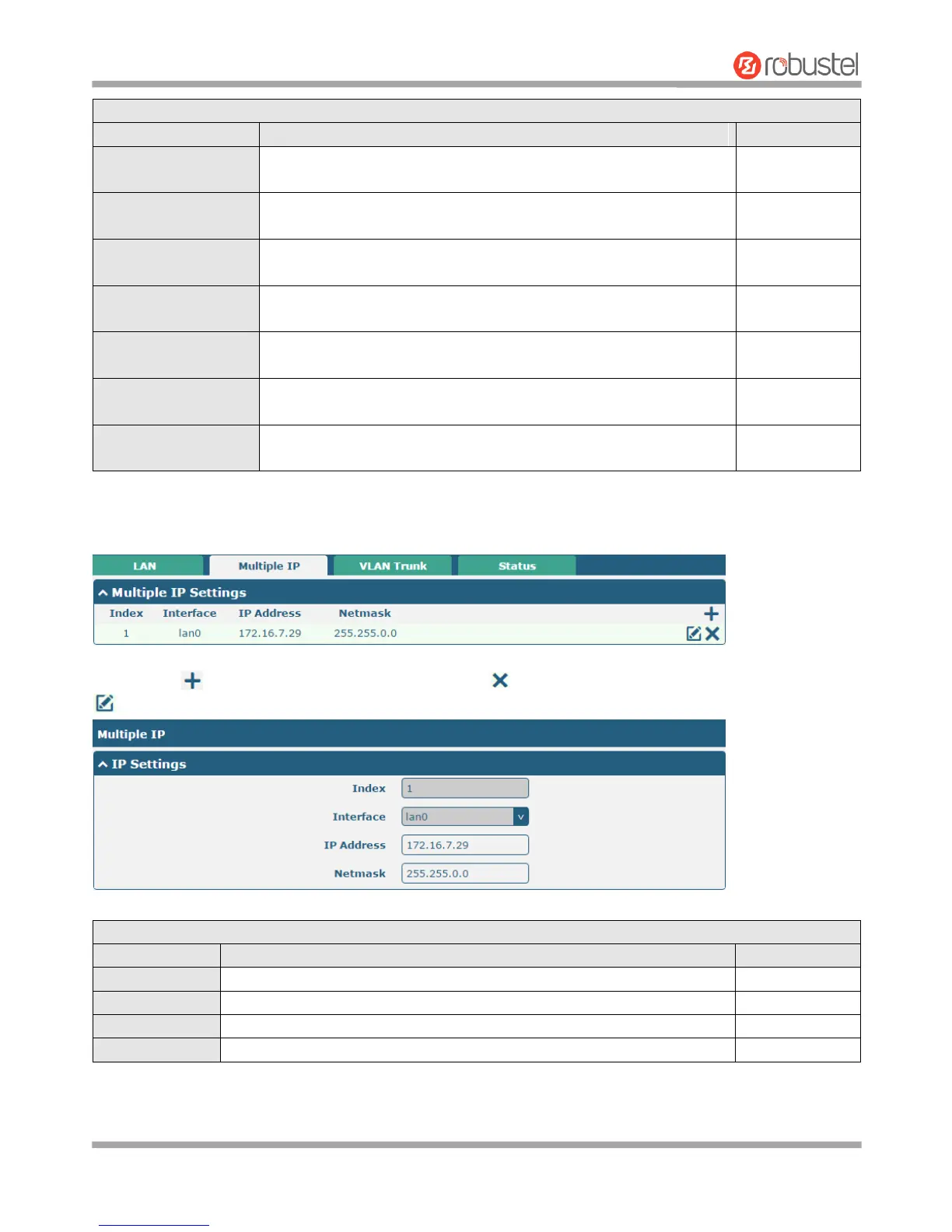
Multiple IP
You may click to add a multiple IP to the LAN port, or click to delete the multiple IP of the LAN port. Now, click
to edit the multiple IP of the LAN port.
Indicate the ordinal of the list.
Set the multiple IP address of the LAN port.
Set the multiple Netmask of the LAN port.














 To Next Page