Robustel R3000 Lite User Guide
RT_UG_R3000 Lite_v.3.0.1 19 May, 2017 36/109
Confidential
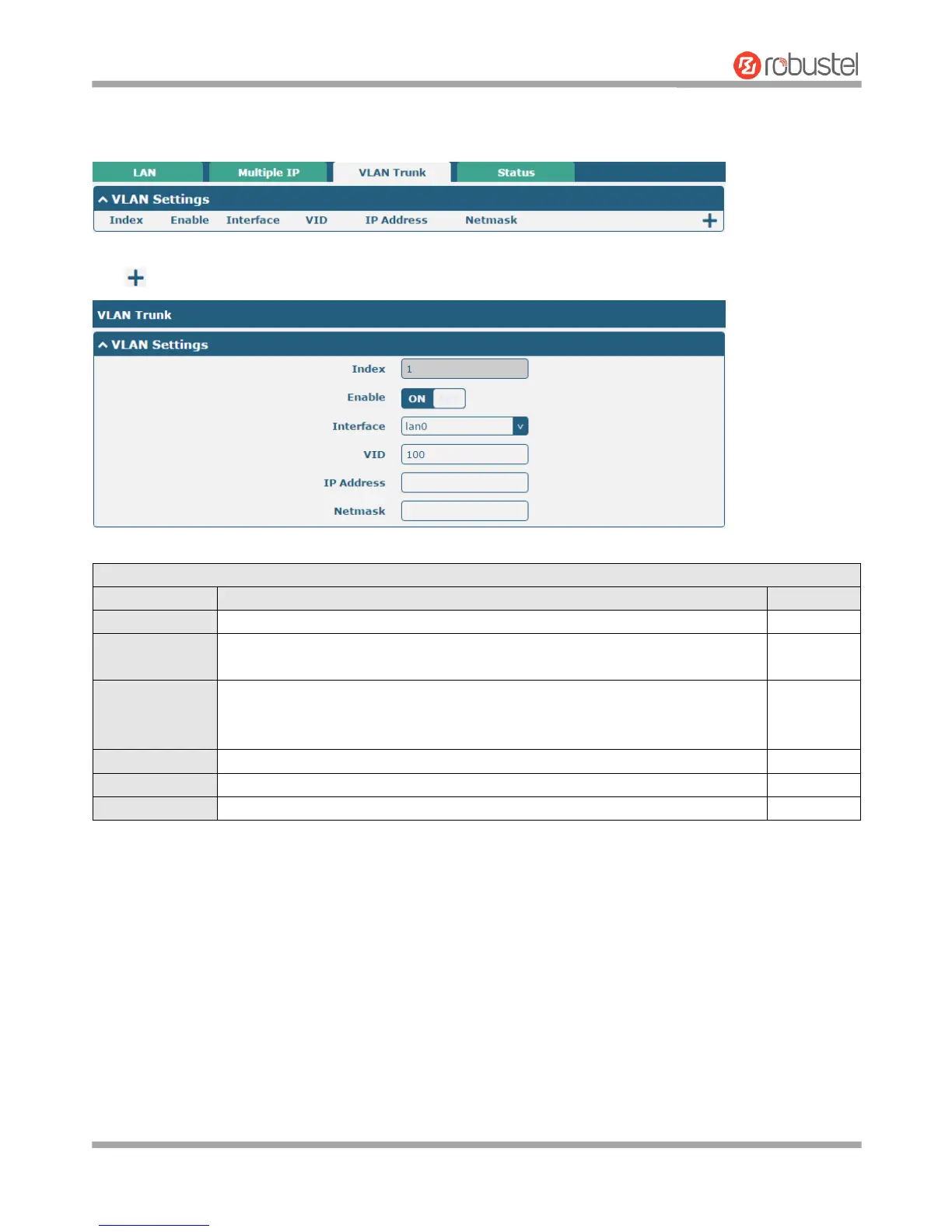
VLAN Trunk
Click to add a VLAN. The maximum count is 8.
Indicate the ordinal of the list.
Click the toggle button to enable/disable this VLAN. Enable to make router can
encapsulate and de-encapsulate the VLAN tag.
Choose the interface which wants to enable VLAN trunk function. Select from
“lan0”, “lan1”, “lan2” or “lan3” depends on your ETH1~ETH4’s corresponding LAN
port.
Set the tag ID of VLAN and digits from 1 to 4094.
Set the IP address of VLAN port.
Set the Netmask of VLAN port.














 To Next Page