CAUTION
Step 7: Perform Cutting (Sensor Mode)
Never touch the cutting carriage while output is in progress.
The cutting carriage moves at high speed. Coming into contact with the moving
carriage may cause injury.
Procedure
Set the material size.
Creating Cutting Data (2)
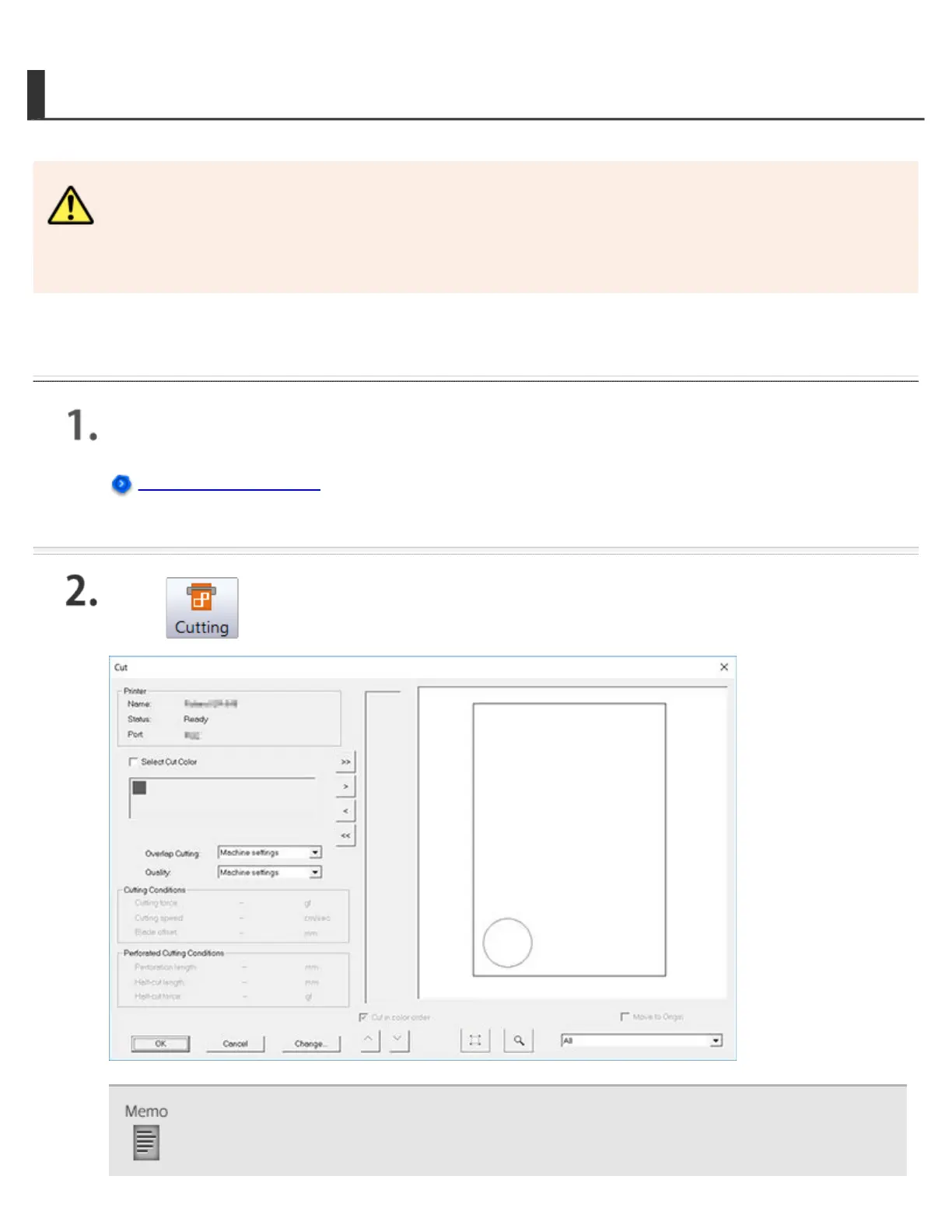
Click .
If you want to change the cutting conditions, click Change, clear the Use cutting conditions of
machine check box, and then enter the values.




 To Next Page