Setting the Displayed Unit
The unit used in messages on the display can be selected.
Procedure
Make sure the material is loaded in the machine.
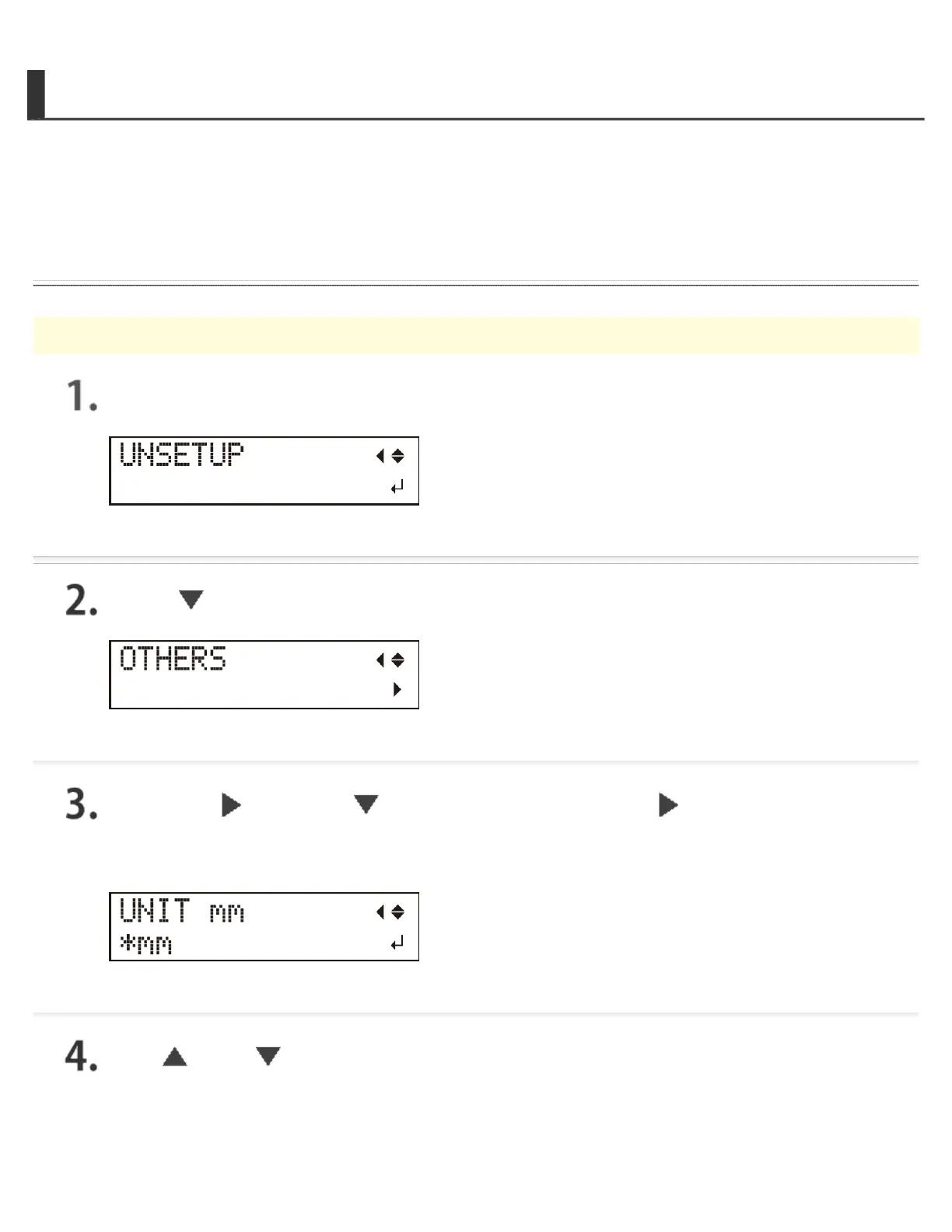
Press [MENU] several times to display the screen shown in the figure.
Press [ ] several times to display the screen shown in the figure.
Press the [ ] key, the [ ] key, and then press the [ ] key.
The screen shown in the figure below is displayed.
Use [ ] and [ ] to select the unit.
It is possible to select millimeters or inches.





 To Next Page