CAUTION
Outputting Data Created in Illustrator
Never touch the cutting carriage while output is in progress.
The cutting carriage moves at high speed. Coming into contact with the moving
carriage may cause injury.
* The screenshots show an example of Illustrator CC 2015, but the operation procedure is the same for other
versions.
You must install Plug-in for Illustrator before proceeding.
Installing Plug-in for Illustrator
Procedure
Start Illustrator.
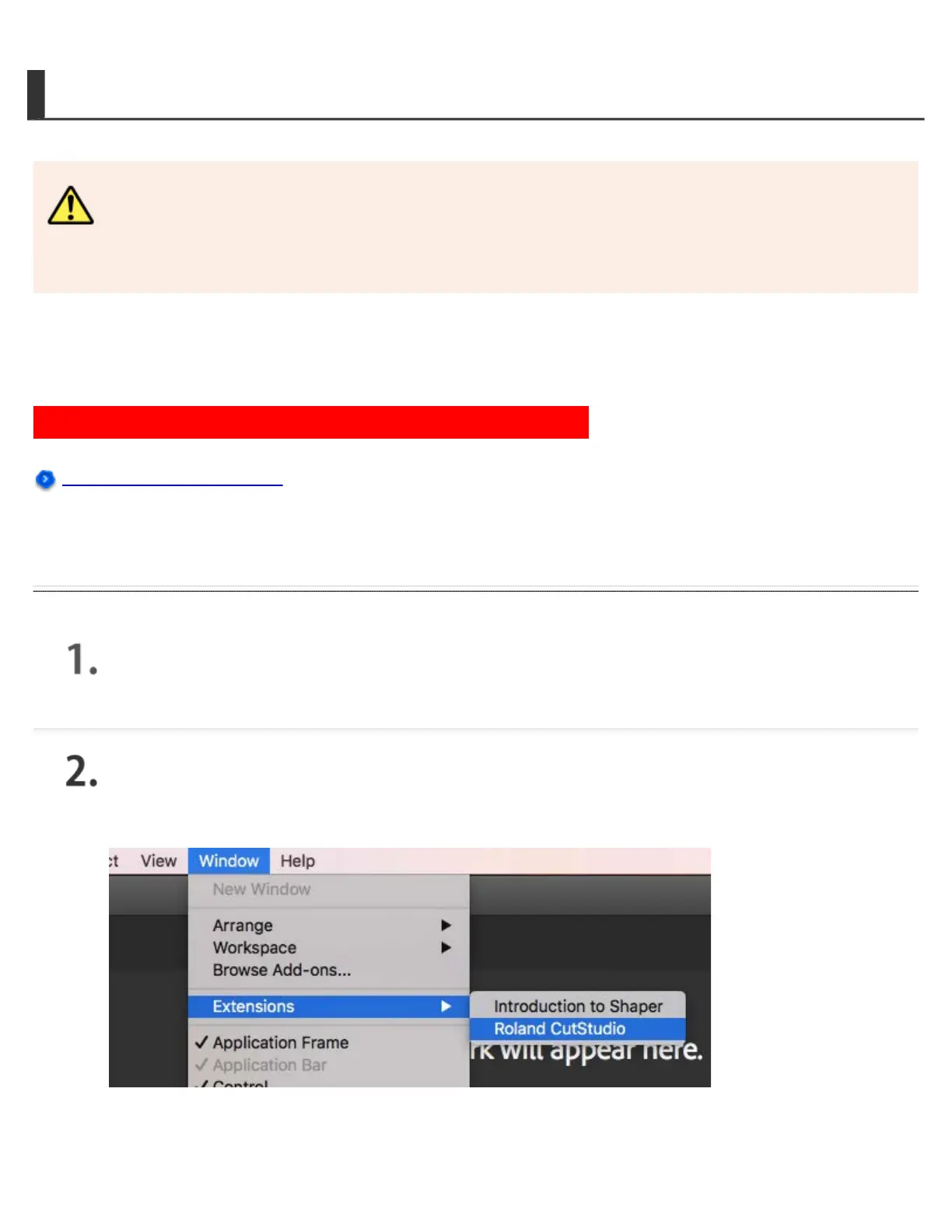
In Illustrator, click Extensions > Roland CutStudio from the Window
menu.
The "Roland CutStudio" palette appears.







 To Next Page